Best practices
Respond to an exposed secret
Work from verification evidence through replacement, revocation and follow-up checks.
Why use a response sequence?
Removing a value from a file does not invalidate the exposed key. Read the verification result first. Involve the person responsible for the service. Track replacement and revocation separately. A remediation case tracks work; it does not replace the secret's verification status.
Recommended response
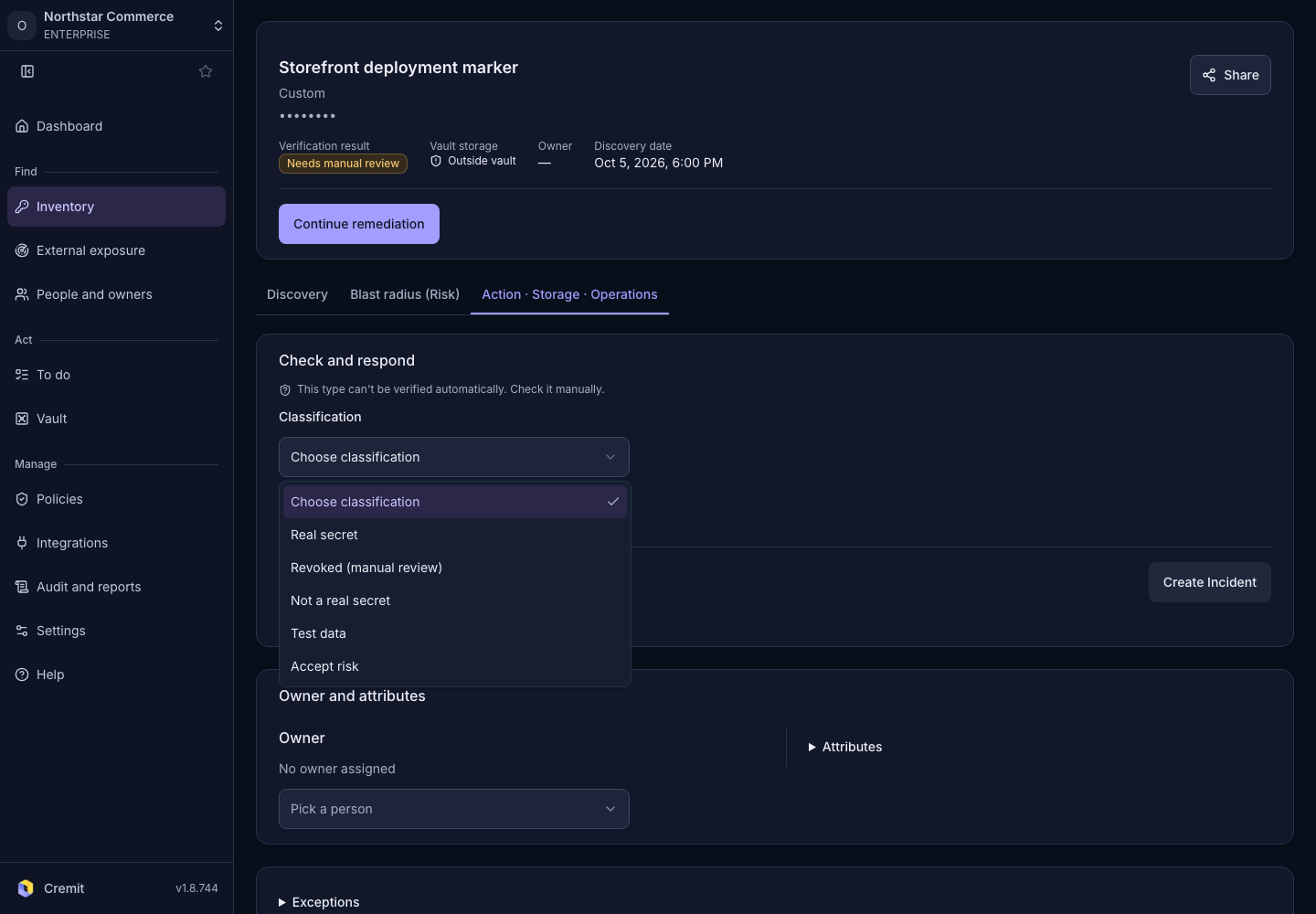
- Open the secret in Inventory. Read Verification result. Prioritize replacement for Valid. For Inconclusive or Needs manual review, investigate the reason and whether the key is in use. An inconclusive result is not evidence of safety.
- Assign responsibility to the current service owner. Confirm whether the code author still fills that role. If nobody owns the service, ask an administrator to coordinate the handover.
- Check the case and its next action under Action · Storage · Operations. Use Start remediation when a new case is needed. Supply the storage destination and path requested on screen.
- Create a replacement key with the issuing service. Check that services using the key work with the replacement. Once the switch is confirmed, revoke the exposed key. For urgent containment, the service owner should assess the impact of immediate revocation. An unused key can be revoked without a replacement.
- Use Re-verify after revocation to check the old key. Manually recorded verdicts cannot be reverified. Record evidence only where manual decisions are supported. Check that services have switched to the new key. Confirm revocation of the old key separately.
You can also find cases in the Remediation cases tab of To do. Review exposed locations in Exposure. Check revocation evidence in Remediation. Confirm the new version at the designated path in Vault storage. Check the assigned owner in Management.
Common mistakes
Deleting a file, hiding a finding or changing case status does not prove revocation. Check that the replacement has not been added to the same exposed location. If an action is disabled, read the reason first. Do not change a verdict to make the case look complete.
Checklist
- Read the verification result and when it was checked.
- Identify the service owner and the person making the change.
- Confirm that services work with the replacement.
- Verify revocation evidence and review exposed locations.
- Hand over any remaining case steps explicitly.
See Verification status and Remediation cases for the individual actions.