Integrations
Integrations overview
Use the integration map and area cards to locate connections that need review.
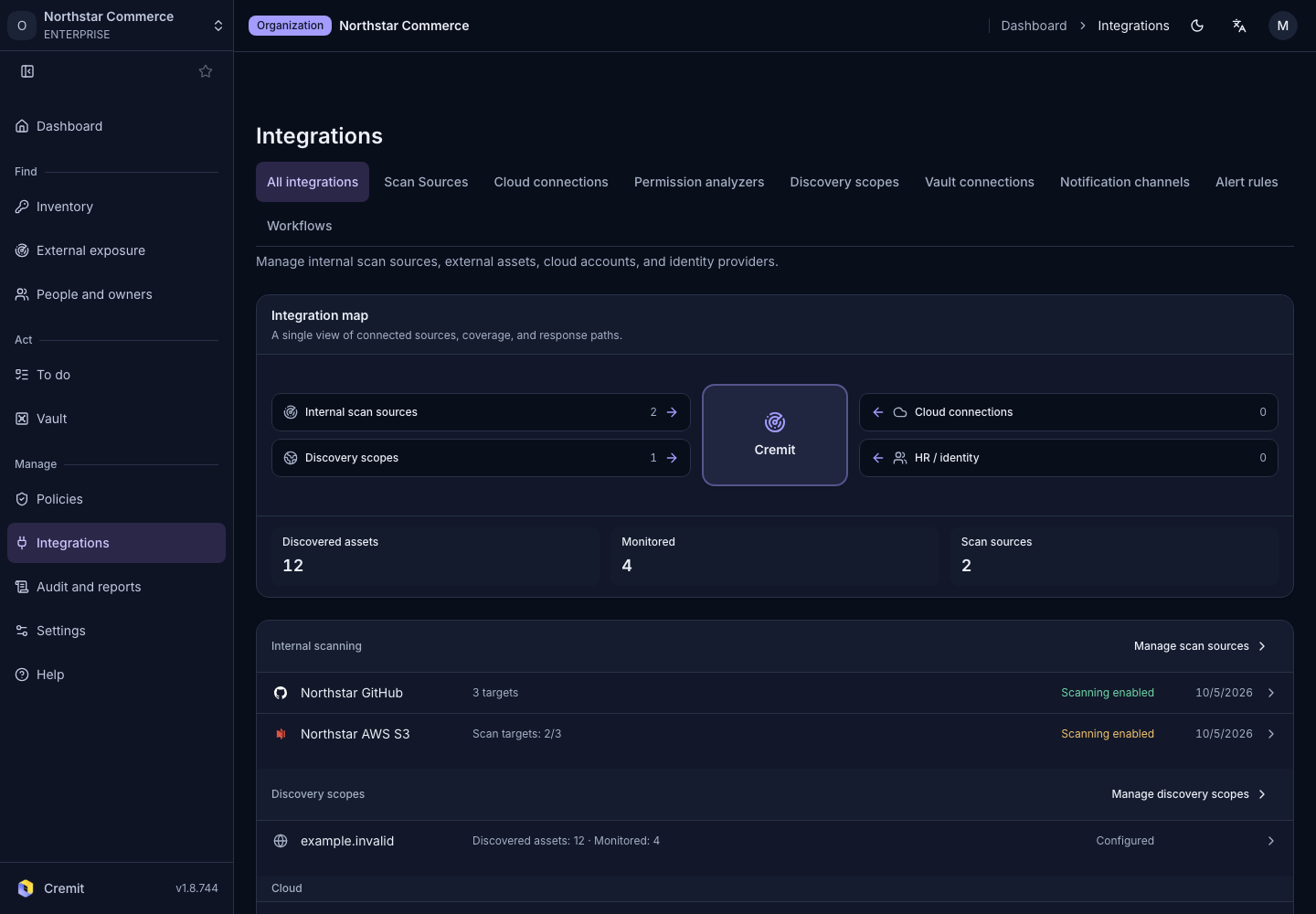
Read the integration map
Open All integrations from Integrations.
The Integration map summary shows connection counts for these areas.
| Area | What to review |
|---|---|
| Internal scan sources | Connections for code, storage, and collaboration tools. |
| Discovery scopes | Connected scopes used to discover external assets. |
| Cloud connections | Cloud accounts and projects connected to Cremit. |
| HR / identity | Sign-in and directory connections. |
Below the map, review discovered assets and monitored targets. Connection counts, discovered assets, and monitored targets measure different things.
Open a connection from an area card
- Find the relevant Internal scanning, External scanning, Cloud, People and access, or Notifications and tickets card.
- Review the connection state and latest update information.
- Select the connection name to open its settings or detail.
A connected source can still have disabled targets or access errors. If a card shows a problem, open that connection to review its state.
Start a new connection
Use Scan Sources for code and collaboration tools, or Cloud connections for AWS and Google Cloud. Manage analyzers in Permission analyzers and notification destinations in Notification channels. Available setup actions depend on your organization role.