ProductCredential inventory
Know which keys you have and who should act.
Review scanned keys, synced vault entries and manually registered assets in one place. See how each credential was found, review its verification results and assign the person responsible for investigating it.
- Security lead
- Platform engineer
- Service owner
Who does the work
The people this feature hands work to, and what each of them does with it.
Security lead
Sees every credential in one list and decides what gets handled first.
Platform engineer
Reconciles what sits in the secret manager with what still lives in code.
Service owner
Confirms the keys assigned to them are still needed, and by whom.
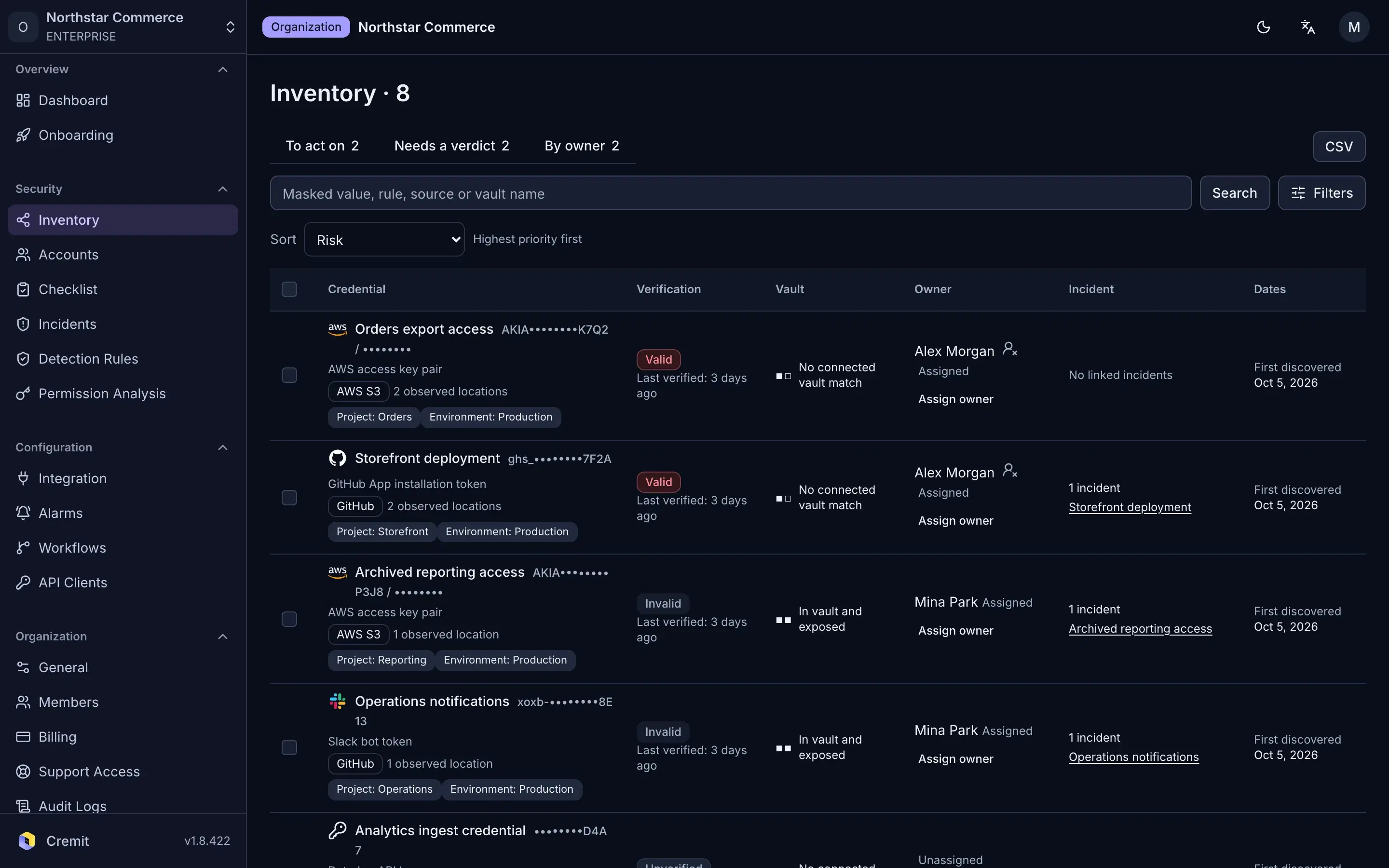
Give each credential a response owner.
Review the credential and the person assigned to it together. Source authors help you investigate; your team confirms who is responsible for the response.
- Start with the finding and its recorded source.
- Confirm an owner instead of assuming the author still owns the key.
- Keep issuer-side action and the next verification result in the investigation.
Three origins, three kinds of evidence
This explains inventory row types; it is not a product screenshot. A row only contains evidence available from its source.
CODEDetected finding
A credential matched a rule in a connected source. The row can show its recorded location, author and owner evidence, and a validity result for supported types.
VAULTVault-only entry
A synced secret-manager entry with no matched detected finding. The row can show its vault record, available version age and rotation settings.
MANUALRegistered asset
A credential record entered by a person for tracking. It can show its name, service, assigned owner and age when a creation date was supplied.
Read a row before you act
The same column can carry different evidence depending on the row’s origin.
01
Verification result
For detected findings, check whether the type supports issuer validation and when the last result was obtained. Unsupported or inconclusive results remain unknown. Vault-only and manual rows have no validity verdict.
02
Location and exposure
Review recorded locations and public-exposure signals from connected sources and monitored external assets. A missing location does not prove that a credential never appeared elsewhere.
03
Owner status
Distinguish an author-derived candidate from an explicit assignment. A vault tag can be a clue but is not a confirmed person.
04
Age and access context
Vault age uses the current version’s creation time; a manual record uses a supplied credential creation date, when available. AWS and GCP key permission analysis requires the relevant integration and is separate from proof of use.
Questions the inventory can answer
Why is validity blank for a vault or manual row?
Those rows do not hold a detected key value for issuer verification. The blank cell is not a dead-key result. Check the issuer if you need current state.
Does vault-only mean the key was never exposed?
It means no matched finding is recorded outside that vault in the connected scope. Check other systems and issuer logs before drawing a wider conclusion.
What if a sensitive key is clearly exposed?
Contain it at the issuer promptly, identify dependent services, assign a responder and record the result. Do not wait for a complete inventory before limiting an active exposure.
Open one row with its source in mind
Start with its origin, then read the available validity, exposure, owner and age evidence. Follow the linked investigation before closing a finding.