Integrations
Google Cloud projects
Set up a Workload Identity Federation connection for a Google Cloud project.
Connect a project
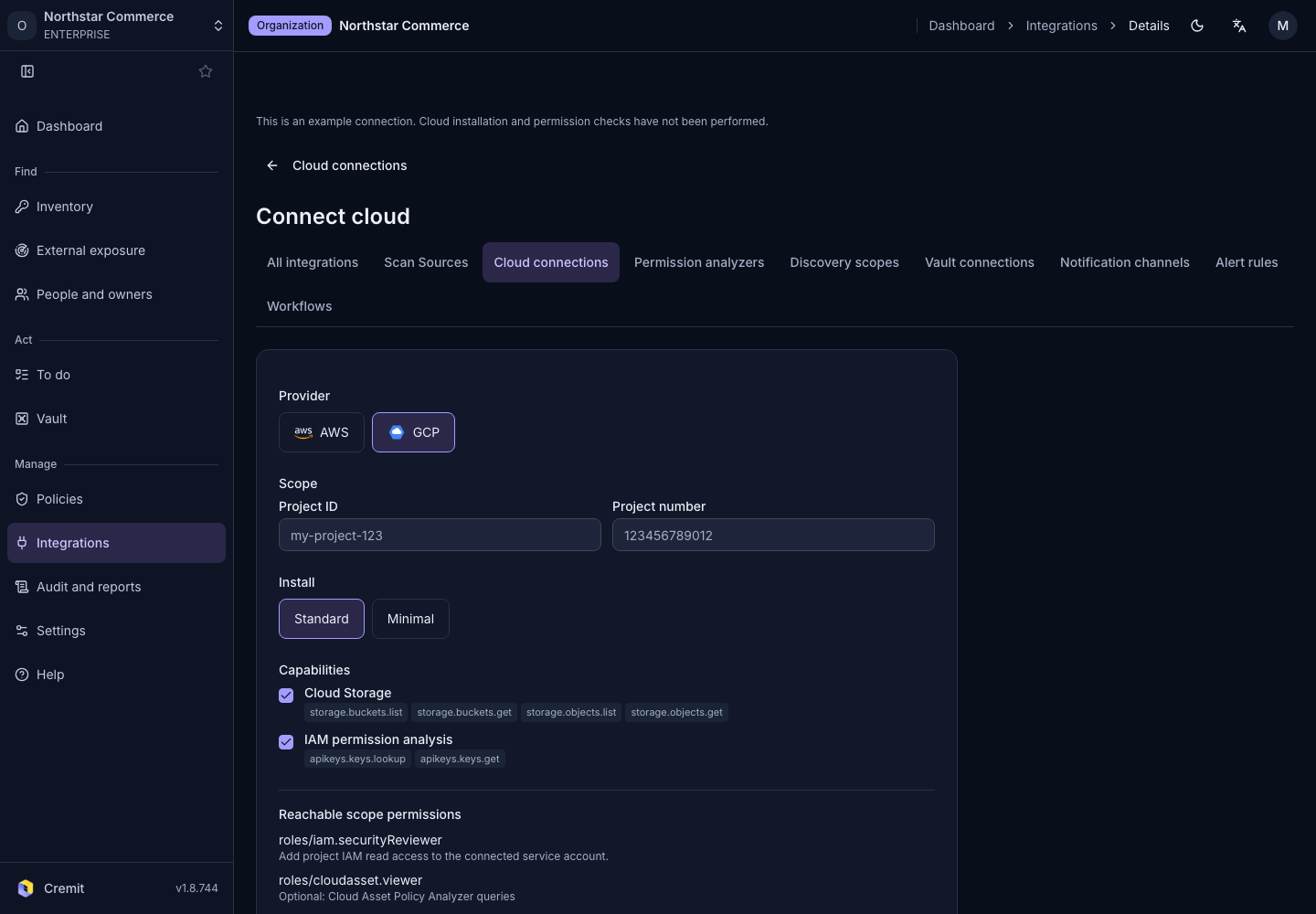
Prepare the Google Cloud project ID and its numeric project number. This connection uses Workload Identity Federation instead of a service-account key file.
- From Cloud connections, select Connect cloud.
- Choose GCP.
- Enter Project ID.
- Enter Project number.
- Under Install, choose Standard or Minimal.
- Select the scanning or analysis features under Capabilities.
- Select Create connection.
Standard installation installs the released read permissions together; Cremit controls which features are used. Minimal installation installs permissions for the selected features. Review the permissions listed below each capability.
Apply the project setup
- In the new connection's Setup, choose Script or Terraform.
- Select Download to save that setup file.
- Review its project ID and permissions.
- Run or apply the downloaded setup in Google Cloud.
- Return to Cremit and select Verify.
Check Google Cloud's Workload Identity Federation guidance and your organization policy. Review the verification result and each feature's usage state in the connection detail.