Integrations
AWS Secrets Manager
Enable Secrets Manager value scanning on an AWS connection and review vault synchronization.
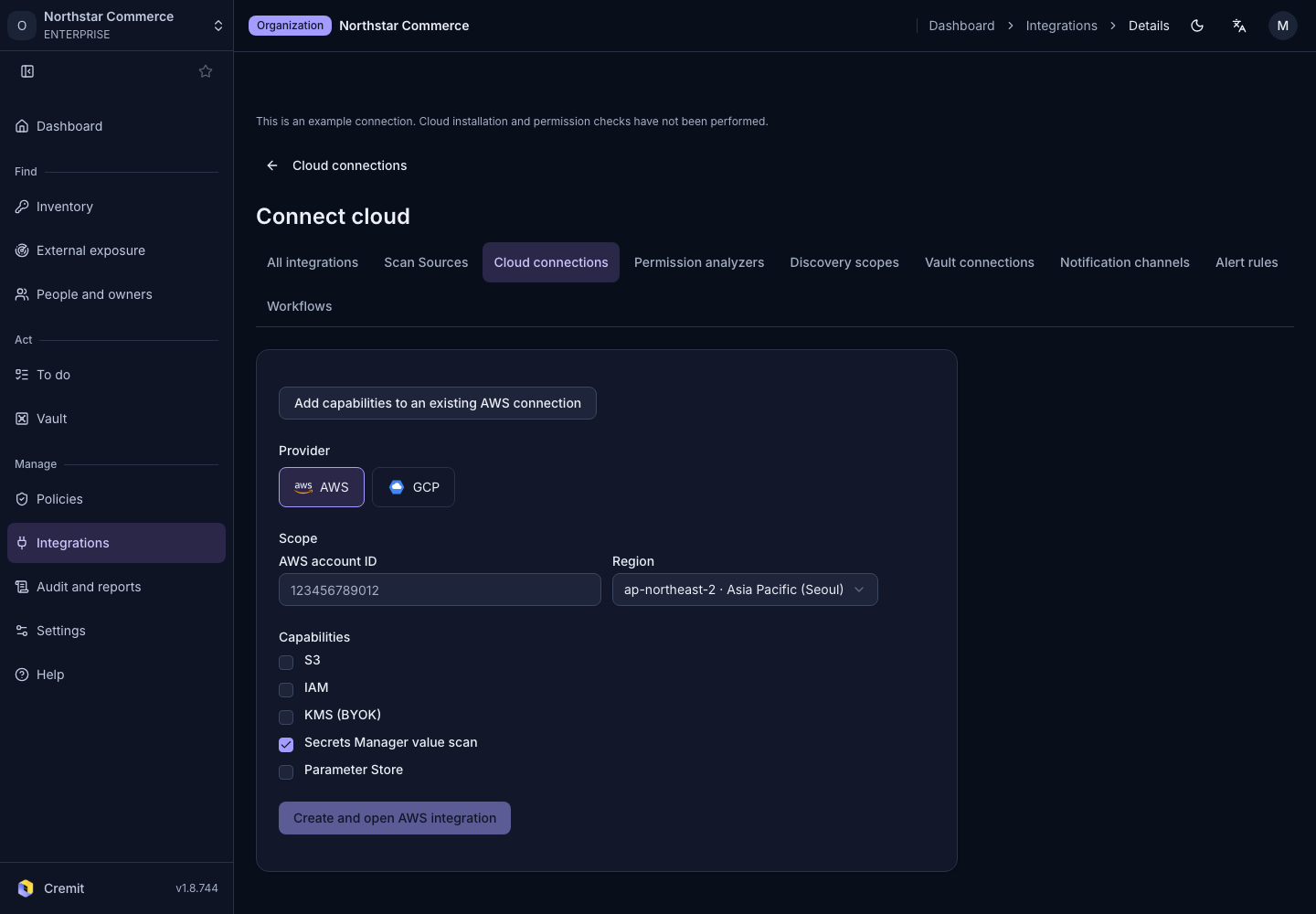
Set up value scanning
- In the Cloud connections list, select Connect cloud.
- Choose AWS as the provider.
- Enter the Secrets Manager account in AWS account ID.
- Select Region.
- Select the Secrets Manager value scan capability.
- Review requested permissions using the versioned Download.
- Select Create and open AWS integration to start AWS setup.
Deploy the CloudFormation stack in the AWS window. Follow AWS account connection for the deployment sequence. Back on the AWS account card, select Verify to check the applied stack.
Review connection and scanning state
The AWS capability row is labeled Secrets Manager value scan. Check permission verification and feature usage separately. A newly added feature showing Stack apply pending still needs the stack change applied.
In Vault connections, review the connection state and latest synchronization. Open Connected vaults to browse stored items. Enabling value scanning and completing vault synchronization are separate events.