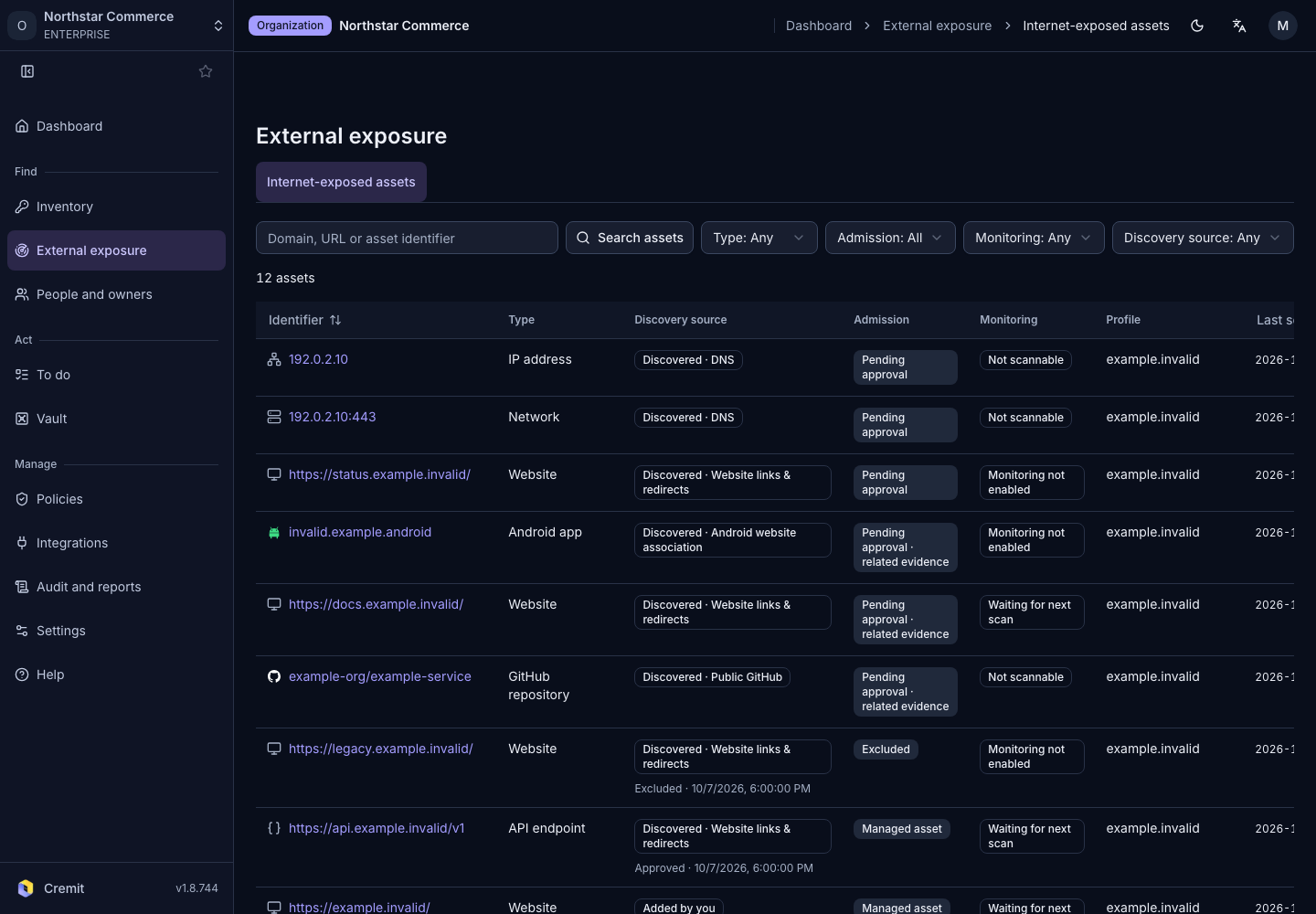
External exposure
Internet-facing assets
Find internet-facing assets and review their monitoring state.
Find an asset
- Open External exposure › Internet-exposed assets.
- Enter a domain or asset name in Search assets.
- Narrow the list with Type, Admission, Monitoring and Discovery source.
- Select an asset identifier to open its details.
The list shows type, discovery source, disposition, monitoring state, profile and last-seen time. A discovered asset is not necessarily approved or monitored. Check both states.
Review the result
Review discovery evidence and relationships before deciding whether the asset belongs in your managed scope. Use Clear filters to remove filters. If no results appear, check the search and profile filters.
See External exposure scanning to configure the scanning scope.