Integrations
Confluence
Connect Confluence document scanning with a site URL and API token.
Prepare
Use an account with access to the intended Atlassian Cloud site and an API token. See Atlassian’s official documentation for token creation and management.
Connect
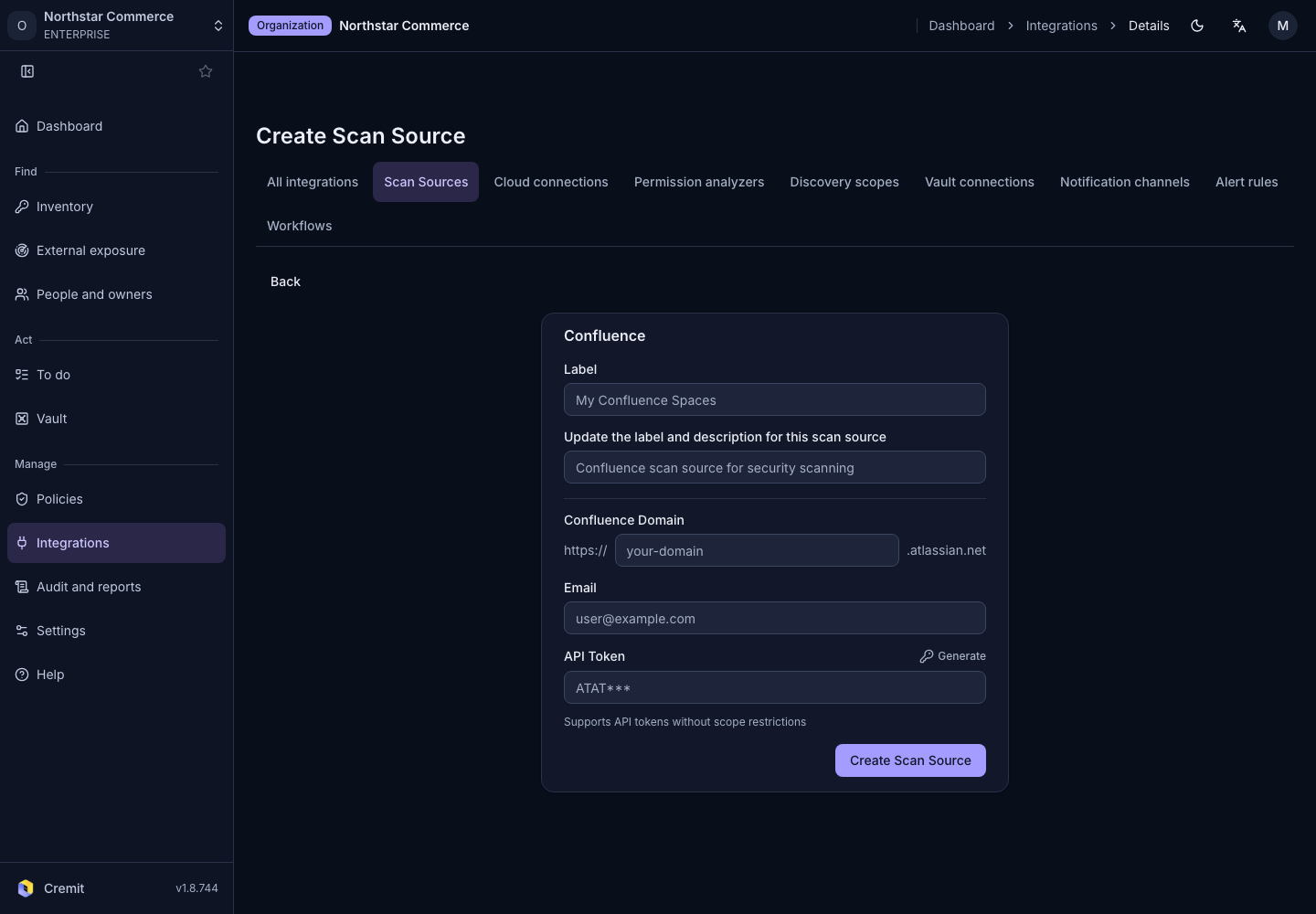
- Select Confluence in Scan Sources.
- Enter Label.
- Enter the site's subdomain in Confluence Domain.
- Enter Email.
- Enter API Token.
- Select Create Scan Source.
Review discovered targets and enable those you intend to scan. For missing targets, check account permissions and connection errors. Jira scanning and incident Jira tickets use separate connections.