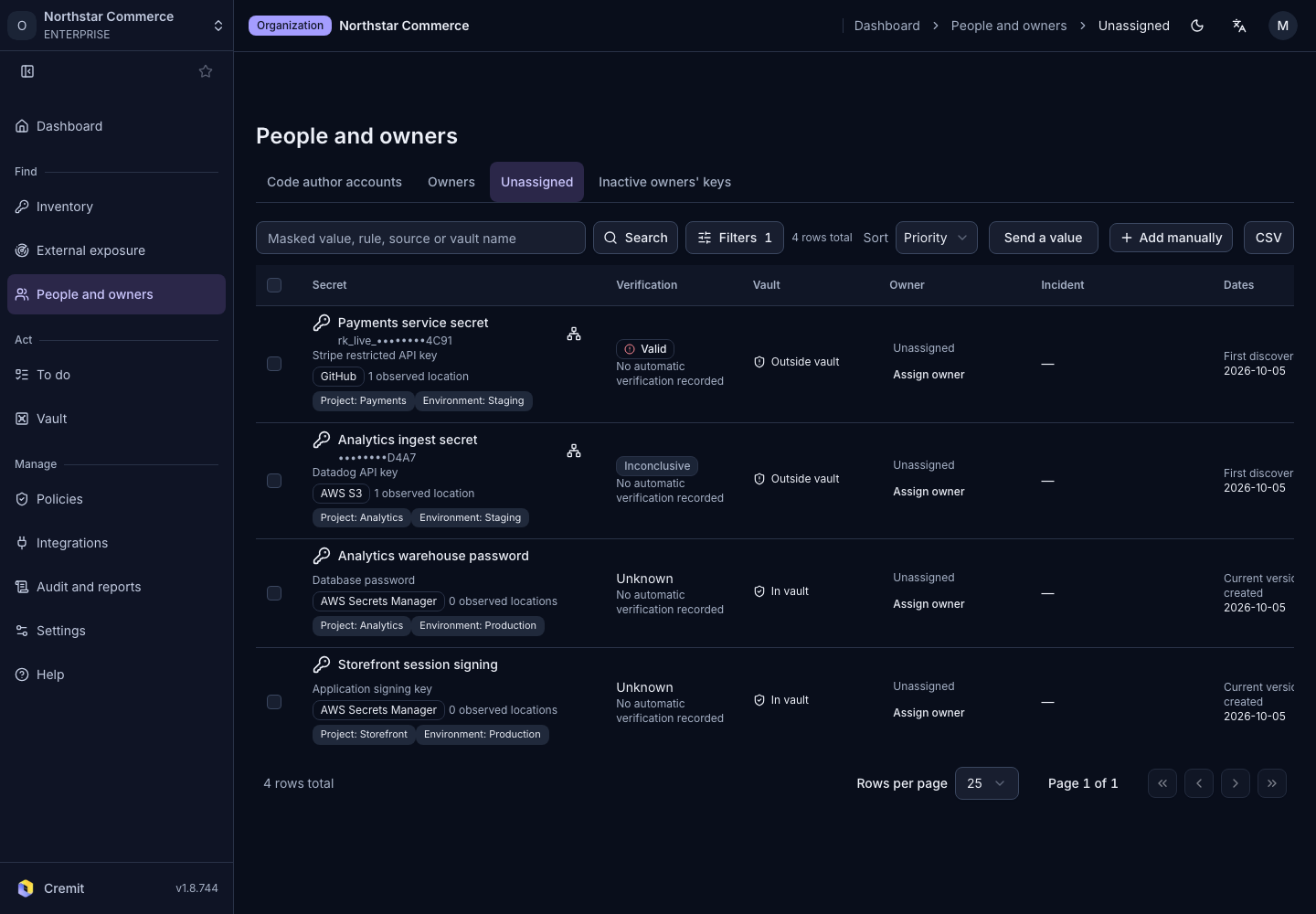
People and owners
Unassigned and departed-owner secrets
Review secrets with no assigned owner or an inactive owner.
Secrets without an owner
- Open People and owners › Unassigned.
- Open a secret and review its locations and service information.
- Confirm the current responder and assign them as the owner.
Secrets associated with inactive owners
- Open Inactive owners' keys.
- Check each secret's owner and verification status.
- Assign a new responder and assess whether the key needs replacement or revocation.
An inactive account does not mean its secret has been revoked. Check the secret's verification state and dependent services separately. For directory-derived information, also check the latest synchronization result.