Inventory
Add a secret manually
How to add a secret that scanning did not find to the inventory and manage it there.
Secrets used in places you have not connected as a scan source can live in the inventory too. A secret you add manually sits in the same list as detected secrets, where you manage its owner, attributes and age.
Add a secret
Only owners and admins can add secrets manually.
- In Inventory, open All.
- Select Add manually above the list.
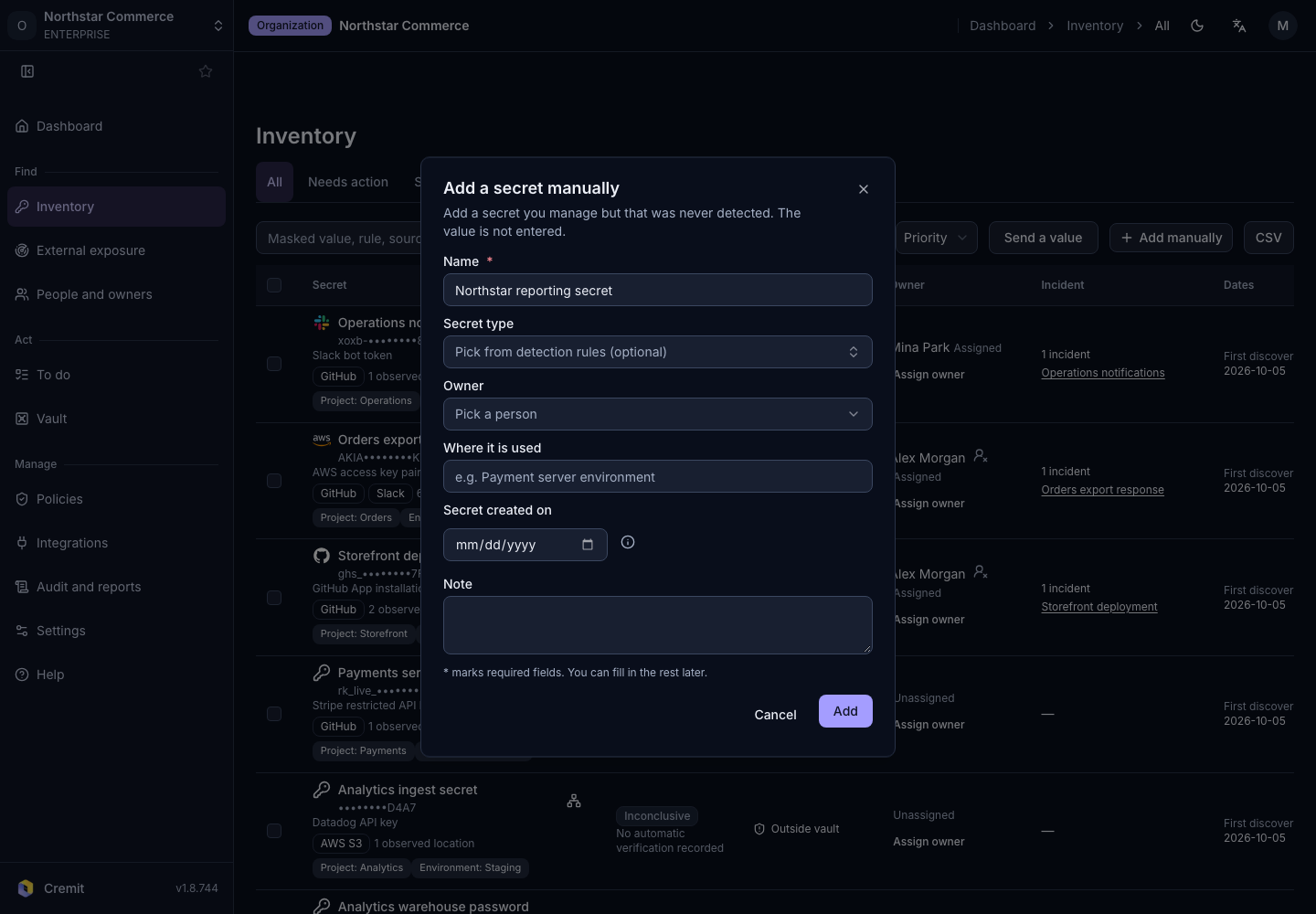
- Fill in the Add a secret manually dialog.
- Select Add.
| Field | What to enter |
|---|---|
| Name | Required. The name shown in the list, up to 200 characters. |
| Secret type | Optional. Pick a type from the detection rules and the secret shows the same service name as detected secrets. For a type that is not listed, type a name to use it as-is. |
| Owner | Optional. Pick an organization member or a code author, or type a name. |
| Where it is used | Optional. Where the secret is used. |
| Secret created on | Optional. The day the secret was issued, not the day you add it here. Future dates cannot be chosen. |
| Note | Optional. Up to 1,000 characters. |
Fill in the required field now and the rest later if you like.
After you add it
- Select Added manually in the list to see only the secrets added manually.
- Cremit does not have the value of a secret registered with details only, so it does not verify it. Such secrets do not appear in Needs action.
- If you entered Secret created on, the secret's age is counted from that date. Without it, no age is shown.
- Select the secret to see the details you entered, Registered by, Registered and Attributes. With manage permission you can also change the owner.
Remove a secret
Owners and admins can remove a manually added secret from the list.
- Open the secret's details.
- Select Remove.
- Select Remove registration.
Removing a secret also removes its owner and attributes. Adding and removing are recorded in Audit Logs.