Integrations
AWS SSM Parameter Store
Add Parameter Store to an AWS account connection and check its value scanning state.
Add the Parameter Store capability
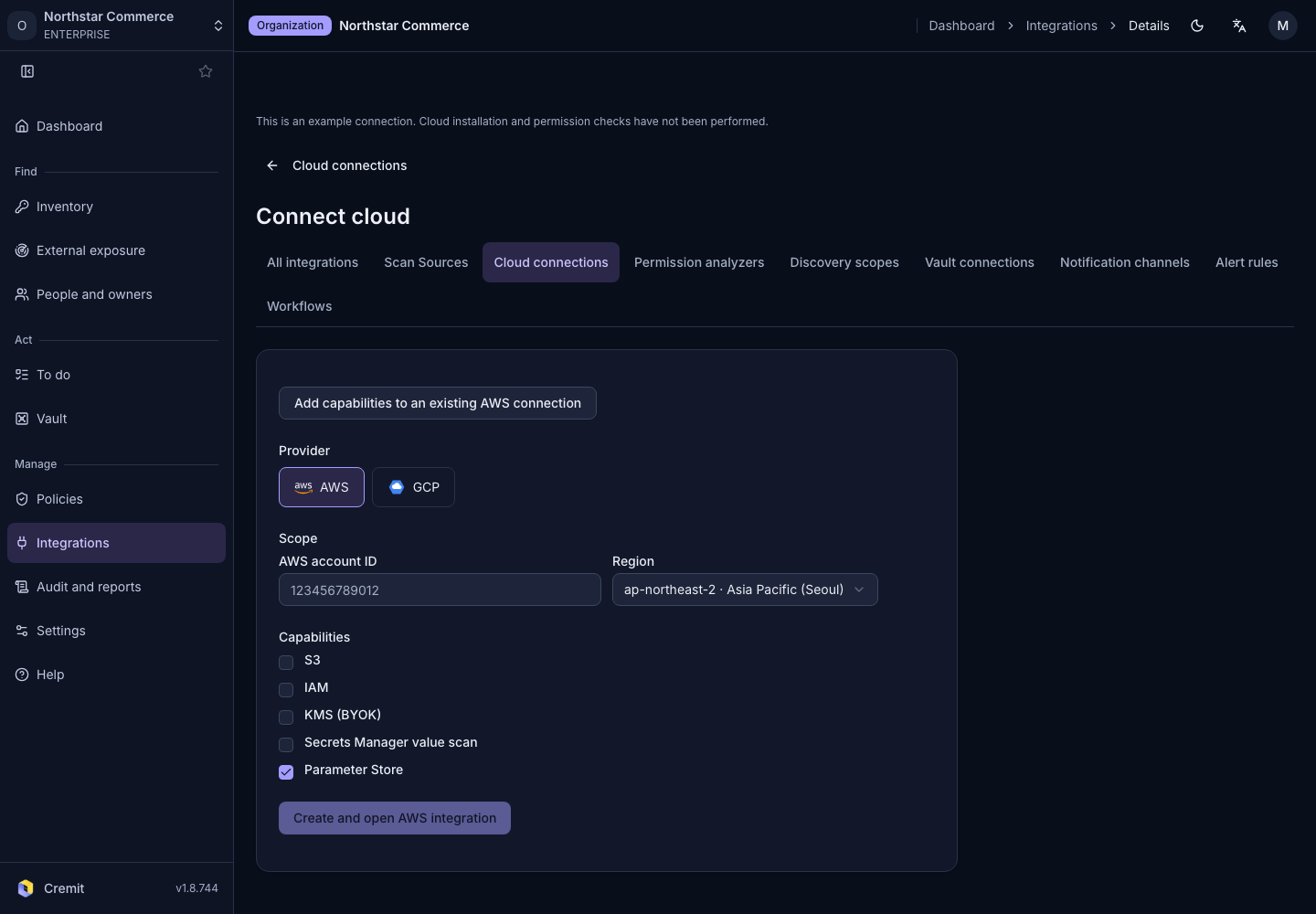
- Open Connect cloud from Cloud connections and start an AWS connection.
- Enter the Parameter Store account in AWS account ID.
- Choose the stack deployment region in Region.
- Select Parameter Store from the capabilities.
- Review the template permissions for the version shown on Download.
- Select Create and open AWS integration to create the connection.
Deploy the stack in AWS, then check application with Verify on the account card. AWS accounts covers the account and deployment sequence.
Review value scanning state
The setup form offers Parameter Store; its AWS capability row shows Parameter Store value scan. Review permission and usage state before opening its linked resource.
If this capability is off on an existing account, use Create capability. When stack application is pending, apply the CloudFormation change and verify again. In connected vaults, follow the account and parameter path to find stored items.