Best practices
Review changes with the audit log
Compare recorded changes with independent outcomes and check the scope of empty results.
Why compare records with outcomes?
When settings or responsibilities change, check who made each change. The audit log provides a record of operations within the organization. It does not independently prove that a key was revoked at its issuer or that a service using the key works.
Recommended review
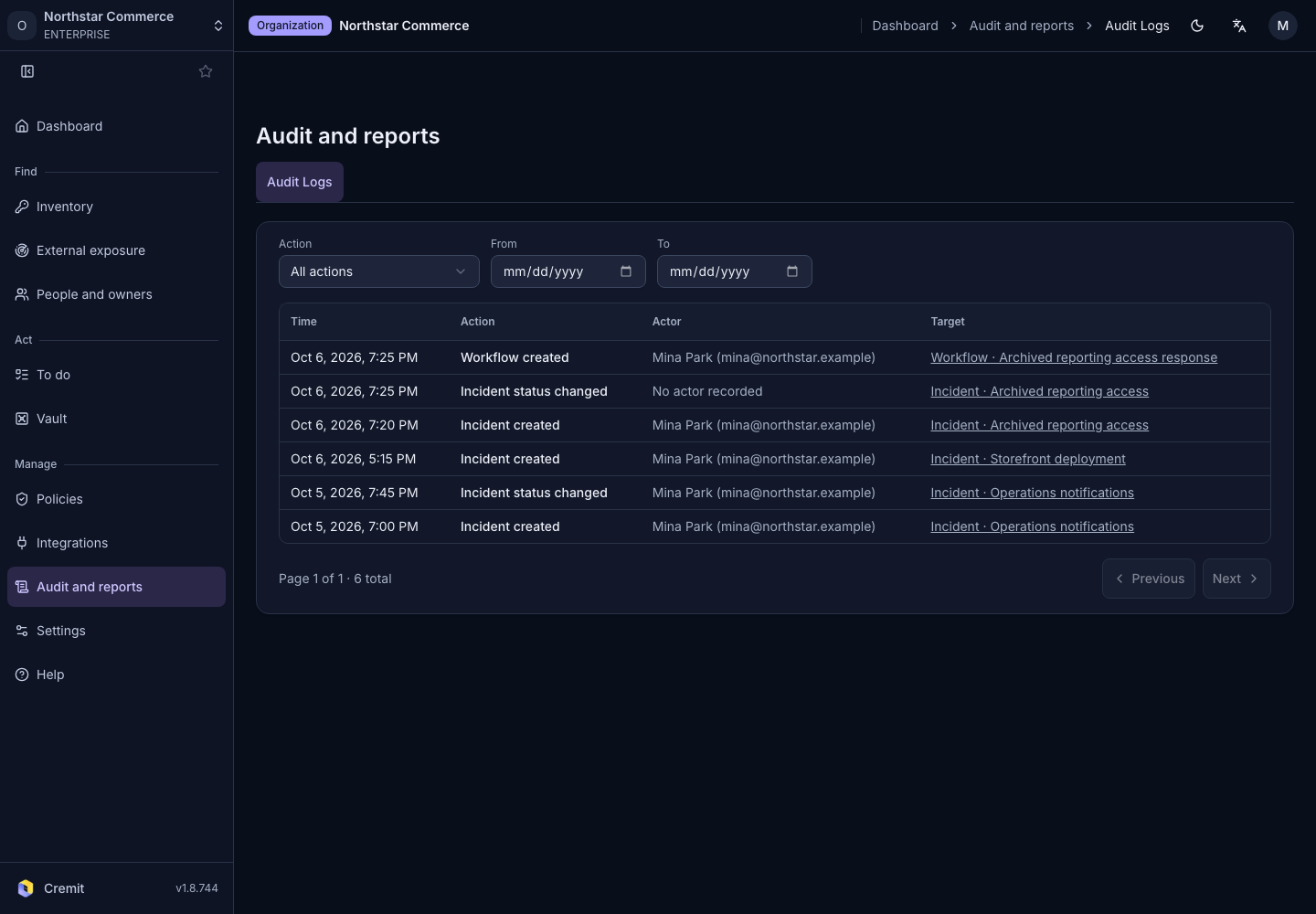
An owner or admin should choose the action and period to review in Audit Logs under Manage. Narrow the results with Action, From and To. Check the time, action, actor and target in each record.
For changes to ownership or access, check that the actor and target match the planned change. Expand Show identifier to compare identifiers when names are similar or a target has been deleted. If a record raises a question, follow up with the person responsible for the original change.
If no records appear, broaden the date range and action filters. If results span several pages, check the remaining pages. Zero results do not establish that nothing changed or that no incident occurred. Record what you searched and which evidence is still missing so another person can continue the review. Keep secret values out of review notes.
Common mistakes
One recorded action does not prove an entire response is complete. Ownership assignment and key revocation, for example, require different evidence. Do not identify a target by display name alone. Do not report that you reviewed an entire period after reading only the first page.
Checklist
- Define the operation and review period.
- Compare actor and target identifiers.
- Verify the outcome with separate evidence.
- Investigate empty results and additional pages.
- Record scope and open questions without copying values.
See Audit log for the filter controls.