Best practices
Plan scan coverage and integrations
Expand coverage in an order your teams can act on, and investigate empty scan results.
Why plan the connection order?
A long list of connections can still miss a critical repository. Start where operational keys are used or exchanged. Connect areas with a team ready to handle the findings. Check coverage before expanding it.
Recommended connection order
- Review repositories used by running services. Connect the relevant provider, such as GitHub or GitLab. Compare the discovered targets with the repositories you intended to include.
- Add collaboration tools and storage that carry configuration files or values. Choose Slack, Notion or AWS S3 according to actual use.
- For cloud accounts and external vaults, check the purpose of the connection in the relevant integration guide. Review the requested permissions. A scan-source connection and a vault connection serve different purposes.
- Assign a team to handle findings in each area. Agree on a response process before expanding coverage. Review failed scans from earlier connections as part of the same check.
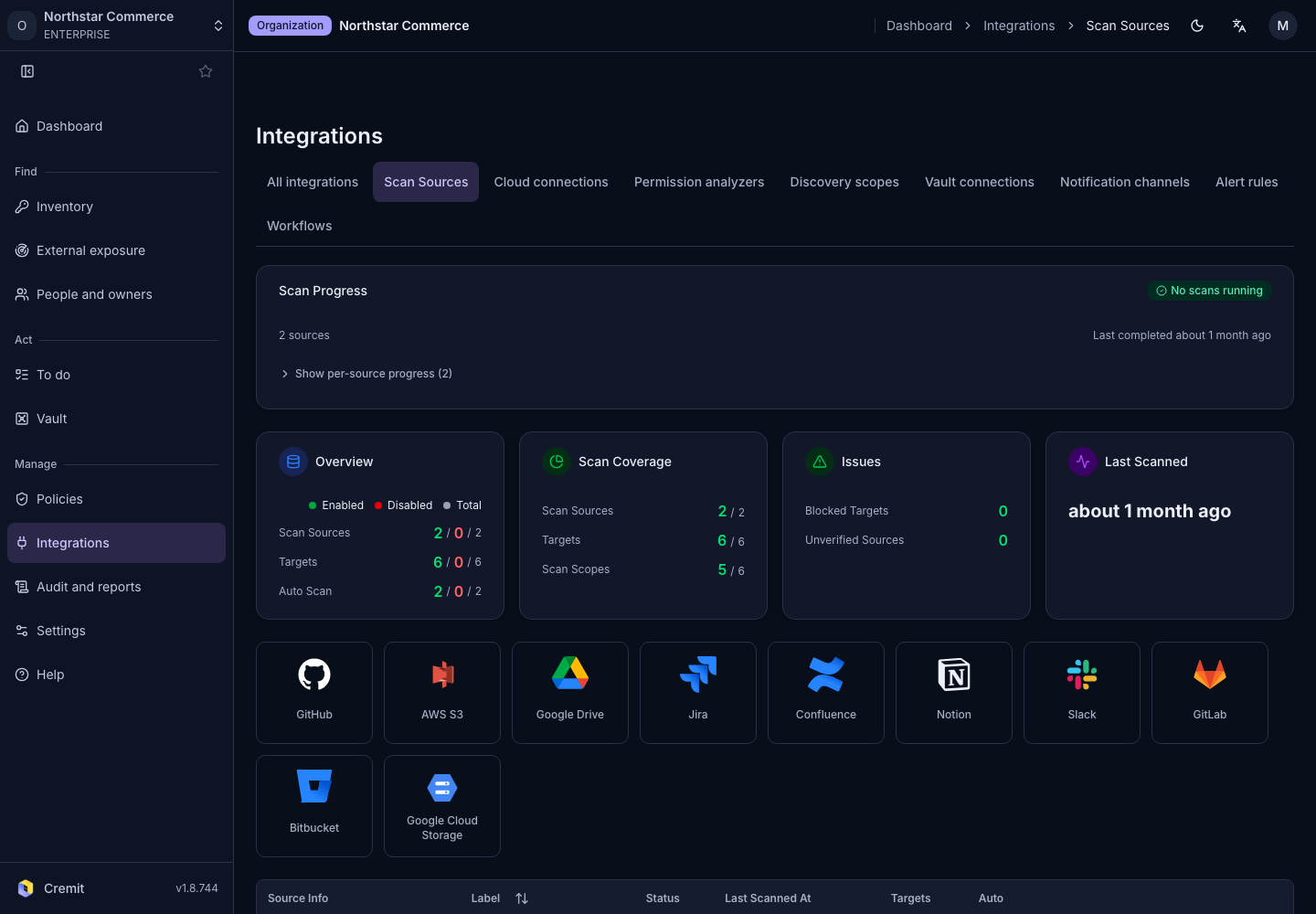
Check connection status in the Scan Sources tab of Integrations. Check target activation and Scan Progress as well. Decide whether new targets should be scanned. Set Auto-scan New Targets accordingly.
Common mistakes
Zero findings do not establish safety. Compare connected sources, discovered targets, active targets and completed scans separately. Missing permissions or inactive targets can explain an empty result. Starting with large volumes of test data can also delay work on operational keys.
Checklist
- List the repositories, documents and storage that matter.
- Compare expected targets with those actually discovered.
- Check that required targets are active and scans completed.
- Investigate failures, incomplete scans and empty results.
- Decide how new targets and findings will be assigned.