The PingCAP Breach Reached the AWS Keys Customers Left in Support Tickets
An attacker accessed the internal systems of PingCAP, the company behind TiDB, from September 9 to October 7. The attacker used a stolen GitHub account to find cloud keys and a Jira token in code, then used AWS keys customers had shared in support tickets to reach S3 buckets holding their diagnostic data. We separate confirmed facts from the attacker's claims and list what users and other teams should do.

On this page(9)
What happened at PingCAP
On October 19, 2026, PingCAP, which builds the TiDB distributed database and runs the managed TiDB Cloud service, disclosed a security incident. Unauthorized access ran from September 9 to October 7, about four weeks. PingCAP found the intrusion on October 7, began disabling the affected credentials that day, and had invalidated every compromised credential it identified by October 14.
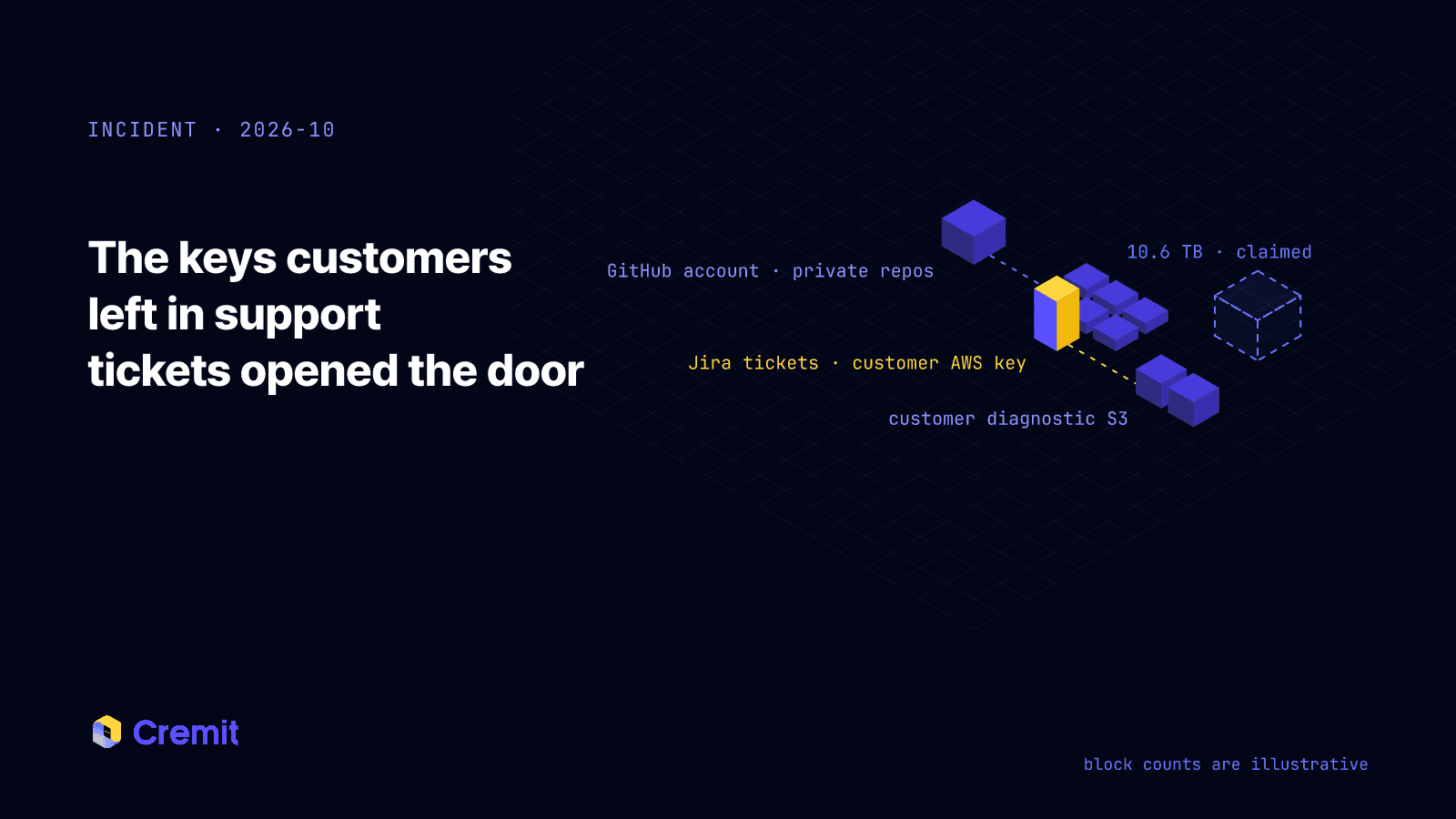
NebuSec, the firm PingCAP brought in to investigate, laid out the path in its October 21 report. The attacker used a compromised GitHub account to open private repositories, and used the keys and tokens inside to get into Google Cloud and Jira. From Jira support tickets the attacker collected AWS keys that customers had shared while getting help, and used them to reach S3 buckets holding customers' TiDB diagnostic data.
That is the fact that matters most here. When the vendor was breached, keys customers had handed over to get support became a way into the customers' own cloud. There is no evidence that data in customer TiDB clusters was touched, but S3 buckets holding customer diagnostic data were opened. In an October 23 note, PingCAP's CEO wrote: "We did not protect that information as we should have."
What is confirmed, and what is only claimed
Confirmed by PingCAP and NebuSec:
- Access ran from September 9 to October 7. How the GitHub account used for entry was compromised has not been disclosed.
- Google Cloud service account private keys sat in the Git history of private repositories and in plaintext Terraform state files. A plaintext Jira API token and an internal alerting bot key were there too.
- The attacker collected credentials customers had shared in Jira support tickets, including AWS keys, and used them to reach S3 buckets holding customers' TiDB diagnostic data.
- On September 23–24, using eight compromised Google Cloud service accounts, the attacker exported 6,458 BigQuery tables to Cloud Storage. The files were downloaded with rclone on October 2–5.
- The copied data included user names, email addresses, organization and project associations, SQL editor text and errors, contract and billing information, and source code.
- The exported tables also held TiDB Cloud API-key values. They were encrypted, and the encryption key was not exposed. PingCAP stated separately that this does not apply to credentials shared in support materials.
- There is no evidence that data in customers' TiDB clusters was accessed, or that the attacker ran commands or maintained persistent access. Four vulnerabilities found during the investigation were fixed and retested, with no evidence they had been exploited.
Claimed by the FULCRUMSEC group (not independently verified):
- That it took 10.6 TB and published about 200 GB as a first release.
- That it holds more than 115,000 console API keys in plaintext. This conflicts with PingCAP's and NebuSec's finding that the values were encrypted.
- That it stayed inside for about two months. PingCAP puts the window at about four weeks.
- That it holds about 1,800 external database endpoints from customer migration jobs, including admin account details.
The sections below focus on the confirmed access paths and response guidance. The attacker's figures for volume and dwell time are not used to establish the scope of the breach.
From one GitHub account to customer S3 buckets
Credentials taken from the private repositories were used along two branches.
- Google Cloud: Service account keys from Git history and Terraform state were used to export 6,458 BigQuery tables to Cloud Storage and later download them.
- Jira and customer AWS: The Jira API token in the repositories opened support tickets containing customer AWS keys. Those keys were used to access S3 buckets holding customer diagnostic data.
Both branches started with the compromised GitHub account and plaintext keys in its repositories. There is no evidence that the four vulnerabilities found during the investigation were exploited; the attacker ran on credentials. The repositories were private, and Terraform state and support tickets were internal systems. Once a single account was compromised, being private protected nothing.
About two weeks passed between the export of 6,458 tables on September 23–24 and detection on October 7. The downloads occurred within that interval, on October 2–5. Since the incident, PingCAP has enabled additional storage access logging, and the CEO's note commits that "unusual access and large data movements" will be detected and acted on.
Encrypted API keys and credentials in support materials
According to NebuSec's report, the TiDB Cloud API-key values in the exported tables were encrypted, and the encryption key was not exposed. The attacker could not use those encrypted values directly. PingCAP stated separately that this finding does not apply to credentials shared in support materials.
Customer AWS keys in support tickets were used to access S3. Encryption of the API-key values therefore does not establish that keys in support materials were safe. PingCAP's rotation guidance covers both management API keys and credentials shared with support.
A support ticket is not designed to be a secret store. But to get a problem solved quickly, customers paste in connection details and keys, and engineers attach logs to reproduce the issue. Dark Reading reported an observation from Crystal Morin of Sysdig: customers often pass secrets to vendors through convenience features, and secrets pile up in places nobody thinks of as credential stores, such as query history and error output. The data copied from PingCAP included SQL editor text and errors. Whether those held credentials has not been established.
Keys in places like these are not encrypted, have no owner, and rarely make the rotation list after an incident.
If you use TiDB Cloud, do this now
PingCAP asks customers to act now rather than wait for an individual notice.
- Replace your active TiDB Cloud management API keys. Switch your applications to the new keys, verify they work, then delete the old keys.
- Rotate every credential shared with PingCAP support, including keys and connection strings. Include credentials sent inside logs. AWS keys pasted into a ticket come first.
- Review CloudTrail activity for those AWS keys since September 9, looking for S3 reads and listings from unfamiliar IPs or user agents.
- If you provided database accounts for a migration job, change those passwords too. The exposure of these connection details is an attacker claim. Credentials you actually shared with support fall within PingCAP's rotation guidance.
- Confirm any request for passwords, verification codes, or payment changes through an official channel. Watch for targeted phishing that uses real customer details.
Checks for teams that never used TiDB Cloud
Use this incident to review the following areas in your own environment. Additional review targets such as wikis are not confirmed credential-exposure locations in this incident.
- Keys pasted into support tickets, issue trackers, and wikis. Have you ever searched Jira and Confluence for strings shaped like access keys?
- Credentials handed to a vendor's support team. Is there a record of what you shared, when, and with whom? Were those credentials revoked after the case closed?
- Cloud keys in Git history and Terraform state. Check whether keys removed from current code remain in Git history or separate state files.
- Access to private repositories. Review which repositories a compromised account could open and which keys they contain.
- Bulk exports by service accounts. Do jobs like BigQuery EXTRACT or bulk S3 GETs raise an alert?
- Keys your customers send you. If you are someone's vendor, your support channel may be collecting their keys.
What Cremit can check
We cannot see PingCAP's internal Jira or Google Cloud. PingCAP's findings address whether a ticket was read; issuer logs help establish whether its key was used.
Cremit Platform checks your own environment. Follow the PingCAP path step by step, and at each step there is a key Cremit would have shown you first.
- Code and Git history: Cremit finds credentials such as cloud service account keys and API tokens, across 1,000+ types, in connected GitHub, GitLab, and Bitbucket repositories. Private repositories are no exception.
- Support tickets and docs: It applies the same detection to keys pasted into Jira issues, Confluence pages, Slack, Notion, and Google Drive, the exact place this attacker took customer keys from.
- Is it live: For supported types it automatically verifies whether the key still authenticates with its issuer, and re-checks live keys about every 6 hours. Out of thousands of findings, you get the keys to rotate now.
- What it opens: For AWS access keys it shows what the key can do. If an AWS key in a ticket is still live and can read S3 buckets, it goes to the top of the list.
- Whose key it is: Each finding is assigned an owner, and its handling is recorded. Connected to SSO and SCIM, Cremit flags keys created by people who have left. Keys without an owner no longer drop off the rotation list after an incident.
- Who hears about it: Newly exposed keys trigger alerts to Slack, webhooks, Telegram, or email, and time to detect and remediate (MTTD/MTTR) is tracked.
- Against your vault: For AWS Secrets Manager, it separates stored secrets that are live, unused, or also exposed in code. If a key from your main credential store has been copied into a repository, you see that too.
You cannot choose when a vendor gets breached. You can know ahead of time where your keys are and how many of them are live when it happens. You can connect Cremit on the free plan today.
A support ticket is a secret store too
The API-key values in the exported tables were encrypted and useless to the attacker. The customer keys that were actually used sat in support tickets, a place nobody treated as a secret store.
Keys are not confined to a single secret store. Anywhere a key gets pasted is a store. Make finding, rotating, and revoking keys in those places part of secret management, including the keys your own customers leave in your support channels.
Further reading
Read next
Zeabur's Second Breach Ran on Keys the First Rotation Missed
Zeabur, a Taiwanese PaaS, is shutting down on December 31 after two breaches in two months. The October attacker used plaintext admin tokens and AWS keys that were never rotated after August to reach shared clusters in nine regions and the platform database. We separate what is confirmed from what is still a hypothesis, list what users should do, and turn the root causes into a checklist for other teams.
The LiteLLM 1.107.0 Supply Chain Attack Started With a Key Deleted in May
On October 21, LiteLLM's own release pipeline published a credential-stealing 1.107.0 to PyPI and Docker. It started with an admin key committed to a public repository on May 27, deleted three hours later and never revoked. The attack path, what the build collected, what users should do, and what every team should check.
GhostAction Analysis: How a Malicious Workflow Collects Keys from Git History
A review of 100 public workflow samples and Uber repository events shows four collector versions. We examine deleted-key collection through Git patches, successful exits after transfer failure, and credential-based response priorities.
Get the next one in your inbox
Monthly NHI security brief from Cremit. One email, high signal.