Secret scanning false positives: how to triage findings
A pattern match, a revoked key, and an unverified key need different responses. Learn how to separate them and prioritize exposed credentials.

On this page(5)
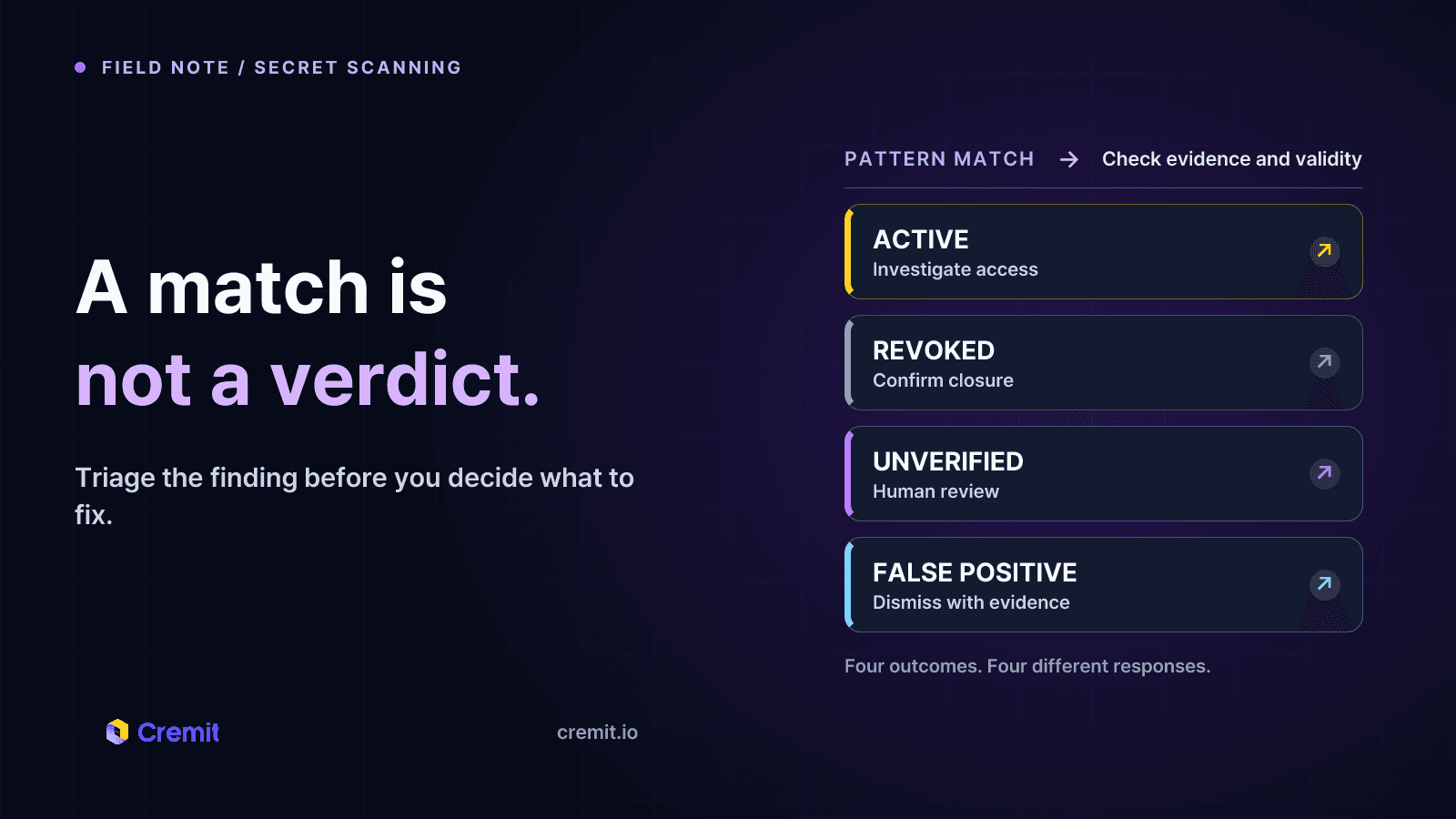
A secret scanner can flag a value that was never a credential, such as a sample token or a random string in a test fixture. That is a detection false positive. A different case is a real credential that has expired or been revoked: the detection is correct, but the current risk is lower. Keeping those cases separate makes triage more useful.
Why matches are noisy
Provider-specific prefixes and formats can identify some tokens with high confidence. Generic patterns have less context and can match hashes, IDs, or example strings. File path and surrounding code help: a value in documentation needs a different review from the same value in a production configuration. Neither location alone proves that a credential is harmless.
GitHub lists validity checks by supported secret type and notes that generic patterns do not support them. GitGuardian also distinguishes a false positive, which was never a secret, from a credential that is now invalid. The term “false positive” is often used for both in casual discussion, but they need different actions.
What validity checks can and cannot tell you
For supported types, a service-specific check may establish that a credential currently works or has been revoked. A check can also fail because the provider is unavailable, an IP restriction blocks the request, or the token type has no safe check. “Could not check” is not the same result as “invalid.” GitGuardian documents separate valid, invalid, failed-to-check, cannot-check, and unknown states for this reason.
Validity is only one part of risk. A live token in a public repository needs prompt attention, but a token marked invalid may still warrant review of when it was exposed and whether it was used before revocation. An unverified token remains a finding to assess, not a safe value to suppress automatically.
A practical triage order
First, group duplicate sightings of the same value and preserve the locations and first-seen time. Next, identify the token type and check whether a provider-supported validity result exists. Prioritize confirmed live credentials in public or widely shared locations. Review unverified findings using format, context, access scope, ownership, and exposure history. Mark true sample values explicitly instead of hiding entire file paths or disabling broad rules.
When a real credential is exposed, the service owner should rotate or revoke it through the issuing service and review its use. Re-scan the locations after the change. Do not use a failed validation request as the sole reason to close a finding, and do not assume a quiet scanner means no credentials were missed.
How Cremit presents the result
Cremit looks for supported credential patterns in connected sources. When external scanning is enabled for an organization, eligible discovered assets can enter monitoring without individual approval; explicitly excluded assets are skipped. Secret checks on public content have separate settings and bounded coverage. For supported credential types, Cremit shows issuer-side validity separately from exposure. Unverified findings remain available for review. A person rotates or revokes a key at its issuer.
Sources
GitHub: supported patterns and validity checks
GitHub: evaluating secret scanning alerts
Read next
Git secret scanning in 2026: coverage, setup, and response
A practical guide to push protection, history scans, validity checks, and issuer-side response, with GitHub, GitLab, and Gitleaks source links.
MCP Servers Are Taking API Keys Through the Chat Window
We sent one initialize request to every remote MCP server in the official registry. 71.3% of 22,027 responding servers opened a session with no header authentication, and 3,705 credential fields sit in tool arguments. Three of them are marked secret.
How to count live credentials without confusing matches and keys
Count observed locations, distinct credential records and verification states separately. Define scope and check time before reporting exposure.
Get the next one in your inbox
Monthly NHI security brief from Cremit. One email, high signal.