OWASP NHI4:2025 — how to review insecure authentication
Insecure authentication is more than a leaked key. Review OAuth flows, static credentials, token scope, and the rollout path for safer workload access.

On this page(5)
Reviewed October 3, 2026 against the OWASP NHI4:2025 guidance. Non-human identities include service accounts and workloads that authenticate to another system. NHI4 concerns the method they use to authenticate. A credential may be secret and still be part of an outdated or weak login flow.
What OWASP means by insecure authentication
OWASP gives several examples. An OAuth implicit flow can expose tokens in the URL. Authorization code flows without PKCE miss a protection against code interception. App passwords can bypass stronger sign-in controls on a user account. Custom OAuth behavior and long-lived static keys can add risks that modern provider-managed identity mechanisms avoid. The right replacement depends on the service and threat model; there is no single protocol setting that fixes every workload.
NHI4 is different from NHI2 (a secret appears somewhere it should not) and NHI5 (an identity has too much privilege). The same service account can have all three problems. For example, a broad static API key committed to a repository is exposed, overprivileged, and tied to a long-lived authentication method. Fixing its repository location alone does not solve the other two.
Review one service connection end to end
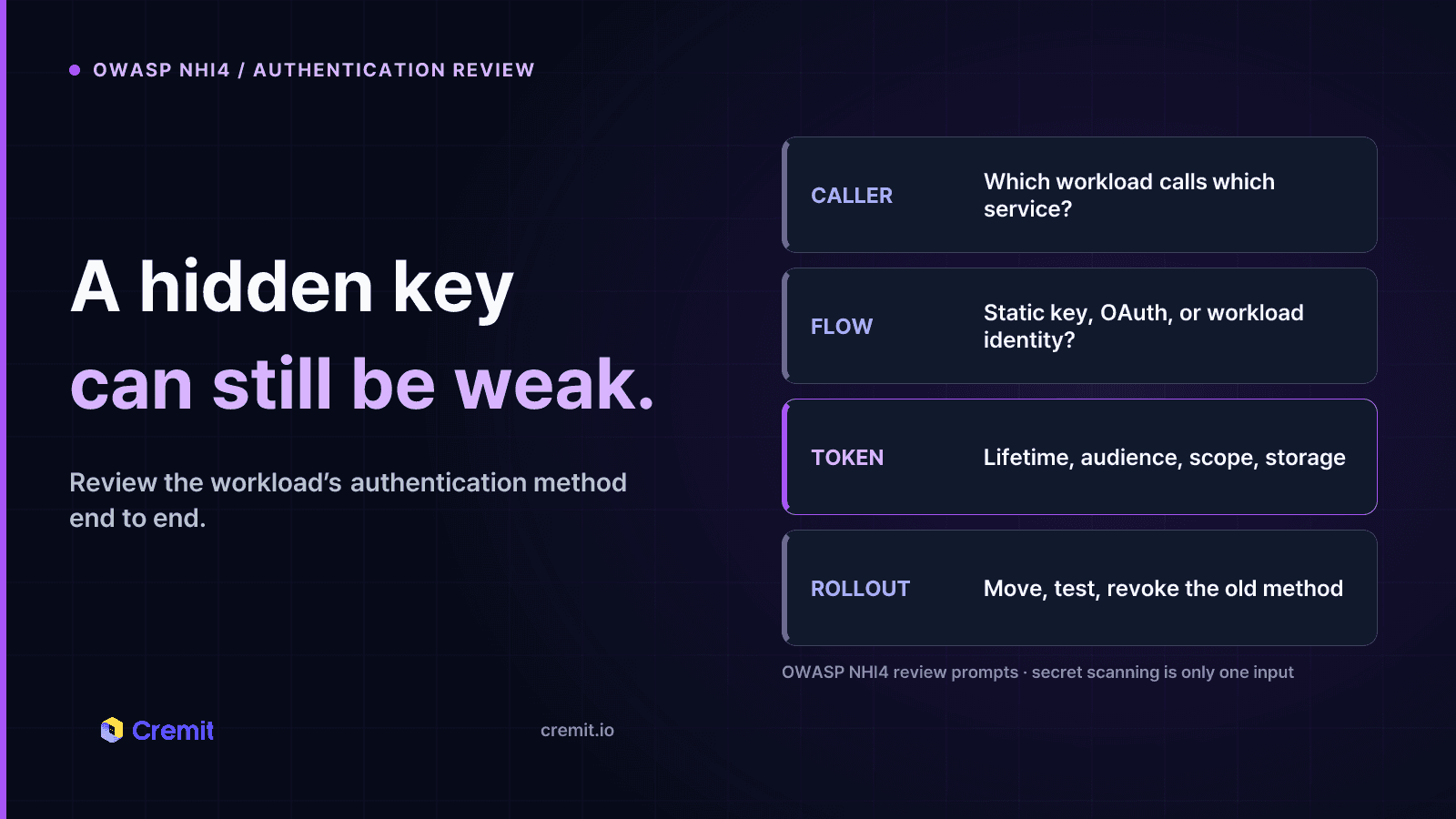
Start with the workload, not a list of keys. Record which application initiates the call, the destination service, the authentication flow, the credential issuer, and the exact resource permissions. Check how the credential is provisioned, stored, renewed, and revoked. Test whether access still works after the workload or its owner is retired.
Where the provider supports it, prefer a short-lived, scoped identity such as a cloud workload role or OIDC federation over a static key stored in deployment configuration. For OAuth clients, review the provider’s current supported flow and use PKCE where applicable. Remove legacy app passwords and custom token handling when a supported modern method exists. Restrict access at the resource even when the authentication flow is strong.
For each change, plan the rollout. Identify the applications using the old credential, move them to the replacement, verify production calls, then revoke the old credential. Check logs for failed calls and unexpected use of the retired identity. A scan finding is useful evidence, but migration and revocation must be completed at the issuing service.
Where secret scanning helps
Cremit Platform looks for exposed credentials in supported connected repositories, storage, and collaboration tools. It verifies supported credential types against their issuing service and helps route findings to an owner. It does not inspect whether an OAuth flow uses PKCE, enforce workload identity federation, or certify NHI4 compliance. Use exposure findings to prioritize a review; use the identity provider and application configuration to correct the authentication method.
Review checklist
1. Identify each workload-to-service connection and its owner.
2. Record the authentication flow and whether a static credential is still needed.
3. Check token lifetime, audience, scope, storage, and revocation.
4. Replace deprecated flows and app passwords where supported.
5. Test the new flow, revoke the old key, and inspect later use.
Source
Read next
OWASP NHI5: How to Review Excess Machine Permissions
Compare workload needs, issuer grants, effective access, and observed use before reducing an NHI’s permissions.
OWASP NHI1: Offboard machine access without breaking a service
When a service ends or its owner leaves, decide what still runs, transfer responsibility or revoke access, and verify the old key no longer works.
OWASP NHI2: Secret leakage and the four checks after discovery
A leaked secret is a lead, not proof of misuse. Check its location, validity, access, and response owner before closing the exposure.
Get the next one in your inbox
Monthly NHI security brief from Cremit. One email, high signal.