OWASP NHI1: Offboard machine access without breaking a service
When a service ends or its owner leaves, decide what still runs, transfer responsibility or revoke access, and verify the old key no longer works.

On this page(6)
Revised October 4, 2026. The earlier guide described full NHI lifecycle management, continuous monitoring of every interaction, and automated key rotation as Cremit features. Those claims were broader than the product. Here is a decision process for an NHI that outlives its service or loses its owner.
What is improper NHI offboarding?
OWASP NHI1:2025 concerns service accounts, access keys, and other machine access that remain after they are no longer needed, after an owner leaves, or after a person who knew the credentials departs. Disabling that person’s login does not necessarily disable a separate service account or key. Nor does a key found in an old file prove the workload is retired. Check the workload, account, credential, and human owner as separate records.
Decide whether the workload stays or goes
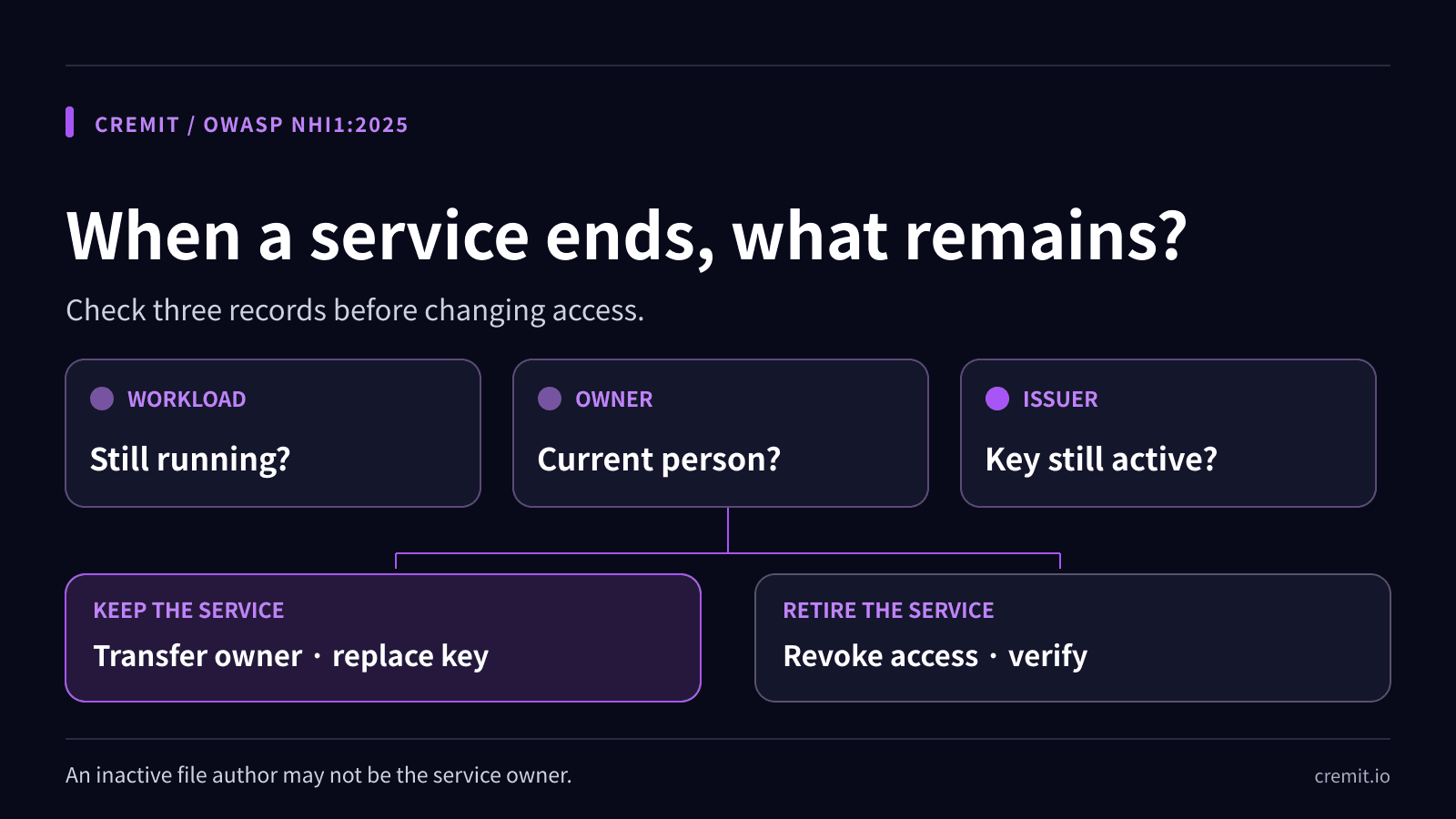
Start with the service owner. Is the application, job, or integration still running? Which environment and dependencies use the account? At the issuer, check the principal, key state, permissions, last-use information if available, and any replacement method. A missing usage event is bounded by the issuer’s logging and retention; it is not proof that the account is unused. Record the decision and who approved it.
If the workload still runs, transfer responsibility to a current owner. Review and narrow permissions, and replace any credential that a departing person could access. Test the new credential with the dependent workload before retiring the old one. Prefer an issuer-supported temporary credential or workload identity where feasible. A new owner field alone does not remove access held by someone with a copy of the old key.
If the workload has ended, disable or revoke its access at the issuer, then verify that dependent jobs do not still call it and that the old credential no longer authenticates. Remove copies from connected sources and update runbooks and ownership records. If a surprise dependency appears, restore service with a newly scoped credential under a named owner; do not silently reactivate the orphaned key.
What an inactive source author tells Cremit
With a linked directory and finding context, Cremit’s CRE-001 Ghost Key checklist surfaces a credential marked active or manually active when at least one associated source object has an author marked inactive. That is an investigation lead. The author may not be the service owner, the author’s inactive status does not show that the workload is retired, and the finding does not prove the former employee still has a copy or has used it. Confirm these facts with the directory, issuer, service owner, and available logs.
Cremit can help locate exposed credentials in supported connected sources, check supported types with issuers, show available permission context for AWS access keys and GCP API keys, and track a responder’s action. It does not provision or decommission every NHI, monitor every interaction, or rotate and revoke keys automatically. The issuing service and the workload owner make the access change.
Evidence to close the offboarding task
Keep the service decision, current owner, issuer account and credential IDs, dependent workloads, replacement test, revocation confirmation, and log-review window together. If any piece is unknown, leave the task open with a named person to check it. This gives the next responder a verifiable record rather than a checkbox marked “offboarded.”
Related Cremit guides
OWASP NHI Top 10: what to check for each machine identity risk
OWASP NHI2: Secret leakage and the four checks after discovery
Primary sources
Read next
OWASP NHI5: How to Review Excess Machine Permissions
Compare workload needs, issuer grants, effective access, and observed use before reducing an NHI’s permissions.
OWASP NHI4:2025 — how to review insecure authentication
Insecure authentication is more than a leaked key. Review OAuth flows, static credentials, token scope, and the rollout path for safer workload access.
OWASP NHI2: Secret leakage and the four checks after discovery
A leaked secret is a lead, not proof of misuse. Check its location, validity, access, and response owner before closing the exposure.
Get the next one in your inbox
Monthly NHI security brief from Cremit. One email, high signal.