How to find hidden credentials in code and shared tools
A practical workflow for preventing, finding, verifying, and replacing exposed credentials across code and shared tools.

On this page(6)
Updated October 3, 2026. This guide replaces older product comparisons that promised zero false positives, self-learning detection, and automatic compliance. Those claims did not reflect the verified product. The steps below separate preventing a leak, finding an exposed key, and responding to it.
Start with where credentials actually live
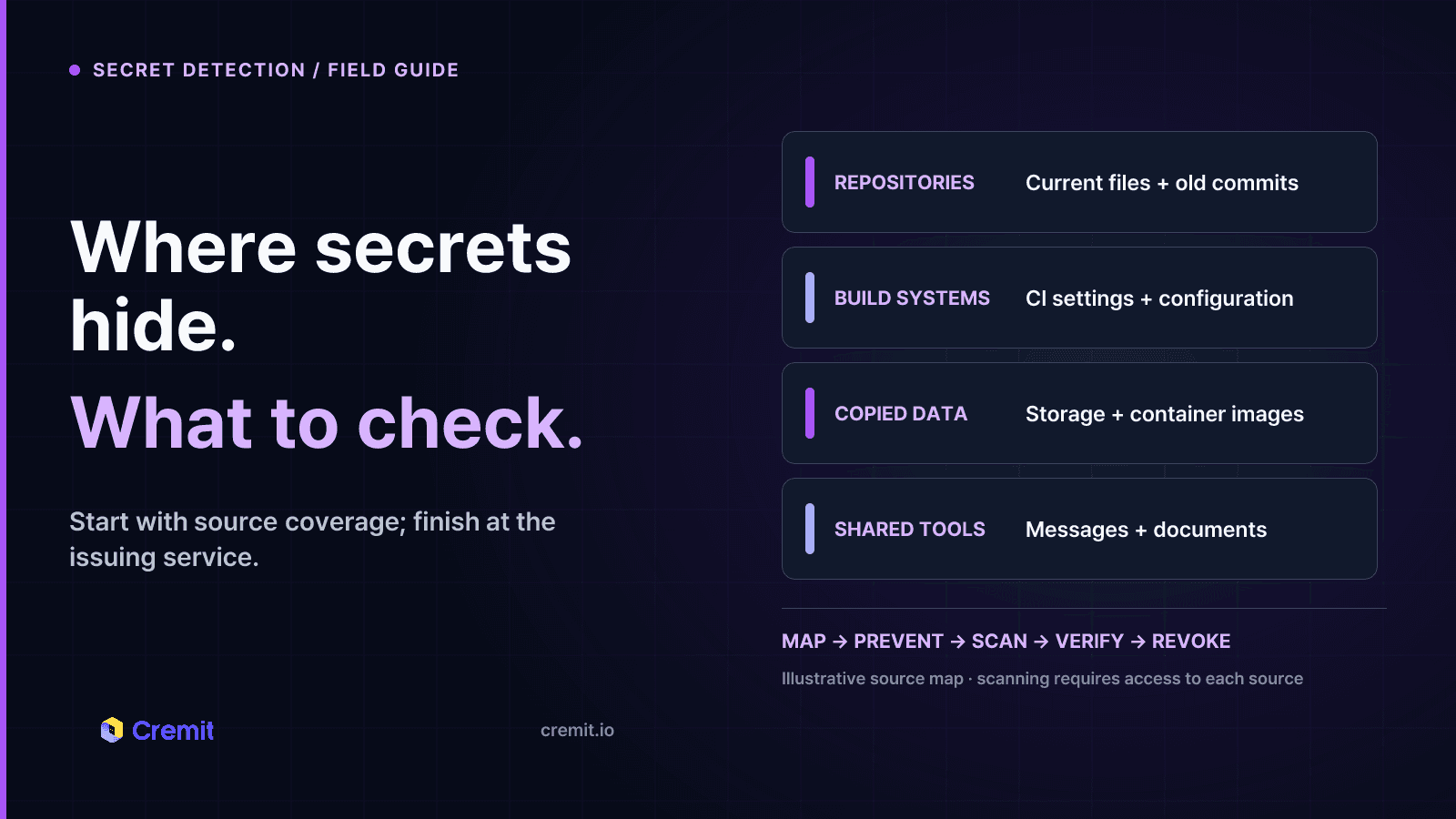
List the repositories, CI settings, configuration files, container images, cloud storage, and collaboration tools where operational material is created or copied. Include old commits and archived projects. A scan only covers the sources it can access, so record what is connected and what remains outside scope.
Keep an owner for each integration and credential. The person who committed a file is a useful lead, but the service owner may be someone else. Record the issuing service, permissions, expiry, and the workload that depends on the key.
Prevent new leaks before the push
Put secrets in an appropriate manager and inject them at runtime rather than committing them to code. Use short-lived credentials and limited permissions when the provider supports them. Add .env and similar local configuration files to repository ignore rules, but remember that an ignore rule does not remove a file already committed.
A local hook can warn a developer before a commit, while the Git provider’s push protection can block supported secret types before they enter a repository. A CI check adds another gate. These controls overlap but have different coverage and bypass paths; verify the repository plan, token types, and settings against the provider’s documentation.
Scan what prevention missed
Run a repository history scan, not only a check of the latest files. Review collaboration messages and documents where keys may have been pasted during incidents. Check container images and storage that hold copied configuration. Schedule scans for sources that change after deployment.
A pattern match is a lead. Some strings are examples or test values; some real keys use formats a scanner cannot identify. When a credential type supports safe provider-side verification, check whether the key still works. For other matches, review context with the owner. No scanner can guarantee zero false positives or complete coverage.
Respond to a finding
Identify where the key appeared and who can reach that location. Determine whether the key is valid, what permissions it grants, and whether the issuer’s logs show unexpected use. If exposure is plausible, rotate or revoke it at the issuing service. Remove exposed copies, then confirm the old value fails and the replacement workload still runs.
Keep the finding open until the issuer-side action is confirmed. Deleting a line from code, closing a secret-scanning alert, or changing a dashboard status does not invalidate a credential. If other systems share the key, plan their updates before revocation while limiting the time it remains usable.
Choosing tools for each stage
Git provider scanning and open-source scanners can be good starting points for repository checks. Compare their supported patterns, history coverage, push controls, customization, and the work needed to operate them. A managed service may reduce that operating work and add connected sources or provider verification; check its actual integrations and types instead of assuming every product covers every environment.
Cremit Platform scans supported connected repositories, storage, collaboration tools, and container images. Detection rules cover more than 1,000 credential types, and supported types can be verified with their issuers. Findings can be assigned and tracked. It is not a local pre-commit hook, a general personal-data classifier, a CI runtime monitor, or an automatic key-rotation service. Security and compliance teams still need their own policies, evidence, and response process.
Sources
OWASP, Secrets Management Cheat Sheet: https://cheatsheetseries.owasp.org/cheatsheets/Secrets_Management_Cheat_Sheet.html
GitHub Docs, secret scanning scope: https://docs.github.com/en/code-security/reference/secret-security/secret-scanning-scope
GitHub Docs, push protection: https://docs.github.com/en/code-security/how-tos/secure-your-secrets/prevent-future-leaks/enable-push-protection
Read next
GhostAction Analysis: How a Malicious Workflow Collects Keys from Git History
A review of 100 public workflow samples and Uber repository events shows four collector versions. We examine deleted-key collection through Git patches, successful exits after transfer failure, and credential-based response priorities.
MCP Servers Are Taking API Keys Through the Chat Window
We sent one initialize request to every remote MCP server in the official registry. 71.3% of 22,027 responding servers opened a session with no header authentication, and 3,705 credential fields sit in tool arguments. Three of them are marked secret.
Unlisted, Not Private
A September 2026 sweep of 33 public surfaces confirmed 23,912 active credentials. Privilege context was established for 7,468; 1,277 had permission to issue another key. Actual re-issuance was not tested.
Get the next one in your inbox
Monthly NHI security brief from Cremit. One email, high signal.