NHI Kill Chain: Zombie Key — You Deleted the File. The Credential Is Still Alive.
Secret scanning alert: Resolved. Credential status: Active. Deleting a secret from code is not the same as revoking it. Inside the Zombie Key kill chain.

Secret Scanning Alert: Resolved. Credential Status: Active.
Early 2025. A fintech startup with 150 employees — Series B closed the previous quarter, payment infrastructure scaling fast. They had adopted GitHub Advanced Security about six months earlier, and the security team was managing secret scanning alerts on a weekly cadence.
On a Wednesday afternoon, secret scanning flagged an AWS RDS master password in config/database.yml. The alert fired and a Slack notification went to J, the assigned developer. J was an experienced backend engineer. Within 30 minutes, he removed the password from the file and replaced it with an environment variable reference (ENV['DATABASE_PASSWORD']). Commit, push. He closed the alert in GitHub as "Resolved -- removed from code."
Friday. Security team weekly report. "Secret scanning alerts: 0 open. One alert this week, resolved on Wednesday." The security lead closed the report with satisfaction. The dashboard was clean. Every metric was green.
But the reality was different.
What J did was delete the password string from config/database.yml. Run git log --all -p -- config/database.yml on the repository, and the password appears in full in the commit before the deletion. Three-month-old CI/CD build logs had the same password printed in build output, archived and accessible. A snapshot restoration script the infrastructure team had written two weeks earlier had the same password hardcoded — in a different repository. And in the AWS IAM console, the RDS master password was still active. Nobody had changed it. Nobody had rotated it.
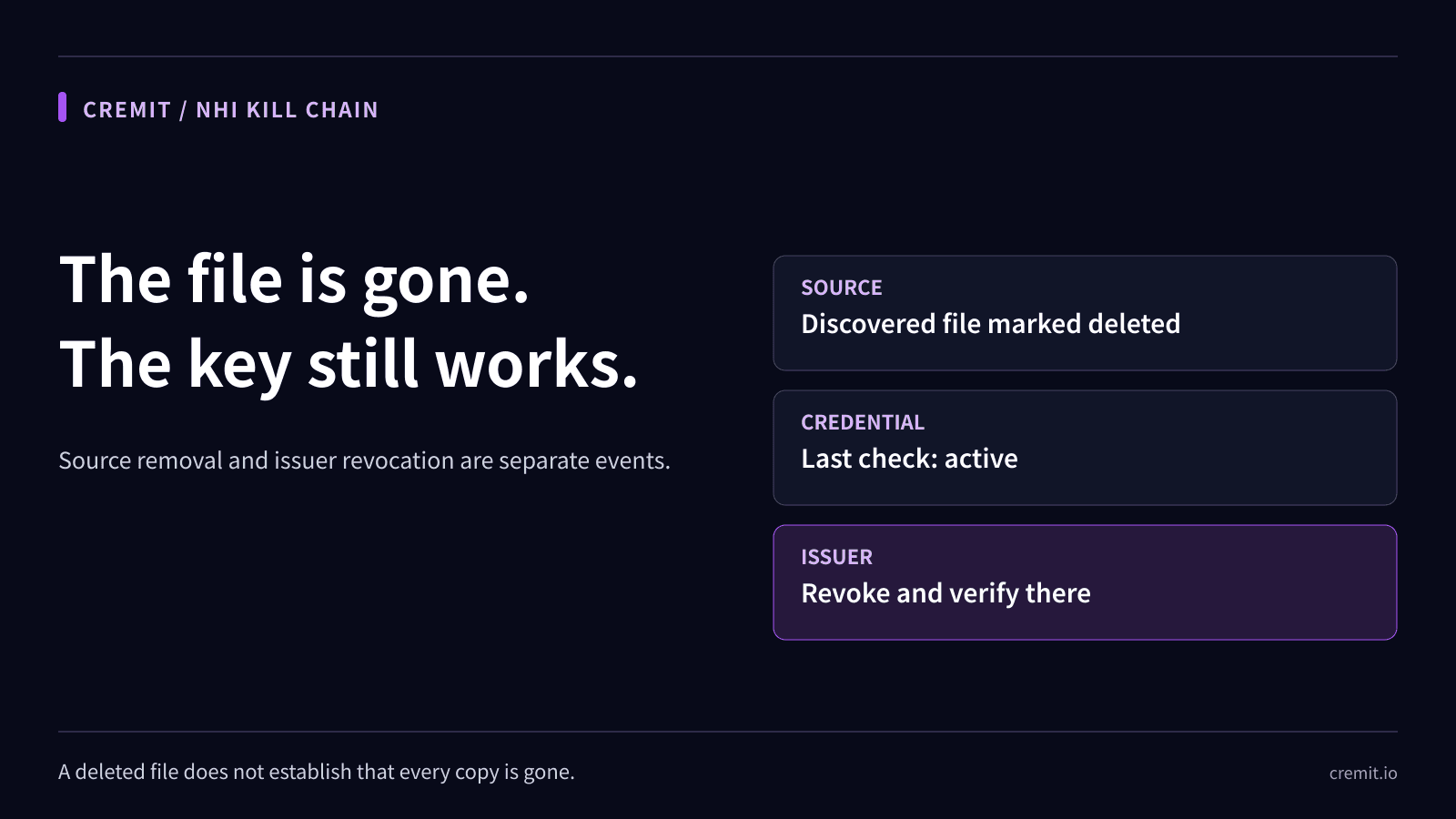
"Removing it from code" and "revoking the credential" are entirely different actions. J did the first. Nobody did the second.
Six months passed. M, an external contributor who had read access to the repository, was browsing old commit history — looking at early architectural decisions for reference. But in the git log --all -p output, M found the RDS master password. Curiosity or intent — either way, the outcome was the same. M used that password to connect directly to the production RDS instance. The database contained 2.17 million payment transaction records.
The breach was discovered three weeks later. CloudWatch fired an alert on an anomalous spike in RDS connection count. The security team began tracing backward. Root cause analysis took another two weeks. The final conclusion: the credential from a secret scanning alert closed as "Resolved" six months earlier had never been revoked and was still operational in production.
The dashboard had been clean for six months. That cleanliness was the problem.
Why This Key Is Dangerous
A Zombie Key is an NHI credential that has been removed from files or code but was never revoked — it remains valid and capable of authenticating. The name captures the essential problem: it has disappeared from sight, but it is not dead. A password removed from code, an API key closed as "Resolved" in an alert, a token caught and deleted during PR review — how often does anyone verify that these credentials were actually invalidated?
This problem occurs structurally because "deleting" and "revoking" are entirely different actions, performed by entirely different people, in entirely different systems.
Deleting is removing a string from code. You delete the line in your IDE, create a new commit, and push. This is an action a developer performs inside Git. Revoking, on the other hand, is terminating the credential's ability to be used for authentication. Deactivating an IAM key in the AWS console, changing a database password, revoking an API token — this is an action an infrastructure administrator performs in a cloud console or management API.
There is no automated link between these two actions. Closing a secret scanning alert as "Resolved" in GitHub does not automatically deactivate the corresponding key in AWS. Removing a password from code does not automatically change the RDS instance's master password. Between "delete" and "revoke" there is a bridge that someone must consciously cross. In most organizations, nobody crosses it.
Git's permanence makes this problem significantly worse. Git is a distributed version control system that permanently preserves every commit, every change. When you delete a password from a file and push a new commit, the latest commit contains no password. But the previous commit still does. git log --all -p is all it takes. Unless you use git filter-repo or BFG Repo-Cleaner to explicitly rewrite history, any credential that was ever committed remains in the repository's history for the entire lifetime of that repository. Anyone with read access can view it, at any time.
The illusion created by the "Resolved" label is the most dangerous element. When a secret scanning alert is marked "Resolved," the security team perceives the issue as handled. It disappears from the dashboard. It is excluded from the weekly report. It drops off the audit list. But what "Resolved" actually means is "the secret has been removed from the current state of the code." It does not verify whether the credential was revoked, whether it was removed from history, or whether identical copies persist in other systems. "Resolved" is not resolution. It is concealment.
Kill Chain -- How a Zombie Key Becomes an Active Breach
The Zombie Key attack chain has a distinguishing characteristic that separates it from other NHI kill chains: at the time of the attack, the credential has already been classified as "resolved." It has disappeared entirely from the security team's radar before the attack begins.

Stage 1: Credential Exposure. A credential is initially exposed in code, configuration files, CI/CD logs, or documentation. This stage is the common starting point for all NHI kill chains. The moment a developer hardcodes an RDS password in config/database.yml, the timeline begins. Secret scanning may or may not detect it. Regardless of detection, from the moment the credential exists in the codebase, an attack surface is formed.
Stage 2: Surface Remediation. Someone discovers the credential — through a secret scanning alert, a PR review, or a colleague's observation — and removes the string from code. They replace it with an environment variable, swap in a secrets manager reference, or delete the file entirely. The alert is closed as "Resolved." If there was a Jira ticket, it transitions to "Done." From the security team's perspective, this case is closed. But what was actually performed was removing a string from the current state of the code. The credential itself received no action whatsoever.
Stage 3: Credential Persistence. This is the defining stage of the Zombie Key. The credential removed from code continues to exist in at least four locations. First, Git commit history: unless git filter-repo was run, the original content remains in pre-deletion commits. Second, CI/CD build logs: if the credential was ever exposed in build output, it may persist in archived logs. Third, other systems: the same credential may have been copied to other repositories, scripts, documentation, or Slack messages. Fourth, and most critically, the authentication system itself: AWS IAM, the database, the SaaS platform — the systems where the credential is used for authentication still have it registered as valid. The string was removed from code, but no change was made to the authentication system.
Stage 4: Historical Discovery. An attacker — external threat actor, malicious insider, or authorized external contributor — discovers the "deleted" credential. The methods are varied. Git history browsing is the most direct: git log --all -p reveals the full content of every previous version of every file. Tools like TruffleHog and GitLeaks can automatically extract credential patterns from entire commit histories. If the attacker has access to CI/CD build logs, archived logs become another search surface. The attacker is not looking for credentials in the current code. They are looking for credentials that once existed and were "deleted."
Stage 5: Zombie Exploitation. The discovered credential is still valid. The attacker authenticates with it. The most dangerous aspect at this stage is the absence of detection. The credential has already been closed as "Resolved." It is not on the security team's monitoring radar. Even if anomalous access occurs, there are no alerts associated with this credential. Breach detection is extremely delayed. The attacker accesses production systems through a credential already classified as resolved, via a path nobody is watching.
Why Traditional Security Tools Miss It
The reason Zombie Keys fall into the blind spot of existing security tools is clear: most security tools only look at the current state.
Secret scanning examines only the current code. GitHub Advanced Security, GitLab Secret Detection, and other major secret scanning tools scan the latest commit. When a credential is removed from code, it disappears from scan results. The alert transitions to "Resolved." This is working as designed. The purpose of secret scanning is to detect whether credentials exist in code, not to validate whether credentials are still active. A credential that has been removed from code but remains valid is outside secret scanning's jurisdiction.
Git history scanning exists but is rarely used. Searching the full history with git log --all -p, or scanning past commits with TruffleHog's --since-commit option, is technically possible. But most organizations do not perform this regularly. History scans are time-consuming, produce large volumes of false positives, and have no built-in mechanism to verify the current validity of discovered credentials. The result is a defensive layer that is "possible but not practiced."
CI/CD log management lacks credential persistence policies. Most CI/CD systems retain build logs for 30 days, 90 days, or indefinitely. Very few organizations check whether logs contain credentials. Masking features exist but are not comprehensive. When a password is exposed in a build script's output, log masking does not apply. A password sitting in plaintext in a three-month-old build log is something nobody checks.
The "Resolved" status terminates tracking. This is the most fundamental problem. When an alert is closed as "Resolved," the credential is completely removed from the security team's tracking scope. It does not appear in weekly reports. It is not included in audit target lists. It vanishes from dashboards. In the world the security team sees, this credential no longer exists. But in the AWS IAM console, in the RDS instance, the credential is still active. "Resolved" changes the security team's perception, not reality.
PR reviews do not cover past commits. Checking for credentials during PR review is a good practice. But PR reviews examine only new changes. Already-merged commits, commits from six months ago, commits written by former developers — these are not review targets. Credentials that were exposed in the past and then "deleted" cannot be found through PR review.
Real-World Breaches and Industry Data
Zombie Keys are not a theoretical risk category. Documented breaches and industry statistics demonstrate the scale of this threat.
GitGuardian's 2025 State of Secrets Sprawl report provides the critical statistic. Over 90% of secrets detected in GitHub repositories were still valid five days after detection. What this number tells us is clear: there is an enormous gap between detecting a secret and invalidating it. Detection is getting faster. Invalidation is barely happening.
The same report notes that over 12.9 million new secrets were detected on GitHub in 2024. This figure is trending upward year over year. The frequency of secrets being exposed in code is not decreasing, and the rate at which exposed secrets are actually revoked remains extremely low.
CSA's 2026 State of NHI Security report reveals the maturity of NHI credential management. Only 12% of organizations reported high confidence in secret rotation. This figure suggests that the number of organizations with a complete "delete then revoke" workflow is vanishingly small. Organizations that actually complete rotation after removing a credential from code are the exception, not the norm.
The Uber breach of 2022 is a variant of the Zombie Key pattern. Attackers discovered credentials in PowerShell scripts and network shares within Uber's internal systems. These credentials may have been managed in code, but copies persisting in scripts and shared folders became the attack path. Removing a credential from one system is not the same as removing it from every system.
The CircleCI breach of January 2023 dramatically illustrated the danger of credential persistence. After the breach, CircleCI advised all customers to rotate their secrets. But according to CircleCI's incident report, the proportion of customers who actually rotated their secrets was limited. Revoking a credential is not technically difficult. But it is organizationally rare.
Verizon's 2025 Data Breach Investigations Report found that credential-based attacks were a primary factor in approximately 20% of all analyzed breaches. This category — encompassing stolen, leaked, and persisted credentials — is one of the most consistently observed breach vectors year after year. Zombie Keys are a subtype within this category: credentials that were believed to be handled but remain valid.
OWASP's NHI Top 10 includes Secret Leakage as a major risk item and explicitly addresses the problem of secrets persisting in code, logs, and history. OWASP's guidance is clear: "Removing a secret from code is not sufficient. The secret itself must be invalidated, removed from history, and rotated."
Detection and Response Guide
Detecting and eliminating Zombie Keys means shifting from the existing "detect and delete" paradigm to a "detect, revoke, verify" paradigm. Deletion is not enough. Revocation and verification must follow.
Enforce a "revoke" workflow, not just a "delete" workflow. When a secret scanning alert fires, redefine the resolution criteria from "removed from code" to "credential revocation confirmed." Specifically: remove the secret from code; immediately revoke or rotate the credential; attach evidence of revocation (screenshot, API response, log entry) to the alert; close the alert as "Resolved" only when all three steps are complete. The current practice of closing after only the first step is the direct cause of Zombie Key proliferation. For a comprehensive guide on building this detection capability, see Secret Detection: Complete Guide for 2026.
Perform git history scanning regularly. Use TruffleHog's --since-commit option or GitLeaks' --log-opts flag to periodically scan the entire commit history. You need a process to verify the current validity of any discovered credentials. For AWS keys, call sts:GetCallerIdentity to check whether the key is still active. For database passwords, attempt a connection to verify. If a valid credential is found in history, revoke it immediately.
Implement automated rotation. Manual rotation does not happen. Use the automated rotation capabilities of AWS Secrets Manager, HashiCorp Vault, Azure Key Vault, or similar services to ensure credentials are automatically replaced on a fixed cycle (maximum 90 days). Credentials with automated rotation have a limited validity window even if they persist in history. This is the most effective method to temporally contain Zombie Key risk.
Remove credentials from CI/CD build logs. Review build log retention policies. Identify and purge logs containing credentials. For future builds, enforce secret masking and audit the paths where masking does not apply — custom script output, debug logs, verbose mode output.
Use git filter-repo to clean history. If sensitive credentials exist in commit history, use git filter-repo to completely remove them. This operation changes the repository's commit hashes, requiring force push and re-cloning across all clones and forks. The operational burden is significant, but it is preferable to leaving valid credentials in history. See Git Secret Scanning: Complete Implementation Guide for detailed implementation steps.
When a Zombie Key is found, respond with the assumption that it has already been compromised. Revoke the credential immediately. Audit the credential's access logs retroactively to the time the alert was originally filed. Identify every service and data store the credential could access. Check whether the attacker created additional credentials or moved laterally. Verify whether the same credential persists in other systems.
How Cremit Argus Detects Zombie Keys
The root causes that allow Zombie Keys to persist — the gap between "deletion" and "revocation," history persistence, lack of validity verification — are exactly the problems Cremit Argus was built to solve.
Argus validates credential status. It checks not whether a credential was removed from code, but whether the credential is still capable of authenticating. Even if a secret scanning alert has been closed as "Resolved," if the corresponding credential is still active on AWS, GCP, Azure, GitHub, or other platforms, Argus detects it and raises an alert. It is the verification layer that confirms whether "Resolved" actually means resolved.
Argus automatically identifies credentials that remain active after deletion. It cross-references the point in time when a credential was removed from code against the credential's actual status in the authentication system. A key removed from code six months ago but still active in AWS IAM, a password marked "Resolved" in an alert but still valid in the database — Argus detects these discrepancies automatically.
Argus scans the full surface area where credentials persist, including Git history and locations outside code. It covers not just the current code in GitHub repositories but also commit history, CI/CD configurations, Slack messages, Confluence documents, and every other surface where credentials can linger. When a single credential is scattered across multiple systems, Argus prevents the scenario where one copy is removed and the rest are missed.
See how Cremit Argus detects and eliminates Zombie Keys at cremit.io.
NHI Kill Chain Series Overview
This post is the fifth installment in the NHI Kill Chain series. Over nine posts, we analyze the most dangerous types of NHI credentials hiding inside organizations, each representing a distinct — and interconnected — risk.
A credential deleted from code but never revoked (Zombie Key) that remains in git history simultaneously becomes a Public Key risk. Left unrevoked over time, it becomes an Aged Key. Understanding how one credential management failure cascades into another risk category is the central purpose of this series.
- Ghost Key -- The Departed Developer Whose AWS Key Still Clocks In Every Morning
- Shadow Key -- Quietly Hardcoded Right Next to the Secrets Manager (coming soon)
- Aged Key -- The Skeleton Key That Held Production Together for 3 Years (coming soon)
- Over-shared Key -- What Happens When 10 People Share a Single Slack Bot Token (coming soon)
- Zombie Key -- You Deleted the File. The Credential Is Still Alive. (current post)
- Drifted Key -- When the CI/CD Bot Auto-Attaches a DB Password to Jira (coming soon)
- Public Key -- What Happens 4 Minutes After a .env Hits GitHub
- Unattributed Key -- The Key Nobody Knows Who Created (coming soon)
- Vault Bypass Key -- The Key Created to Bypass the Vault (coming soon)
Previous post: [NHI Kill Chain: Over-shared Key -- What Happens When 10 People Share a Single Slack Bot Token](/blog/nhi-kill-chain-over-shared-key)
Next post: NHI Kill Chain: Drifted Key -- When the CI/CD Bot Auto-Attaches a DB Password to Jira
Cremit is an NHI security company. [Learn more at cremit.io](https://cremit.io)