NEW: RSAC 2026 NHI Field Report — How Non-Human Identity became cybersecurity's central axis
Back to Blog
SecurityIndustry Insights

NHI Kill Chain: Aged Key — The Skeleton Key That Held Production Together for 3 Years

A single AWS key, never rotated for 3 years, spread across 7 systems. When a supply chain attack hit a Terraform CI plugin, the key gave attackers full infrastructure access. Inside the Aged Key kill chain and how to defend against long-lived credentials.

Ben Kim
Written by
Ben Kim
14 min read
Share:
NHI Kill Chain: Aged Key — The Skeleton Key That Held Production Together for 3 Years

Key Takeaways

  • An "Aged Key" is an NHI credential that has been maintained without rotation for an extended period — accumulating permissions, copies, and dependent systems that make it progressively more dangerous and harder to replace
  • OWASP's NHI Top 10 identifies Inadequate Credential Rotation as a critical risk, and CSA's 2026 State of NHI Security report confirms that systematic rotation policies remain rare across the industry
  • Long-lived credentials create a fear cycle: the longer a key exists, the more systems depend on it, the more terrifying rotation becomes, and the more it gets deferred — a positive feedback loop that compounds risk daily
  • A single key copied across Terraform state backends, CI/CD pipelines, local .env files, and Slack runbooks multiplies the attack surface by the number of locations where it exists — any one of them can be the breach point
  • Supply chain attacks on third-party CI/CD plugins, build tools, and community providers are the primary exfiltration vector for Aged Keys embedded in automation environments
  • The CodeCov 2021 breach, CircleCI 2023 incident, and Travis CI token exposure all demonstrate how long-lived, unrotated credentials in CI/CD environments become catastrophic attack vectors
  • Responding to an Aged Key requires staged rotation — mapping every dependency first, then replacing the key system by system in order of blast radius, never revoking the old key until every consumer has been migrated

"If We Rotate This Key, Production Dies"

Spring 2022. A SaaS startup in Seoul, freshly funded after closing its Series A. Twelve employees. The CTO was personally building the AWS infrastructure with Terraform. VPC, RDS, ECS, S3, CloudFront — the entire production stack, provisioned by one person with one IAM Access Key.

That key had permissions approaching AdministratorAccess. This is common in early-stage startups. There was no time to implement least-privilege policies, no bandwidth to create separate IAM roles for each service. "Make it work" was the priority. Permission scoping was filed under "later." Later never came.

Three years passed. By 2025, the company had grown to 50 employees. The infrastructure team had expanded to five engineers. A Series B was in preparation. But the key was still there. Never rotated. Not once.

Tracing where the key had spread over three years reveals the anatomy of credential sprawl.

First, it served as the authentication mechanism for the Terraform state backend. Without this key, Terraform could not read state. Without state, no infrastructure changes could be applied. Second, it was hardcoded as an environment variable in three Jenkins pipelines. Deployments depended on it. Third, copies existed in the local `.env` files of the frontend team and data team — shared over Slack when someone needed AWS access. Fourth, it appeared in plaintext in a Slack channel's incident response runbook: "In case of emergency, use this key to access the AWS console."

One key. At least seven locations.

And nobody would touch it. The reason was always the same.

"If we rotate this key, production dies."

That single sentence blocked rotation for three years. And it was not entirely wrong. Replacing the Terraform state backend's authentication required updating every environment's backend configuration simultaneously. Changing the Jenkins pipeline credentials would halt deployments. Updating the `.env` copies would break each team's local development setup. Miss one location, and you have an outage. So nobody touched it, and every day the key became more dangerous.

In autumn 2025, the reckoning arrived. A community-maintained Terraform CI plugin — a third-party provider the infrastructure team used in their pipeline — was compromised in a supply chain attack. The attacker injected malicious code into a new version of the plugin, and the CI pipeline automatically downloaded and executed it. The payload was simple: read AWS credentials from the runtime environment variables and exfiltrate them to an external server.

The key that had been hardcoded in the Jenkins pipeline was stolen. A three-year-old key with near-administrative privileges, never once rotated.

The attacker used it to create snapshots of the production RDS database and copy them to an external account. They accessed customer data stored in S3 buckets. They attempted to delete CloudTrail logs (the company had fortunately configured log forwarding to a separate account). The blast radius of a key whose permissions had never been scoped down was the entire infrastructure.

The incident response was painful in ways unique to Aged Key scenarios. The key needed to be rotated immediately — but it was embedded in seven systems. Revoking it would freeze Terraform, halt Jenkins deployments, and break two teams' development environments. The security team faced a choice no team should have to make: give the attacker more time, or bring production to its knees. The fear that had prevented rotation for three years — "if we touch it, production dies" — had become the exact reality that made incident response catastrophically slow.

Why This Key Is Dangerous

An Aged Key is an NHI credential maintained without rotation for an extended period. Its risk profile is fundamentally different from a Public Key (exposed in a public repository) or a Ghost Key (orphaned after an employee's departure). The danger of an Aged Key is cumulative. Every day the key exists, three things grow simultaneously: the number of copies, the number of dependent systems, and the fear of rotation.

OWASP's NHI Top 10 identifies Inadequate Credential Rotation as a core risk. Failure to rotate credentials is not simply a matter of having an old key — it is a structural degradation of an organization's security posture. CSA's 2026 State of NHI Security report confirms that credential lifecycle management failures rank among the most significant NHI security vulnerabilities across the industry.

Credential Sprawl is the first structural risk. The longer a key survives, the more places it gets copied to. A key that began in the CTO's Terraform configuration in Year 1 migrates to CI/CD pipelines in Year 2, gets shared to other teams' `.env` files by Year 2, and appears in a Slack runbook by Year 3. Each copy multiplies the attack surface. If a key exists at N locations, there are N potential breach points — and a supply chain compromise at any one of them is sufficient.

Permission Ossification is the second. When a key is first created, broad permissions are granted because they are immediately needed. The problem is that those permissions never shrink. The principle of least privilege is a security fundamental, but nobody reduces the permissions of a key that is currently working in production. "It's running fine — why change it?" This mindset preserves AdministratorAccess-level permissions for three years.

Rotation Fear is the third, and the most insidious. The longer a key persists, the more systems depend on it. The more systems depend on it, the larger the blast radius of rotation. The larger the blast radius, the stronger the fear of touching it. This fear causes rotation to be deferred, and deferral causes more systems to depend on it. It is a positive feedback loop. The key becomes harder to rotate with every passing day — which is precisely what makes it more dangerous with every passing day.

These three forces converge to make an Aged Key a skeleton key — broad permissions, wide distribution, and practical irreplaceability. From an attacker's perspective, there is no more attractive target.

Kill Chain — How an Aged Key Becomes a Breach in 5 Stages

The Aged Key kill chain differs from both the Public Key scenario (discovered by bots in four minutes) and the Ghost Key scenario (harvested by infostealers from a departed employee's device). An Aged Key attack is not a sudden event. It is a slow accumulation over years, followed by a single external trigger that collapses everything.

Stage 1: Credential Aging. The key is created and never rotated. The overly broad permissions assigned at creation time persist unchanged. An AWS IAM key with near-AdministratorAccess policies remains linked to the same policy for one year, two years, three years. Nothing happens during this stage. The key works correctly. Infrastructure operates normally. Security dashboards show no warnings. This is exactly the problem. "It's working, so it must be safe" is the cognitive trap that sustains this stage.

Stage 2: Credential Sprawl. Over time, the key migrates beyond its original location. A new team member needs AWS access, and the existing key gets shared over Slack. A new CI/CD pipeline is created, and the existing key is copied into its environment variables. An incident response runbook is written with the key embedded in plaintext. Each individual decision is locally rational, but the cumulative effect is a single key distributed across the organization with no single person aware of every copy.

Stage 3: Supply Chain Compromise. The exfiltration vector for Aged Keys differs from Ghost Keys. An Aged Key exists at multiple locations, which means any one of those locations being compromised results in key exposure. In this scenario, a Terraform CI plugin was the breach point. But the vector could have been a compromised Jenkins server, a leaked Slack channel, or an infostealer harvesting a team member's local `.env` file. N locations means N attack paths.

Stage 4: Full-Scope Access. The attacker authenticates with the stolen key and inherits permissions that have never been scoped down. Three years of permission ossification. Near-AdministratorAccess policies. The attacker requires no privilege escalation — the key's legitimate permissions already grant access to the entire production infrastructure: RDS databases, S3 buckets, ECS clusters, Lambda functions, CloudFront distributions. Every permission the CTO needed to build the infrastructure from scratch is now in the attacker's hands.

Stage 5: Cascading Impact. When the breach is detected, the response phase reveals the unique cost of an Aged Key. In a typical credential compromise, the key is revoked immediately. But an Aged Key has seven systems depending on it. Revoking it freezes Terraform state operations, halts Jenkins deployments, and breaks two teams' development environments. The organization faces a forced choice between giving the attacker more time and stopping production. This is the accumulated cost of three years of deferred rotation. Planned rotation during normal operations is manageable. Emergency rotation during an active breach, across seven interdependent systems, in a state of organizational panic, is nearly impossible to execute cleanly.

Why Traditional Security Misses It

If the structural risk of Aged Keys is so clear, why do existing security tools and processes fail to catch them?

The "It's Working, So It's Safe" Fallacy. The most fundamental reason Aged Keys persist is not a technical limitation but a cognitive bias. When a key has functioned correctly for three years, people perceive it as stable, even battle-tested. Every successful Terraform plan, every passing Jenkins build, every green health check reinforces the belief that nothing needs to change. From a security perspective, a three-year-old unrotated key is a time bomb. From an operations perspective, it is the most proven configuration in the stack. This perception gap sustains Aged Keys indefinitely.

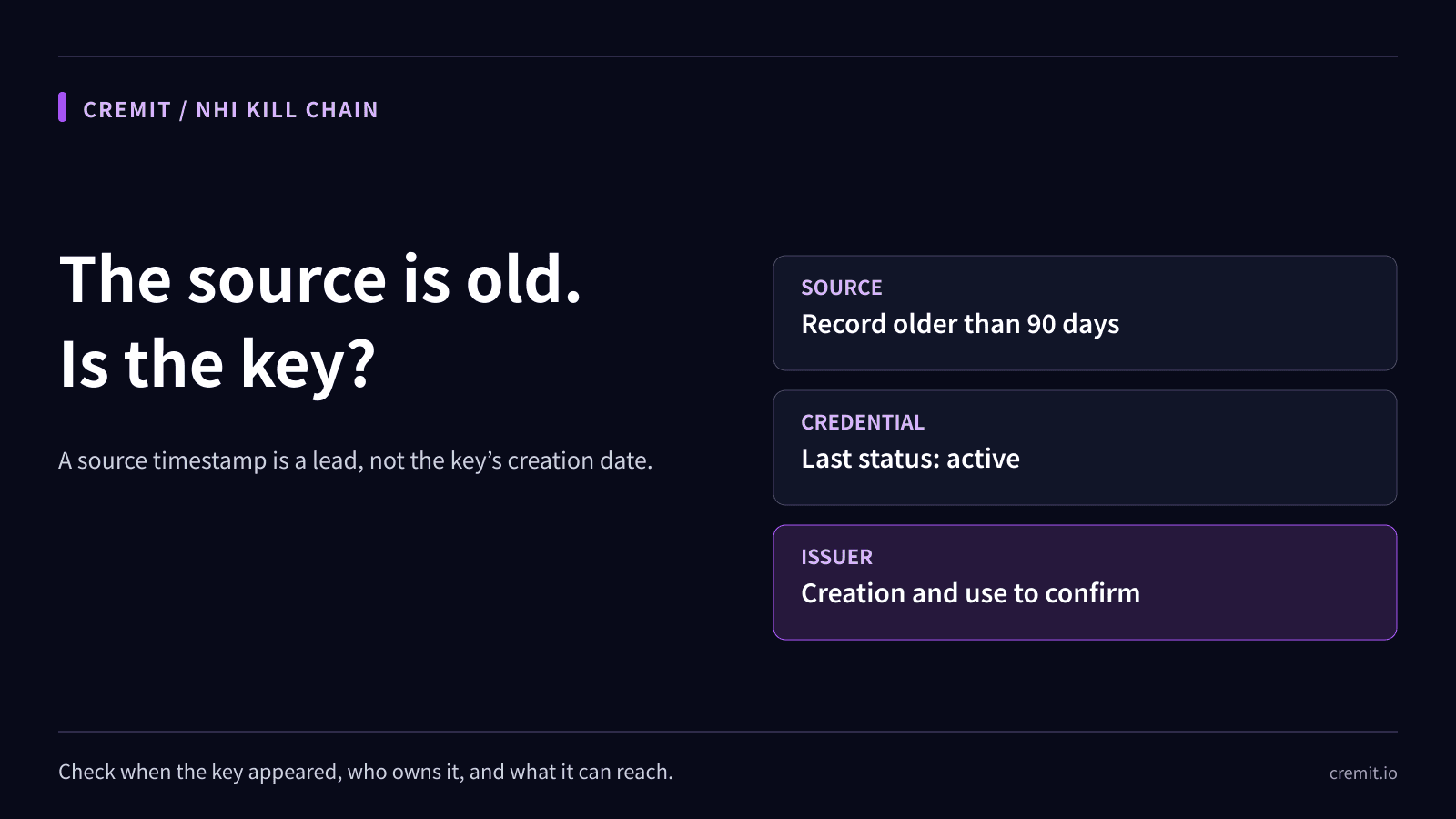
IAM Policy Audits Don't Track Age. Organizations that conduct quarterly or annual IAM policy audits typically focus on role assignments and policy attachments: who belongs to which group, which policies are associated with which users. Auditing key age — when was this key created, when was it last rotated, how many systems reference it — is a different dimension that most audit frameworks do not cover. IAM tools themselves do not treat key age as an alert-worthy metric by default. AWS IAM shows a key's creation date, but it does not send alerts at 90, 365, or 1,095 days unless you explicitly configure them.

Secrets Managers Only Protect What They Manage. "We use AWS Secrets Manager" (or Vault, or GCP Secret Manager) is a common response when credential hygiene is raised. Secrets managers provide centralized storage and automated rotation for the credentials they manage. The problem is that a three-year-old key hardcoded in a Jenkins pipeline, embedded in a Slack runbook, and copied into `.env` files was never enrolled in the secrets manager. Credentials that exist outside the secrets manager's scope age independently of the secrets manager's existence.

Scanning Tools Detect Presence, Not Age. Secret scanning tools identify hardcoded credentials in Git repositories and CI/CD configurations. They answer "this credential is hardcoded here." They typically do not answer "this credential was created 1,095 days ago, has never been rotated, and currently exists at seven locations." The age and sprawl dimensions — which determine the actual blast radius of compromise — are outside the scope of most scanning tools.

Institutional Knowledge Loss. When a startup's CTO or founding infrastructure engineer departs, the complete inventory of keys they created often leaves with them. Handover documentation may note "Terraform AWS key" but rarely captures that the same key is also embedded in Jenkins, shared in Slack, and copied to other teams' `.env` files. The replacement engineer inherits a working system and follows the default principle: do not touch what is working. The Aged Key survives across personnel generations.

Real-World Breaches and Industry Data

Aged Keys are not a theoretical risk. Long-lived, unrotated credentials have served as the critical attack vector in some of the most significant security incidents in recent years.

CodeCov 2021: Two Months of Undetected Credential Exfiltration. The 2021 CodeCov breach is a textbook case of Aged Key risk meeting supply chain compromise. Attackers infiltrated CodeCov's Docker image build process and modified the Bash Uploader script. The compromised script executed in customers' CI environments and exfiltrated environment variables — AWS keys, GitHub tokens, API secrets — to an external server. The breach went undetected for over two months. During that window, credentials were exfiltrated from thousands of organizations using CodeCov in their CI pipelines. Keys with short rotation cycles had already expired by the time the breach was discovered. Long-lived, unrotated keys were still valid — and those were the keys that led to downstream breaches.

CircleCI 2023: CI/CD as the Single Point of Credential Failure. In January 2023, CircleCI disclosed a breach in which an engineer's laptop was infected with malware that stole an SSO session token. The attacker used this token to access CircleCI's internal production systems and, through them, customer-stored secrets. CircleCI issued an urgent recommendation for all customers to rotate their secrets. The key lesson: long-lived credentials hardcoded in CI/CD pipelines can be exfiltrated en masse through a single compromise. Organizations with 90-day rotation policies likely had already-expired keys. Organizations with "set it and forget it" keys were directly exposed.

Travis CI Token Exposure: Tens of Thousands of Projects Affected. Security researchers discovered that Travis CI's API allowed access to environment variables across tens of thousands of projects — including GitHub tokens, AWS keys, and Docker Hub credentials. A significant proportion of the exposed credentials were long-lived keys that had never been rotated, still valid at the time of discovery. Organizations with rotation policies had expired keys. Organizations without policies had keys an attacker could use immediately.

Industry Data Confirms the Scale. CSA's 2026 State of NHI Security report documents that systematic credential lifecycle management policies remain uncommon. Most organizations operate under the assumption that if infrastructure is running, credentials are safe.

OWASP's NHI Top 10 includes inadequate credential rotation as a core risk item, reflecting the recognition that rotation failure is not an isolated incident but a structural, industry-wide problem.

AWS's own security best practices explicitly recommend rotating IAM Access Keys every 90 days. A 1,095-day-old key exceeds AWS's recommended rotation cycle by more than twelve times.

GitGuardian's 2024 State of Secrets Sprawl report provides additional context: over 90% of secrets exposed in public GitHub repositories remain valid five days after detection. If publicly exposed keys survive that long, Aged Keys in private environments — where no one is scanning — survive indefinitely.

Detection and Response Guide

The core principle of Aged Key remediation is not "replace the key immediately" but "replace the key systematically." A key embedded in seven systems for three years cannot be revoked in an instant without causing cascading failures. The approach must be planned, sequenced, and verified at each step.

Step 1: Age Audit. Enumerate every NHI credential in the organization and record its creation date and last rotation date. For AWS, `aws iam list-access-keys` returns the `CreateDate` for each IAM key. Flag keys over 90 days (AWS's recommended rotation cycle). Keys over 180 days are immediate action items. Keys over 365 days are urgent. Keys over 1,095 days — like the one in this scenario — have exceeded every reasonable threshold.

Step 2: Sprawl Mapping. Identify every location where each flagged key exists. This is the most difficult and most important step. Terraform configurations, CI/CD pipeline settings, `.env` files, Slack messages, Confluence pages, incident response runbooks, local development environments — every surface where the key could have been copied must be checked. Missing a single location means that after rotation, that system will fail — and the missed copy still holds the old key value, defeating the security purpose of rotation entirely.

Step 3: Dependency Analysis. For each copy, determine what system and function it supports. Rotating the Terraform state backend's key breaks all Terraform commands. Rotating the Jenkins pipeline key halts deployments. Assess the blast radius of each dependency and establish a rotation sequence. Start with the smallest blast radius.

Step 4: Staged Rotation. Replace the key system by system, beginning with the lowest-impact dependencies. For AWS IAM, the process is: create a new key first, apply the new key to all systems, verify that no system is still using the old key, then deactivate the old key. A recommended sequence:

Start with local `.env` files (individual developer environments, smallest blast radius). Move to CI/CD pipeline environment variables — update and verify each pipeline runs successfully. Then rotate the Terraform state backend authentication. Finally, remove the plaintext key from Slack runbooks and documentation, and establish a policy against embedding keys in documents.

Step 5: Automated Rotation Policy. Manual rotation will eventually be deferred again. Automation is the only sustainable solution. Use AWS Secrets Manager, HashiCorp Vault, or equivalent tools to enforce automatic rotation on a 90-day cycle (or shorter for high-privilege credentials). Transition the architecture from hardcoded keys to runtime secret retrieval from the secrets manager. This decouples rotation from individual system configuration updates.

When an Aged Key Is Discovered: Assume It Has Already Been Compromised. If an audit reveals a key older than 365 days, the assumption that it has not been exfiltrated is dangerous. A key that has existed at seven locations for three years has been exposed to three years of potential compromise at any of those locations. The response sequence:

  1. Create a new key immediately — do not revoke the old key yet
  2. Apply the new key to all dependent systems — use the sprawl map to update every location
  3. Deactivate the old key — only after confirming all systems are operating on the new key
  4. Audit access logs — review CloudTrail logs for the old key's usage history, looking for anomalous regions, time patterns, and API call patterns
  5. Permanently delete the old key — after the audit is complete

For a comprehensive approach to secret detection and management, see Secret Detection: Complete Guide for 2026 and Git Secret Scanning: Complete Implementation Guide.

How Cremit Argus Detects Aged Keys

The core problem with Aged Keys is threefold: organizations do not know how old their keys are, do not know where copies exist, and do not know what will break when the key is rotated. Argus is designed to resolve all three.

Credential Age Monitoring. Argus continuously tracks the creation date and last rotation date of every NHI credential in the organization. Alerts escalate based on age: warning at 90 days, high risk at 180 days, critical at 365 days. "This key was created 1,095 days ago and has never been rotated" is displayed clearly on the dashboard. The assumption that a working key is a safe key is replaced with data.

Sprawl Detection. Argus scans across platforms to identify every location where a given key exists. GitHub repositories, CI/CD pipeline configurations, Slack messages, Confluence documentation, cloud infrastructure settings — every surface where a key can be copied is within Argus's detection scope. "This AWS key exists in 3 Jenkins pipelines, 1 GitHub Actions workflow, 2 Slack messages, and 1 Confluence page" — this sprawl map is generated automatically. Before rotation begins, every location that needs updating is already identified.

Dependency-Aware Rotation Support. The difficulty of Aged Key rotation is rooted in uncertainty: "what breaks if we change it?" Argus's sprawl map goes beyond "the key is here" to show which systems and functions each copy supports. This enables teams to build staged rotation plans ordered by blast radius — starting with low-impact systems and working toward critical infrastructure. The transformation is from "if we touch it, production dies" to "if we follow this sequence, rotation is safe."

See how Argus manages credential age and sprawl detection at cremit.io.

NHI Kill Chain Series Overview

This post is the third installment in the NHI Kill Chain series. Each post analyzes a distinct type of dangerous NHI credential that hides inside organizations.

Each type represents an independent risk, but they are interconnected. A key exposed in a public repository (Public Key), if left unrotated, becomes an Aged Key. A departed employee's key (Ghost Key), if never revoked, accumulates the same time-based risks as an Aged Key. Understanding how one credential management failure cascades into another risk category is the central purpose of this series.

  1. Ghost Key — The Departed Developer Whose AWS Key Still Clocks In Every Morning (read)
  2. Shadow Key — Quietly Hardcoded Right Next to the Secrets Manager (read)
  3. Aged Key — The Skeleton Key That Held Production Together for 3 Years (current post)
  4. Over-shared Key — What Happens When 10 People Share a Single Slack Bot Token (coming soon)
  5. Zombie Key — Deleting It from Code Doesn't Mean It's Dead (coming soon)
  6. Drifted Key — When the CI/CD Bot Auto-Attaches a DB Password to Jira (coming soon)
  7. Public Key — What Happens 4 Minutes After a .env Hits GitHub (read)
  8. Unattributed Key — Nobody Knows Who This Key Belongs To (coming soon)

Previous post: NHI Kill Chain: Ghost Key — The Departed Developer Whose AWS Key Still Clocks In Every Morning

Next post: NHI Kill Chain: Over-shared Key — What Happens When 10 People Share a Single Slack Bot Token

Cremit is an NHI security company. Learn more at cremit.io

NHI SecurityAPI KeysCloud SecurityDevSecOpsCI/CD SecuritySecret DetectionSupply Chain Attack

Enjoyed this post?

Share it with your network

Share:
NHI Kill Chain: Aged Key — The Skeleton Key That Held Production Together for 3 Years | Cremit