NEW: RSAC 2026 NHI Field Report — How Non-Human Identity became cybersecurity's central axis
Back to Blog
Security

NHI Kill Chain: Shadow Key — Your Secret Scanner Sees the Code. It Doesn't See Slack.

A single production outage left credentials in six non-code platforms — Slack, Jira, Confluence, Sentry, Datadog, and PagerDuty. Your secret scanner found none of them. Inside the Shadow Key kill chain.

Ben Kim
Written by
Ben Kim
15 min read
Share:
NHI Kill Chain: Shadow Key — Your Secret Scanner Sees the Code. It Doesn't See Slack.

3 AM — When an Incident Response Becomes a Security Incident

Fall 2025. A mid-size fintech SaaS company — 350 employees, Series C closed, SOC 2 Type II certified. Five-person security team. HashiCorp Vault in production. GitHub secret scanning enabled. The CISO had reported to the board less than a month earlier that secret management was well in hand.

Saturday, 3:12 AM. The payment service went down.

PagerDuty paged the on-call SRE. Simultaneously, the automation pipeline the organization had spent years building began doing exactly what it was designed to do. The problem was that nobody had considered what this automation would do to their security posture.

Automatic spread — before anyone touches a keyboard

Sentry captured the payment service error. The stack trace included the Stripe API live key in its error context: sk_live_4eC39HqLyjWDarjtT1zdp7dc — the full production payment key, in plaintext, embedded in a stack trace. Sentry's Slack integration forwarded this stack trace verbatim to the #alerts-payment channel. Key masking? Sentry offers data scrubbing, but custom environment variable filtering requires manual configuration. Most organizations run on defaults.

Nearly simultaneously, Datadog's APM trace logged the request header's Authorization: Bearer eyJhbGciOiJIUzI1NiIs... token in plaintext. Datadog's anomaly alert fired to the #monitoring Slack channel, including a direct link to the trace. Anyone who clicked could see the plaintext token.

PagerDuty auto-posted to #incident-critical with incident context containing environment metadata and internal service endpoint information, including partial authentication details.

No human had done anything yet. Within three minutes, automated systems had distributed a Stripe API key to two Slack channels, a Bearer token to Datadog logs and one Slack channel, and service metadata to yet another Slack channel.

Human amplification — incident response as a security threat vector

The on-call SRE started live debugging in the #incident-critical thread. "Checking env vars" — and pasted the output of env | grep STRIPE directly into the thread. Stripe secret key, PostgreSQL connection string (postgres://admin:Pr0d_P@ss2025@db.internal:5432/payments), and three internal microservice API tokens — all exposed in a single message.

The backend lead sent a DM: "Try this key directly in the Stripe dashboard" — and pasted the live key. A Slack DM.

The incident was resolved by 5 AM. On Monday morning, the SRE created a Jira postmortem ticket (SEV-1-20251018), copying the Slack thread content nearly verbatim. Credentials included. The tech lead updated the Confluence runbook "Payment Service Emergency Recovery Procedure" with a "use this key for direct DB access in emergencies" guide. The full connection string was recorded in plaintext in the document.

The result: One incident response left production credentials in at least 8 locations — three Slack channels (#alerts-payment, #monitoring, #incident-critical), one Slack DM, one Jira ticket, one Confluence page, Sentry logs, and Datadog logs. Every single one a non-code source. GitHub's secret scanning caught exactly zero of them.

Six months later, an external auditor conducting the SOC 2 renewal review examined Confluence access permissions. They found production Stripe API keys and DB connection strings in plaintext in the runbook. Tracing backward, the same keys were discoverable via Slack search, Jira search, and Datadog log search — accessible to anyone in the organization. The original exposure: the incident response six months prior. In the intervening period, two contract developers had joined and left the project, and one external consultant had Confluence access.

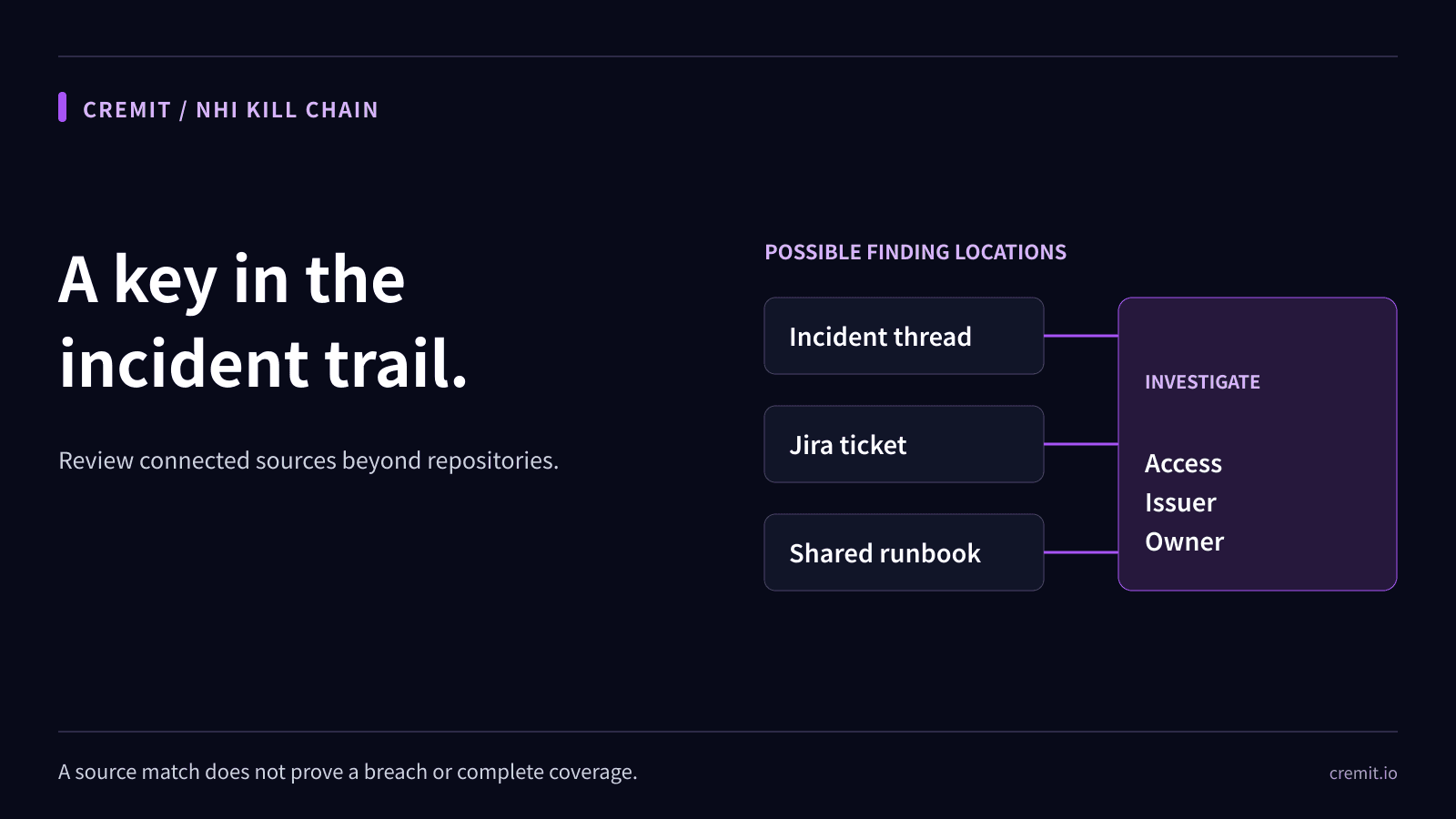
Shadow Key Spread Diagram - one credential leaked across six non-code platforms during incident response

Why This Key Is Dangerous

A Shadow Key is a credential exposed in non-code sources — collaboration tools, monitoring systems, project management platforms, and documentation wikis where secrets live in plaintext. If a hardcoded key in source code is a visible danger, a Shadow Key is an invisible one. It exists outside Git, outside the cone of light that secret scanners cast, but inside the search radius of dozens or hundreds of people in the organization.

Shadow Keys are structurally dangerous for three reasons.

First, the spread velocity is explosive. A hardcoded credential in source code typically exists in one file, one repository. A Shadow Key spreads across multiple platforms from a single event. When an incident fires, Sentry sends to Slack, Datadog sends to Slack, PagerDuty sends to Slack — all automatically. Before a human has done anything, credentials are already in three or four channels. Once engineers start responding, Jira and Confluence get added. One incident, six or more platforms. That is the Shadow Key propagation mechanism.

Second, credentials are permanently stored in searchable systems. Slack, Jira, Confluence, and Datadog all support full-text search. Once recorded, a credential is one search query away from anyone with access. Search sk_live in Slack? Production Stripe key. Search postgres:// in Jira? Database connection string. And this data doesn't disappear. Deleting a Slack message doesn't remove it from Compliance Export. Editing a Jira ticket description doesn't erase the change history. Updating a Confluence page doesn't delete previous versions. Once written, full erasure is practically impossible.

Third, the illusion of coverage delays defense. This is Shadow Key's most insidious quality. The CISO has deployed secret scanning. Vault is in production. SOC 2 is passed. There is genuine confidence in secret management. But that confidence applies only to the code domain.

What the CISO says | Reality

"No secrets in Git" | Correct. They're outside Git.

"We use Vault" | The key pulled from Vault is sitting in plaintext in a Slack thread.

"We passed SOC 2" | SOC 2 audit scope doesn't include scanning Slack messages for credentials.

"We do quarterly access reviews" | Hardcoded keys in Jira tickets and Confluence docs aren't part of access reviews.

"We have DLP" | Most DLP monitors file exfiltration, not API key patterns in Slack messages.

Every row in this table comes from real conversations with security leaders. "Having a tool" and "having a tool that covers this threat" are entirely different propositions, and the majority of organizations don't recognize the gap.

Kill Chain — How a Shadow Key Threatens the Entire Organization

The Shadow Key kill chain begins in a fundamentally different place than other NHI threats. Ghost Keys start on a departed employee's personal device. Public Keys start in a public repository. Shadow Keys start in the organization's daily operations — specifically, in incident response. It's not a security failure that creates the risk. It's a normal operational process.

Stage 1: Credential Leakage to Non-Code Sources

It begins with automated monitoring alerts. Sentry captures an error and records the environment variables present in the stack trace. Datadog APM traces a request and logs the authentication token in the header in plaintext. These data payloads are automatically forwarded to Slack channels via integrations. No human involvement — the system moves credentials from code runtime into non-code sources on its own. This is what makes Shadow Keys unique: it's not a mistake. It's intended automation producing unintended consequences.

Stage 2: Human Amplification

During incident response, engineers accelerate the spread. They paste env | grep output into Slack. They DM credentials with "try this key directly." After resolution, they copy Slack threads into Jira postmortems. They document "use this key in emergencies" in Confluence runbooks. Automated alerts create the first wave; humans create the second and third. One incident event leaves credentials on N platforms.

Stage 3: Persistence in Searchable Systems

Slack, Jira, Confluence, and Datadog all support full-text search. At this point, credentials aren't merely "somewhere in the system" — they're discoverable by anyone with a search query. And deletion is hard. Deleting a Slack message may not remove it from Compliance Export or eDiscovery logs. Editing a Jira ticket description leaves the original in the change history. Updating a Confluence page preserves previous versions. Once recorded, complete erasure is effectively impossible on these platforms.

Stage 4: Access Expansion

Anyone with access to the relevant Slack workspace, Jira project, or Confluence space can find production keys through search. The problem is that "anyone with access" is broader than most organizations realize. Contract developers, external consultants, and partner company employees routinely receive Slack guest accounts or Jira/Confluence external sharing access. Employees approaching departure, accounts with over-provisioned permissions — all have access. If a Confluence space is set to "Anyone with the link," external exposure is one click away.

Stage 5: Exploitation

Shadow Key exploitation takes two primary forms. Insider threat: a disgruntled employee or someone approaching departure searches Slack for production keys and misuses them. Or account takeover: a Slack account compromised through phishing or session hijacking gives the attacker access to Slack's search function. Searching for sk_live, AKIA, postgres:// patterns yields production credentials within minutes. Throughout this entire chain, Git secret scanning, SIEM, and CSPM generate zero alerts. Non-code sources are outside their observation scope.

Kill Chain Diagram - Shadow Key 5-stage attack from credential leakage to exploitation

Why Traditional Security Tools Miss It

Shadow Keys exist in the gaps between security tools that were never designed to observe non-code sources.

Git secret scanning has a coverage boundary

GitHub Advanced Security, GitLeaks, TruffleHog — these tools are effective within Git repositories. The problem is that Shadow Keys don't live in Git. These tools don't scan Slack messages, Jira ticket bodies, Confluence pages, Sentry logs, or Datadog traces. They can't — there's no integration path. "We've deployed secret scanning" means "we're catching secrets in code," not "we're catching all secrets."

GitGuardian's 2024 State of Secrets Sprawl report addresses this directly: a significant portion of secret leakage occurs in collaboration tools, log systems, and CI/CD artifacts — not in code. Git-centric scanning covers only a fraction of overall secrets sprawl.

DLP has a blind spot

Traditional DLP solutions are optimized for file exfiltration and email attachment monitoring. "An employee is copying the customer database to a USB drive" — DLP catches that. "An engineer pasted AKIA2OGYBAH6QDFGT7LS in a Slack message" — most DLP solutions miss it entirely. DLP systems that analyze text patterns in Slack messages in real time are rare. Organizations that have defined API key, connection string, and Bearer token patterns in their DLP rules are rarer still.

SOC 2 / ISO 27001 audit scope doesn't cover this

SOC 2 audits review access controls, change management, and monitoring policies. "Are secrets stored in Vault?" Yes. "Is secret scanning applied to code repositories?" Yes. Audit passed. But "Are production credentials sitting in plaintext in Slack messages?" doesn't appear on most audit checklists. Passing SOC 2 means defined controls are functioning, not that all threats are covered.

Monitoring tool default configurations are insufficient

Both Sentry and Datadog offer secret masking capabilities — Sentry's "Data Scrubbing" and "Security & PII" filters, Datadog's "Sensitive Data Scanner." The problem is that these features cover only minimal patterns by default, and custom environment variables or organization-specific secret patterns require manual configuration. Organizations that assume defaults are sufficient are the ones where Stripe keys appear in plaintext in stack traces and Bearer tokens are recorded in APM traces.

CISO Blind Spots - what security tools cover versus where Shadow Keys hide

Real-World Breaches and Industry Data

Shadow Keys are not a theoretical risk category. They appear repeatedly in the attack chains of major security incidents over the past several years.

Uber 2022 — A full breach that started in Slack

In September 2022, an 18-year-old hacker social-engineered past an Uber employee's MFA and gained access to the internal Slack workspace. What the attacker found in Slack was a trove of internal system credentials. Admin passwords embedded in PowerShell scripts had been shared in internal network shares and Slack messages. Using these credentials, the attacker reached AWS, Google Workspace, the Slack admin console, and even Uber's HackerOne bug bounty platform. Uber had code repository security in place. But credentials sitting in Slack — Shadow Keys — provided the links that turned initial access into a full organizational breach.

Rockstar Games 2022 — Slack workspace compromise

The same hacker group (Lapsus$) breached Rockstar Games' Slack workspace. Through Slack, they accessed GTA VI development build footage and source code. A Slack workspace is not just a messenger. It's where file shares, code snippets, integration webhooks, and automated alerts converge — and where credentials frequently end up in plaintext. Once an attacker is inside Slack, the search function becomes a weapon.

EA 2021 — One Slack token, 780GB of data

In the 2021 Electronic Arts breach, attackers used a Slack session cookie purchased on the dark web to access EA's internal Slack workspace. From Slack, they contacted the IT support team and obtained internal network access, ultimately exfiltrating 780GB of data including FIFA 21 source code and the Frostbite engine. A $10 Slack cookie was the starting point for one of the gaming industry's largest data breaches.

What industry data tells us

OWASP's NHI Top 10 lists secret exposure as a top risk, explicitly warning about leakage in non-code sources. CSA's 2026 State of NHI Security report found that fewer than 15% of organizations systematically monitor for secrets in non-code sources. The remaining 85% have no way to know whether credentials are sitting in Slack, Jira, or Confluence.

GitGuardian's 2024 State of Secrets Sprawl report shows that secrets sprawl has expanded beyond code repositories into collaboration tools, CI/CD artifacts, and log systems. Secrets found in Git are only a fraction of overall secrets sprawl, and detection rates for non-code source secrets are significantly lower.

These data points converge on a single conclusion: scanning code alone does not complete your secret security posture. Without covering the non-code sources where Shadow Keys hide, security tools provide a false sense of protection.

Detection and Response Guide

Defending against Shadow Keys is not a tooling problem — it's a coverage problem. The core challenge is extending the observation radius of your existing security tools to include non-code sources.

Deploy non-code source secret scanning

Git-only scanning is insufficient. Expand scanning to cover Slack workspaces, Jira projects, Confluence spaces, and log systems (Sentry, Datadog, ELK, etc.). Scan targets should include message bodies, ticket descriptions, document content, attachments, and log entries. Scan frequency should be at minimum daily, ideally real-time via API-based event streaming. When a secret is detected, trigger automated alerting alongside an immediate credential rotation process.

Harden secret masking in monitoring tools

In Sentry's Data Scrubbing settings, add custom patterns: sk_live_*, sk_test_*, AKIA*, postgres://, mysql://, mongodb://, Bearer ey*. Register these in "Additional Sensitive Fields." In Datadog's Sensitive Data Scanner, create scanning rules for every secret pattern your organization uses. Review PagerDuty alert templates to ensure environment variables aren't included in incident context. These settings are configure-once-run-forever, but the bottleneck is that most organizations never configure them.

Tighten Slack/Jira/Confluence retention and access controls

Deploy Slack Enterprise Grid's DLP capabilities or third-party Slack DLP tools to automatically warn or block messages containing secret patterns. Conduct regular access reviews for Jira and Confluence, minimizing external guest account scope. Audit Confluence sharing settings — especially "Anyone with the link" — and convert spaces containing sensitive information to private. When secrets are confirmed in messages, tickets, or documents, remediate immediately, but also address the original data persisting in change histories and compliance exports.

Establish an incident response secret hygiene protocol

Add a "secret hygiene" section to your incident response runbooks. Specifically: (1) Never paste env | grep output directly into Slack — share masked versions or use a secure secret-sharing mechanism (e.g., Vault's one-time secret sharing). (2) Never send credentials via DM — use Vault, 1Password, or your organization's secret management tool. (3) Mask credentials in postmortem documentation: sk_live_****, postgres://****:****@****. (4) Within 24 hours of incident resolution, have the security team review the incident thread/ticket to identify exposed secrets and initiate rotation. For a deeper implementation guide on secret management, see Git Secret Scanning: Complete Implementation Guide.

When a Shadow Key is found, respond as if it's already compromised

Rotate the credential immediately. Check whether the same key exists on other platforms — if found in Slack, it's highly likely to also be in Jira, Confluence, Sentry, or Datadog. Audit access logs for the credential to identify any anomalous usage. Determine who had access — not just internal employees, but external guests, contractors, and departed personnel. For more on building detection capabilities, see Secret Detection: Complete Guide for 2026.

Response Flow - 4-step Shadow Key response: discover, remediate, prevent, govern

How Cremit Argus Detects Shadow Keys

The fundamental reason Shadow Keys evade existing security tools is a limitation of observation scope. Git secret scanning sees Git. DLP sees file exfiltration. Neither sees credentials inside Slack messages, Jira tickets, or Confluence documents. Cremit Argus targets this blind spot directly.

Argus performs full-surface secret scanning that extends beyond code repositories to Slack workspaces, Jira projects, Confluence spaces, and log systems. It detects secret patterns in message bodies, ticket descriptions, document content, thread replies, and attachments. The same detection precision applied to Git-based secrets is applied to non-code sources.

Argus traces Shadow Key propagation paths. When a single credential exists across multiple platforms simultaneously — Slack channel + Jira ticket + Confluence document — Argus automatically correlates these instances and visualizes the full spread radius. Finding one means finding all of them. This is a fundamentally different response velocity than manually searching each platform one by one.

Argus provides real-time monitoring. The moment a Slack message is sent or a Jira ticket is created, secret patterns are detected and alerts fire immediately. When an engineer pastes an env dump into Slack during incident response, the security team is notified within seconds — not six months later during an audit.

See how Argus identifies and eliminates Shadow Keys across your non-code sources at cremit.io.

NHI Kill Chain Series Overview

This post is the second installment in the NHI Kill Chain series. Across nine posts, we analyze the eight most dangerous types of NHI credentials hiding inside organizations, each representing a distinct — and interconnected — risk. A credential exposed in a non-code source, if left unrotated, becomes an Aged Key. A departed employee's credentials scattered across Slack and Confluence become both a Ghost Key and a Shadow Key simultaneously. Understanding how one credential management failure cascades into another risk category is the central purpose of this series.

  1. CRE-001 Ghost KeyThe Departed Developer Whose AWS Key Still Clocks In Every Morning (published)
  2. CRE-002 Shadow Key — Your Secret Scanner Sees the Code. It Doesn't See Slack. (current post)
  3. CRE-003 Aged Key — The Skeleton Key That Held Production Together for 3 Years (coming soon)
  4. CRE-004 Over-shared Key — What Happens When 10 People Share a Single Slack Bot Token (coming soon)
  5. CRE-005 Zombie Key — Deleting It from Code Doesn't Mean It's Dead (coming soon)
  6. CRE-006 Drifted Key — When the CI/CD Bot Auto-Attaches a DB Password to Jira (coming soon)
  7. CRE-007 Public KeyWhat Happens 4 Minutes After a .env Hits GitHub (published)
  8. CRE-008 Unattributed Key — The Key Nobody Owns, the Permissions Nobody Governs (coming soon)

Series Summary — How the 8 CRE Types Interconnect and a Unified Defense Strategy (published after series completion)

Previous post: NHI Kill Chain: Ghost Key — The Departed Developer Whose AWS Key Still Clocks In Every Morning

Next post: NHI Kill Chain: Aged Key — The Skeleton Key That Held Production Together for 3 Years

Cremit is an NHI security company. Learn more at cremit.io

NHI SecuritySecret DetectionCloud SecurityDevSecOpsCI/CD Security

Enjoyed this post?

Share it with your network

Share:
NHI Kill Chain: Shadow Key — Your Secret Scanner Sees the Code. It Doesn't See Slack. | Cremit